


Managing I-130 Cases Efficiently in ImmiBox
Overview
Welcome. In this video, we'll show you how an I-130 case is managed in ImmiBox.
nnnnnnnn1. Introduction
 * click the image to view enlarged
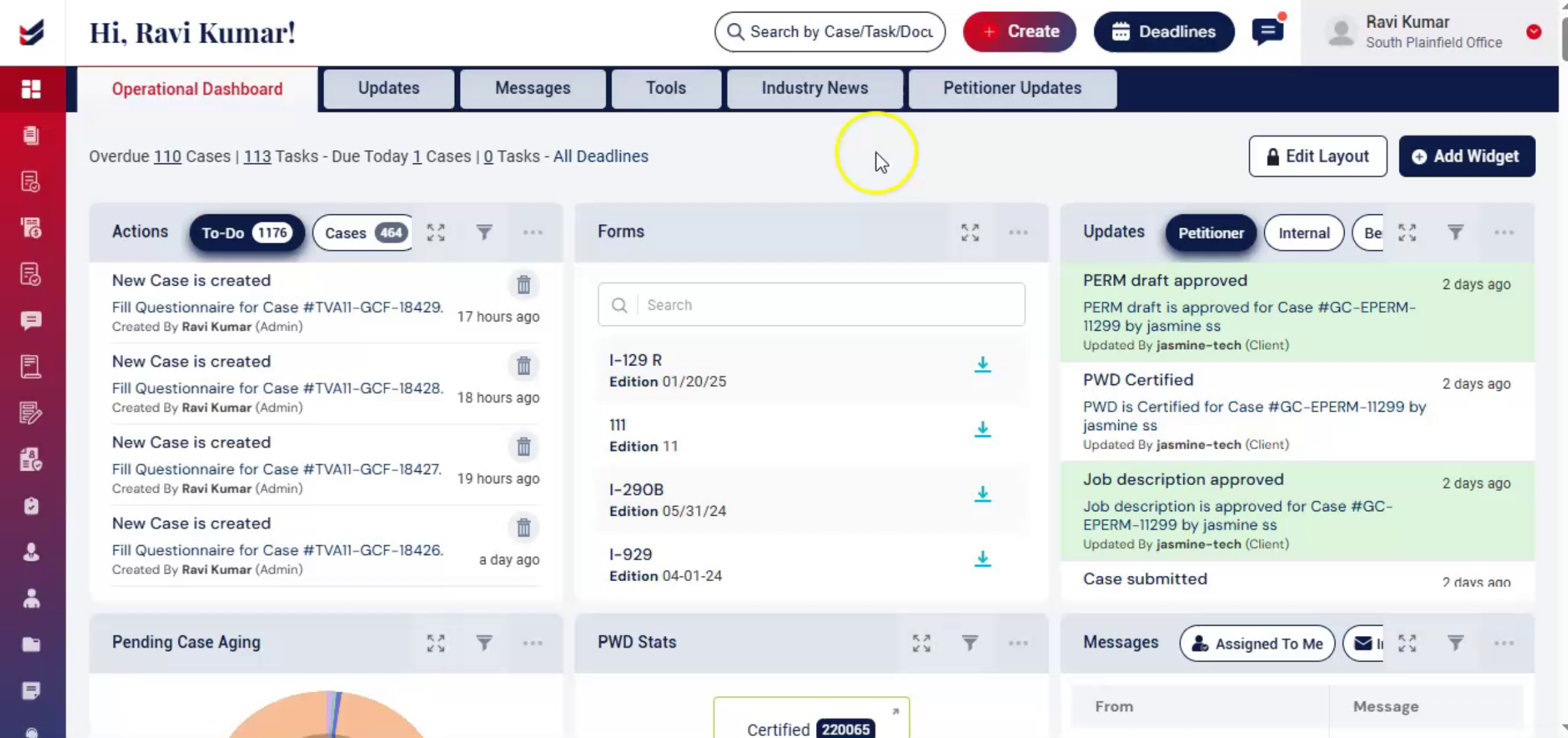
This video demonstrates how to manage an I-130 case from creation to final USCIS submission using ImmiBox. It highlights the flexible workflow that supports collaboration between law firms, petitioners, and beneficiaries throughout the process.
nnnnnnnn2. I-130 Case Overview
 * click the image to view enlarged
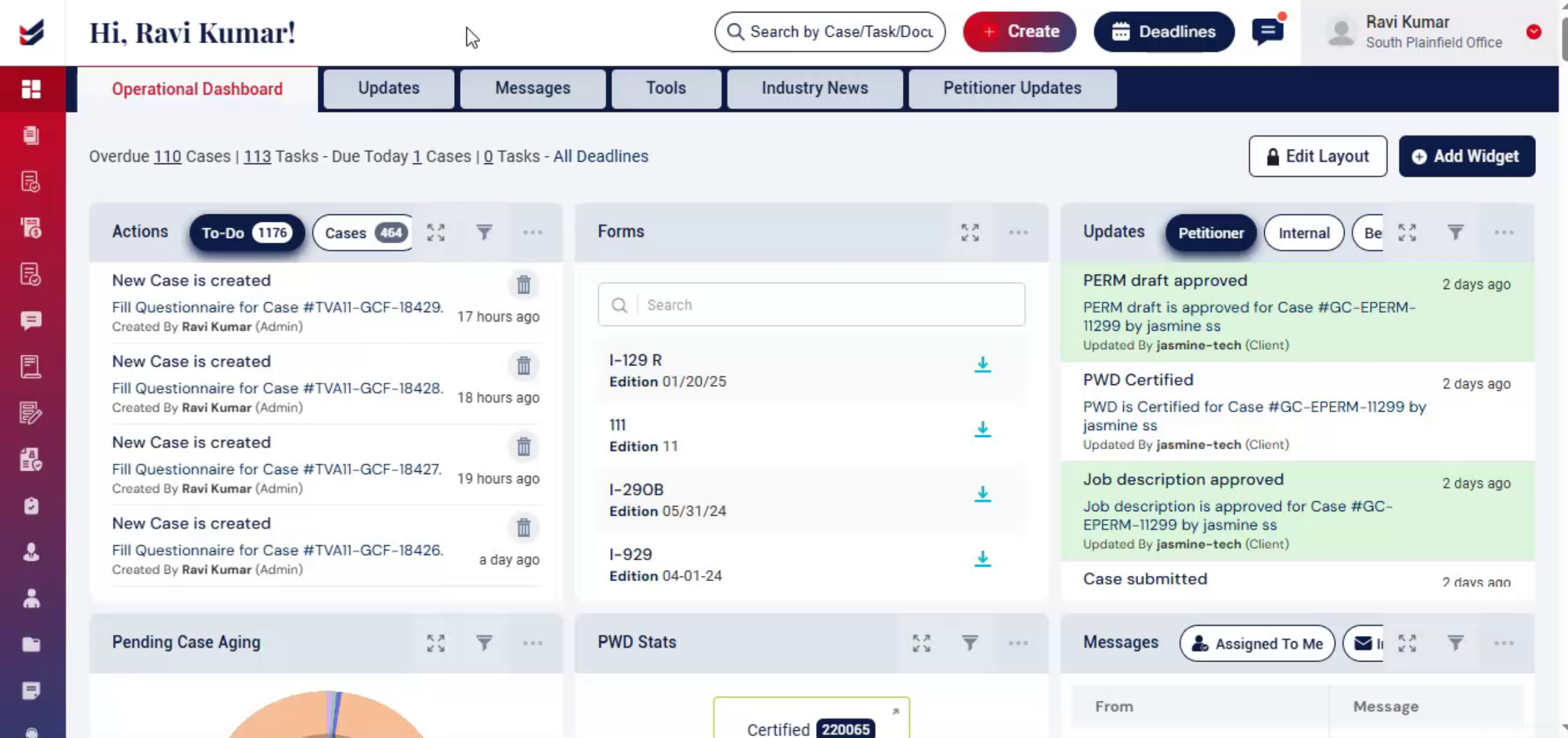
From the moment, it's created to the final USCIS update. You'll see how a flexible workflow guides each stage of the process. While enabling seamless collaboration between the law firm, the petitioner and the beneficiary,
nnnnnnnn3. Creating New I-130 Case
 * click the image to view enlarged
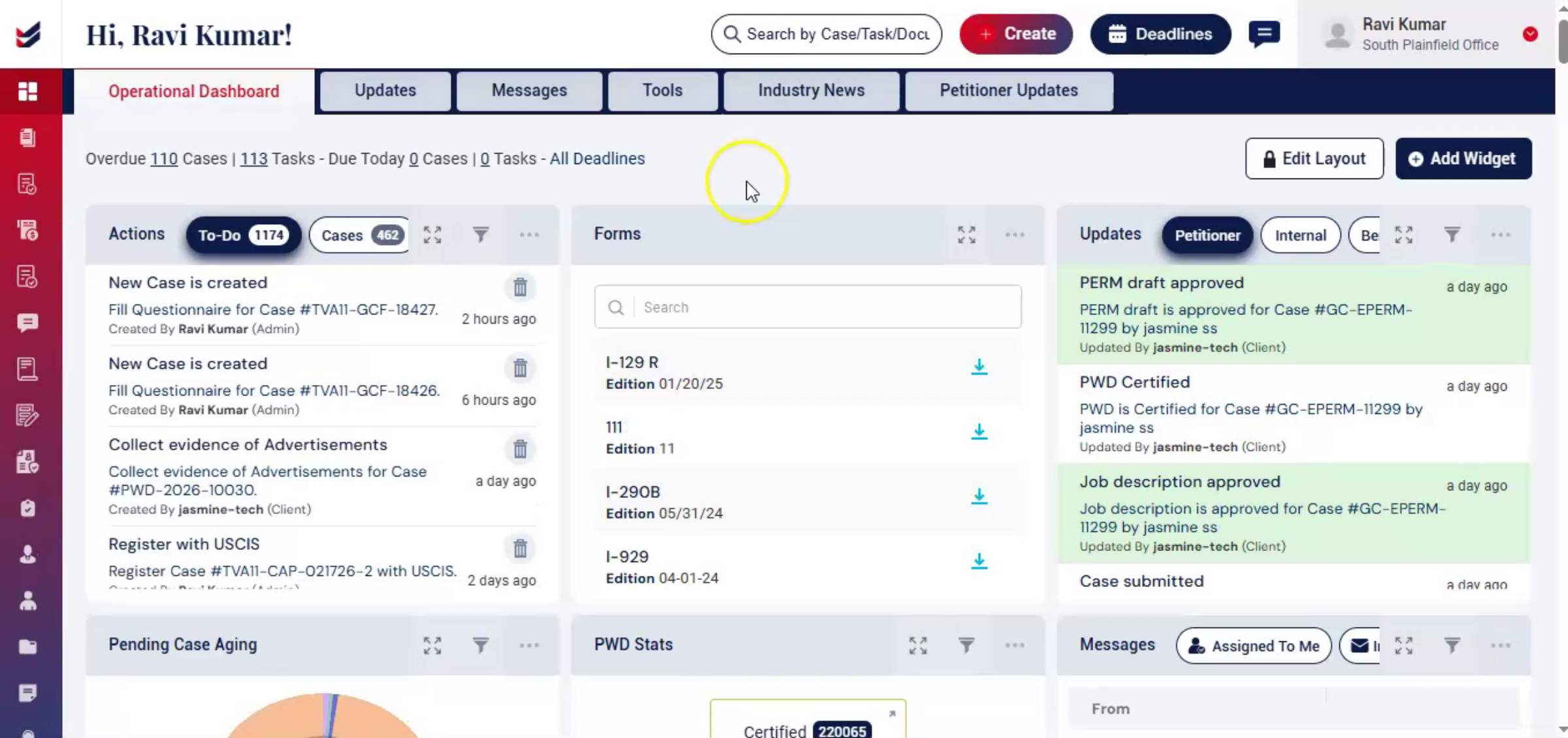
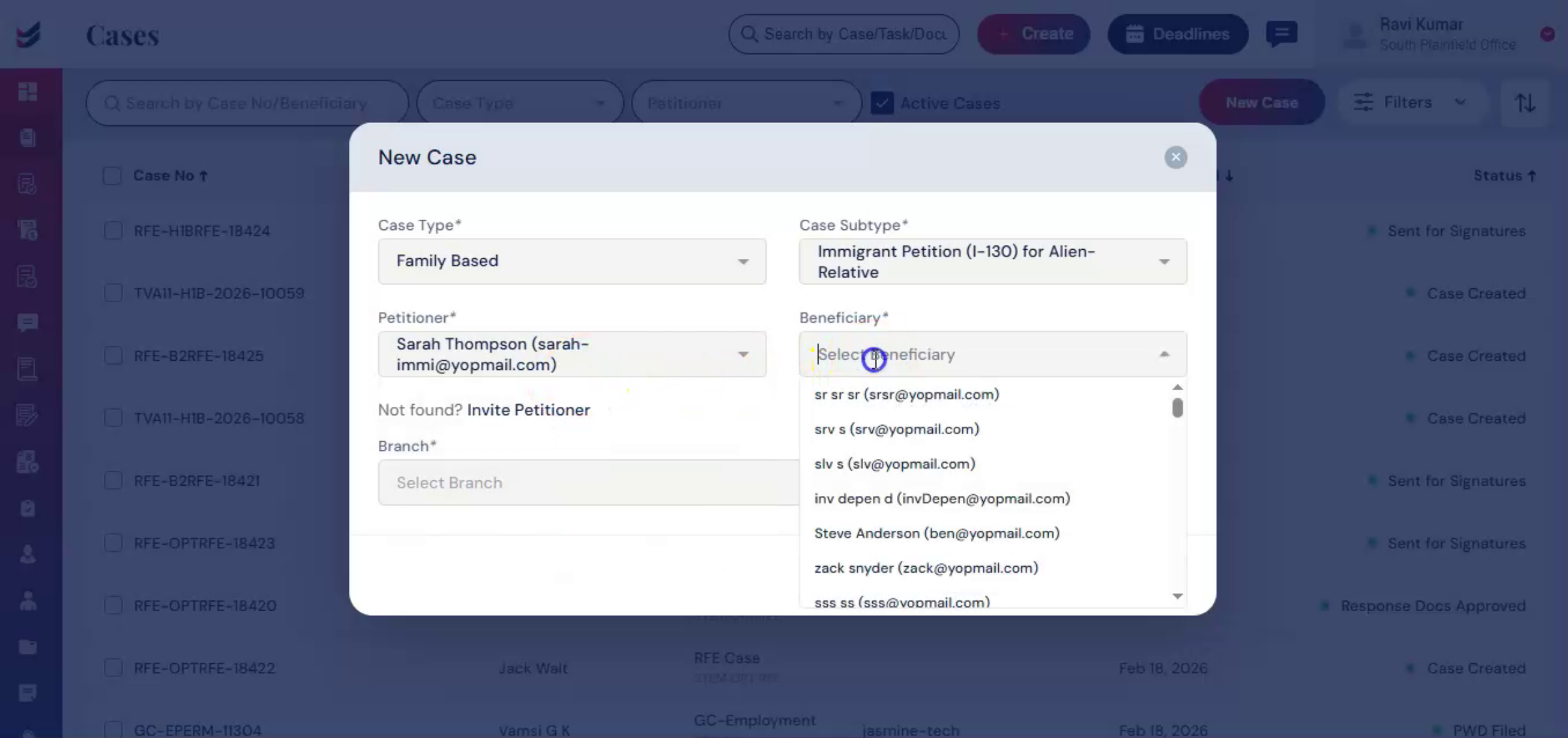
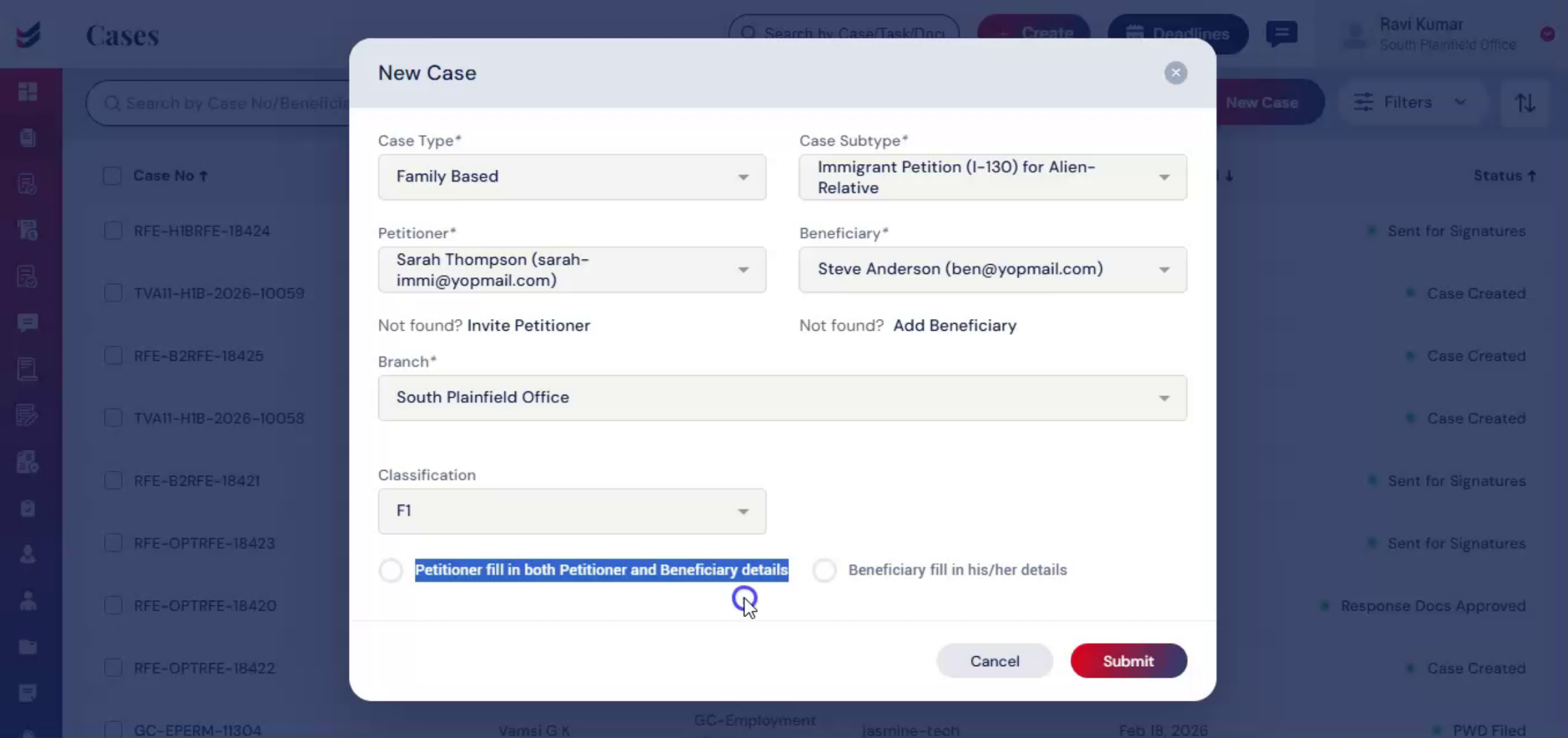
To create an I-130 case, click on Create, then select New Case. In the case type, choose Family-based and under Case Subtype select Immigrant Petition for Alien Relative. Next, select the Petitioner and Beneficiary.
nnnnnnnn4. Adding Petitioner And Beneficiary
 * click the image to view enlarged
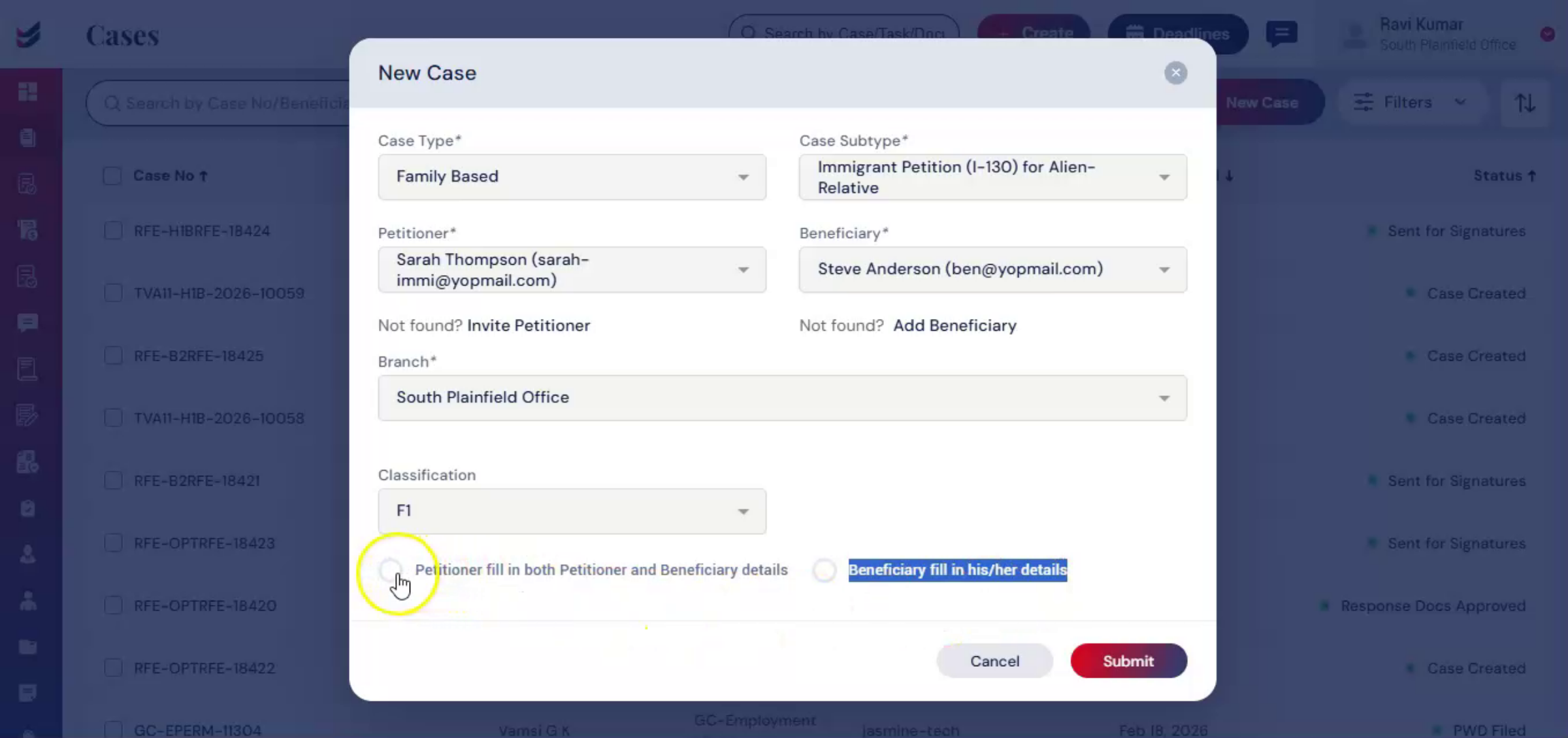
If they have not yet been added to the system, you can easily add them by following our Petitioner and Beneficiary Adding Guide before proceeding with the case creation. At the bottom of the Case Creation screen, ImmiBox provides two flexible options. The first option, Petitioner fill in both Petitioner and Beneficiary details, means the Petitioner can complete both the Petitioner and Beneficiary questionnaires.
nnnnnnnn5. Questionnaire Completion Options
 * click the image to view enlarged
Second option, Beneficiary fills in their details, meaning the Beneficiary can complete their own questionnaire. This allows firms to decide how information is collected based on the client's situation.
nnnnnnnn6. Submitting Case And Redirect
 * click the image to view enlarged
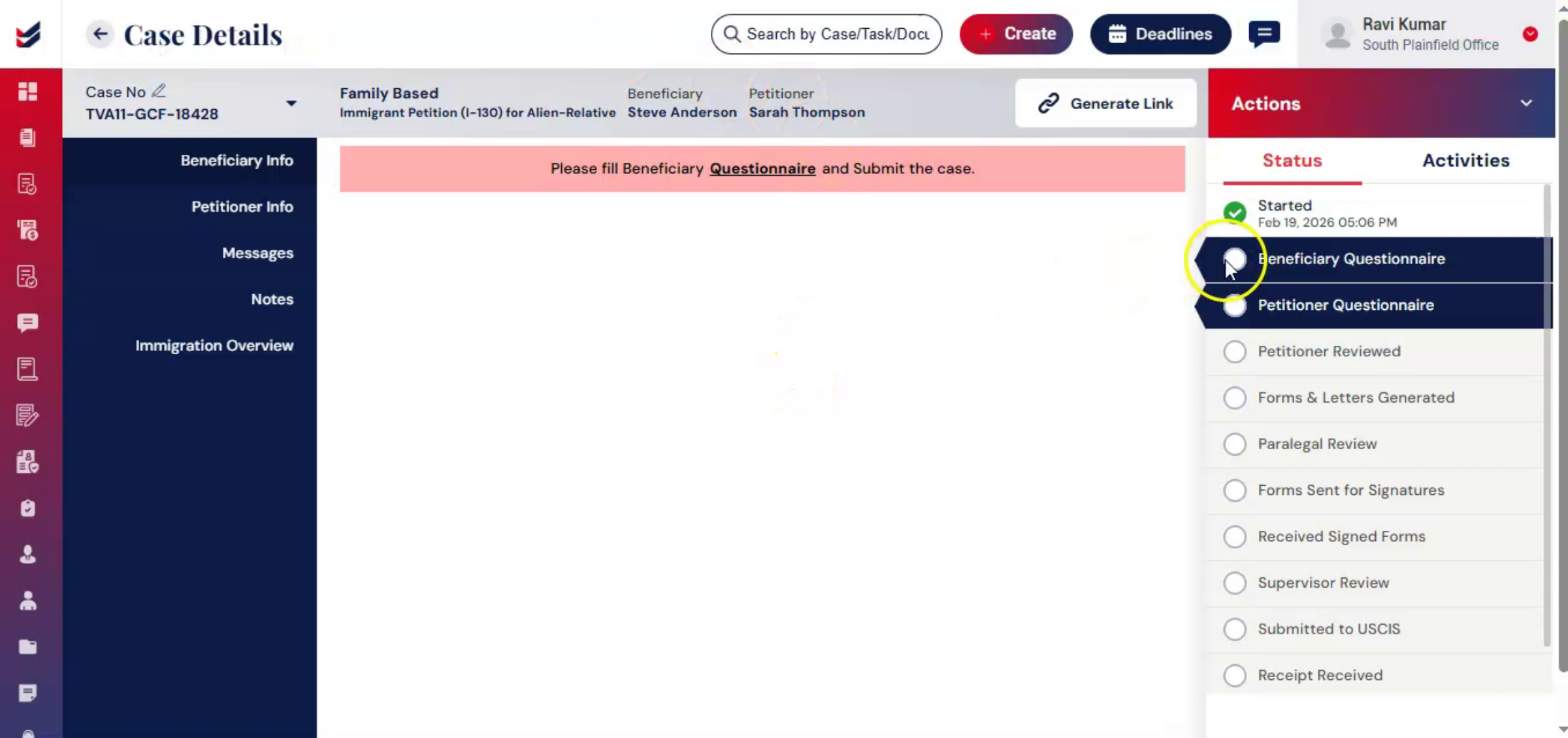
Once you click Submit, you'll be redirected to the Case Details page. At this stage, ImmiBox begins the structured information collection process.
nnnnnnnn7. Structured Information Collection
 * click the image to view enlarged
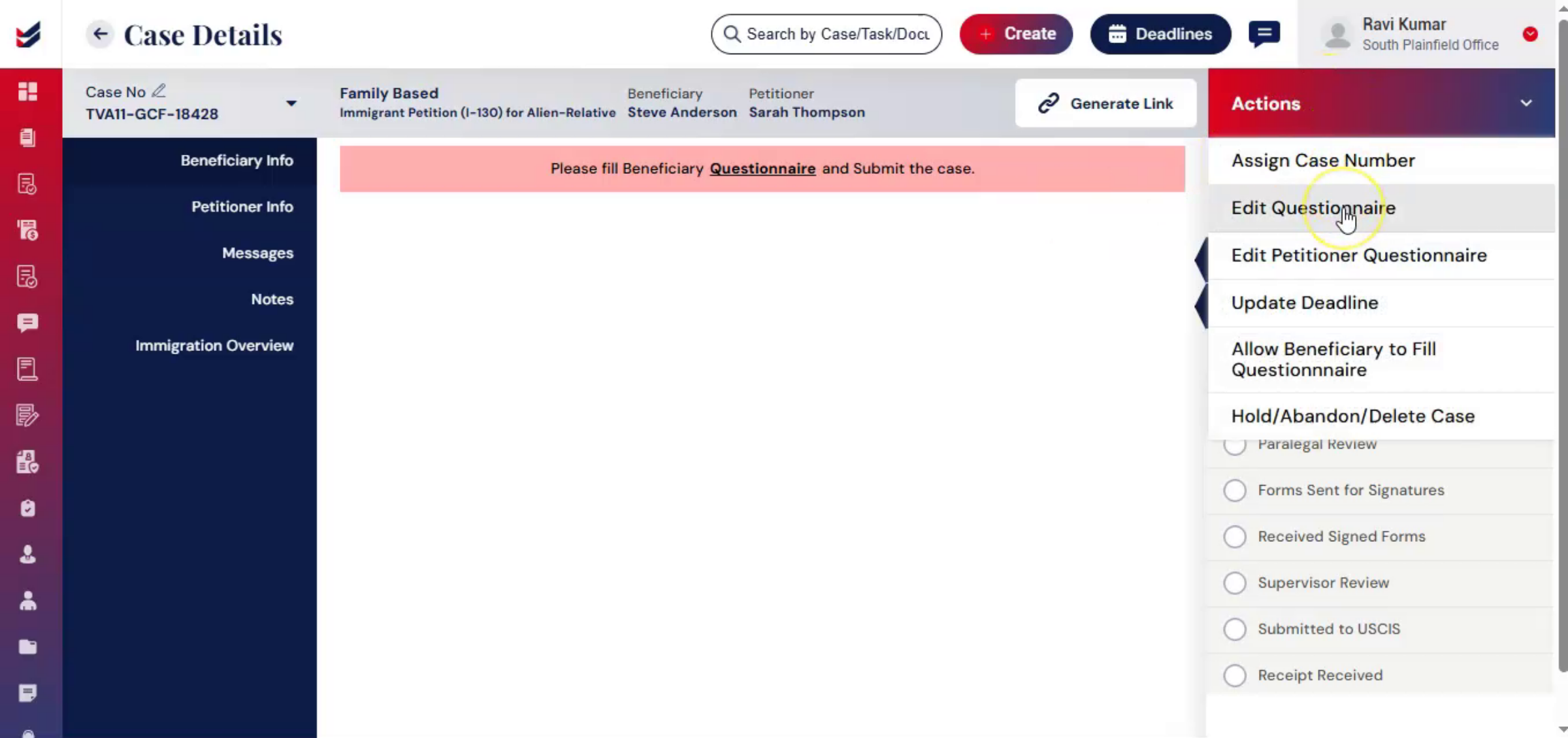
The goal here is to gather accurate details from both the beneficiary and the petitioner in a guided and organized manner. Under Beneficiary Information, you'll see a questionnaire link. You can access it directly or select Edit Questionnaire from the Actions menu.
nnnnnnnn8. Beneficiary Questionnaire Process
 * click the image to view enlarged
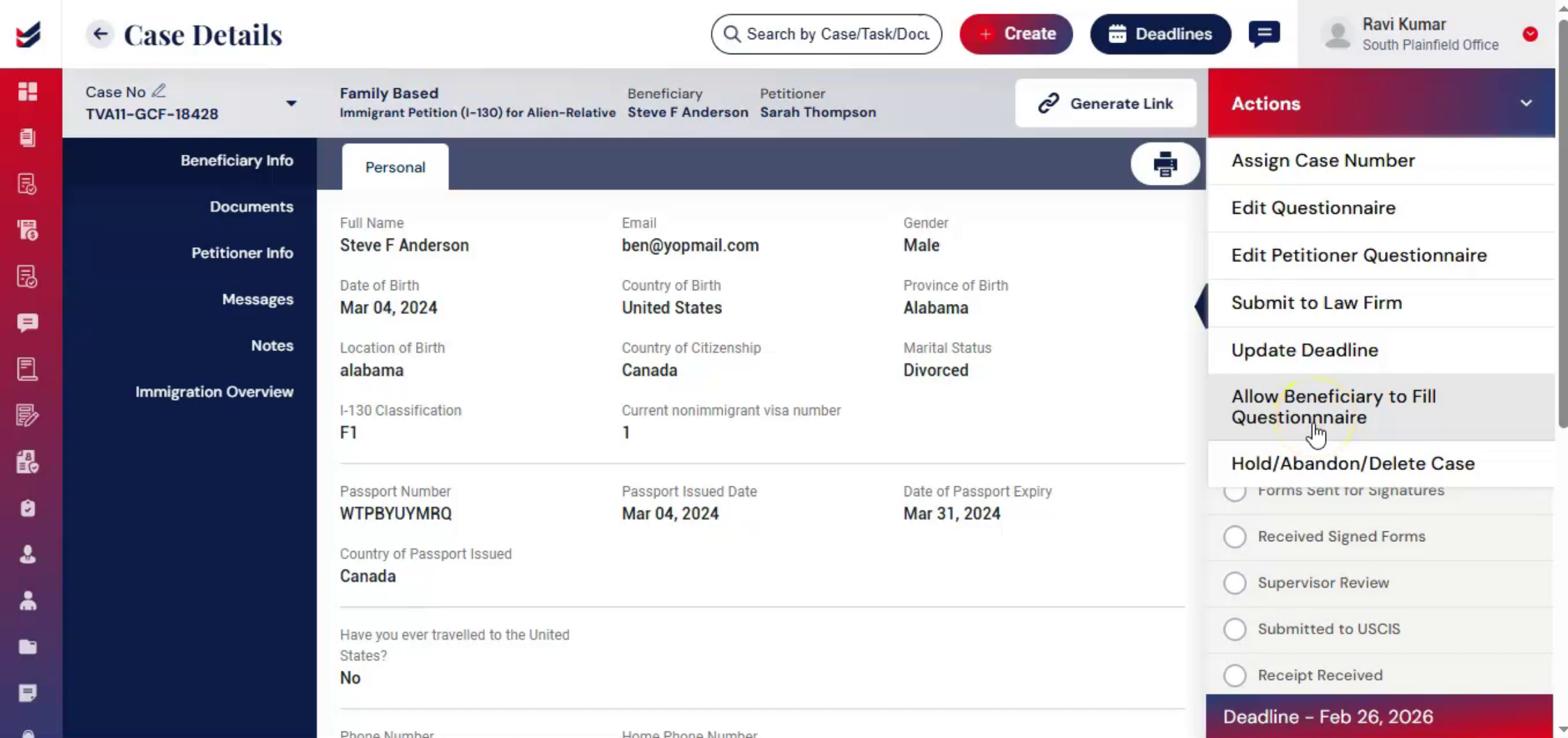
Once opened, complete the beneficiary questionnaire and click Submit. You can also allow the beneficiary to complete their portion by selecting Allow Beneficiary to Fill Questionnaire under Actions.
nnnnnnnn9. Automatic Workflow Progression
 * click the image to view enlarged
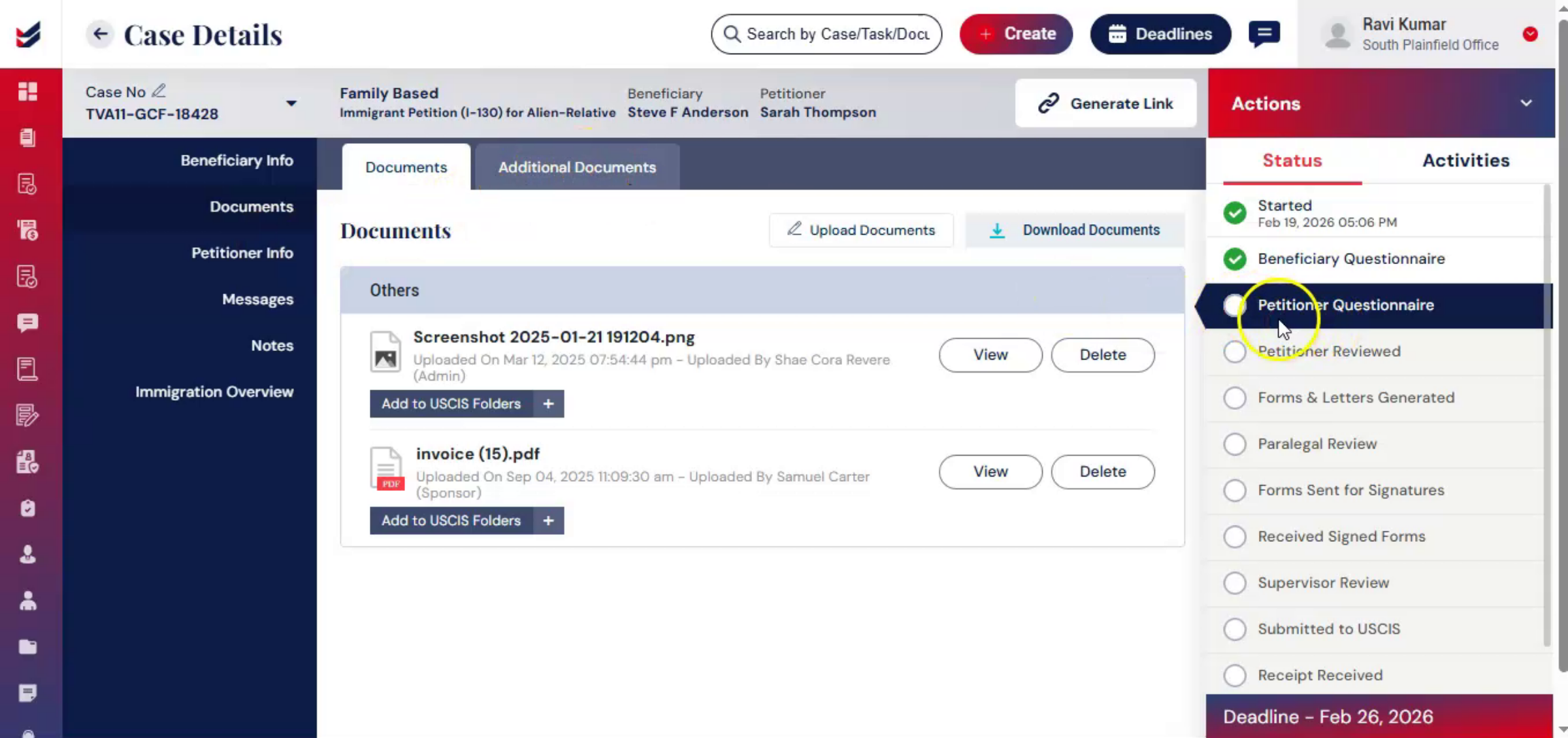
After one section is completed, ImmiBox. Automatically moves the case to The Next Step. The petitioner's questionnaire.
nnnnnnnn10. Petitioner Questionnaire Completion
 * click the image to view enlarged
This automatic progression ensures that the case continues moving forward without manual workflow adjustments. To complete the petitioner questionnaire, you can either navigate through the petitioner information section or select petitioner questionnaire from the actions menu. Again, once submitted, the workflow automatically advances to the next stage.
nnnnnnnn11. Flexible Questionnaire Completion
 * click the image to view enlarged
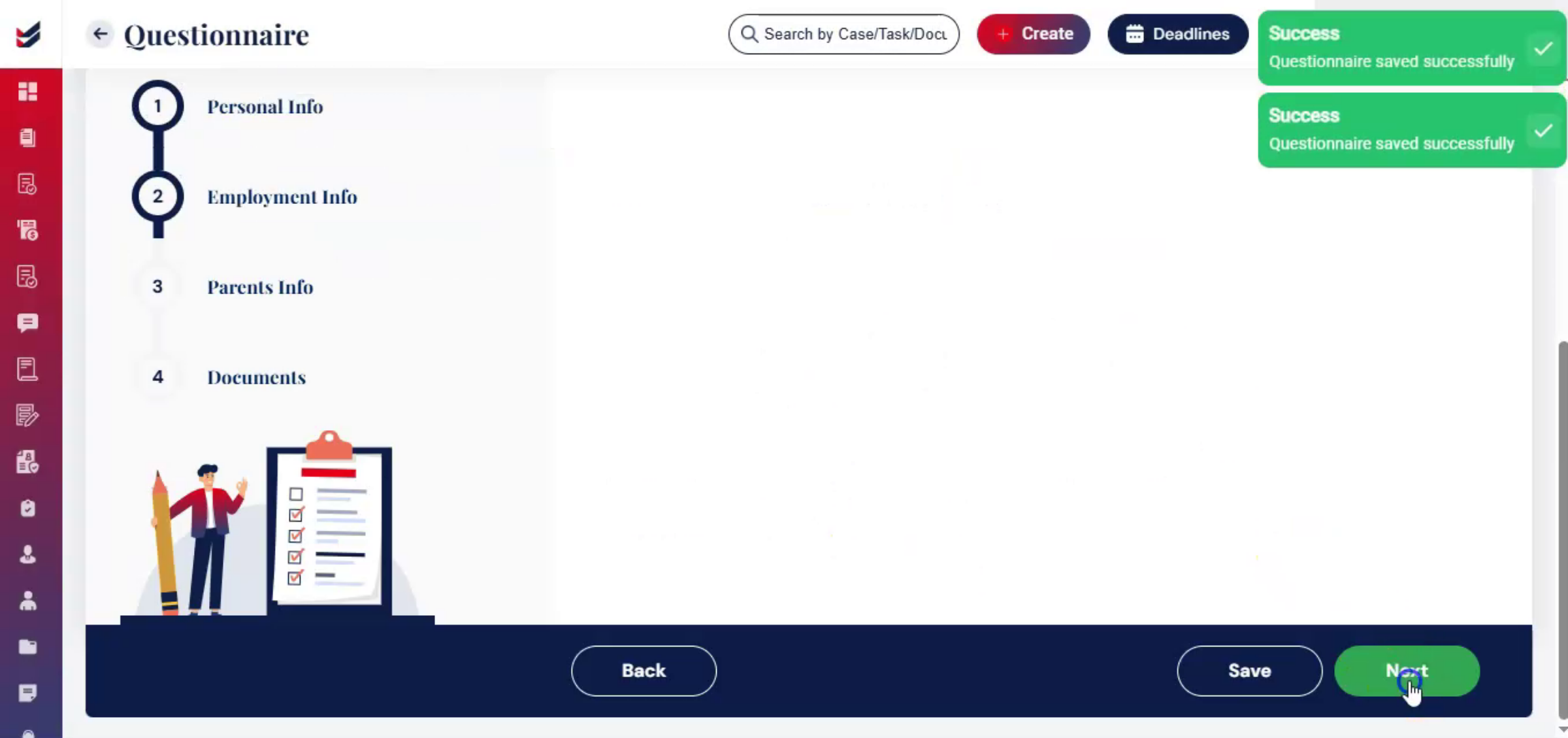
ImmiBox also allows flexibility here. The petitioner can complete both questionnaires if preferred. Each stage can include internal comments for tracking and review.
nnnnnnnn12. Petitioner Review Stage
 * click the image to view enlarged
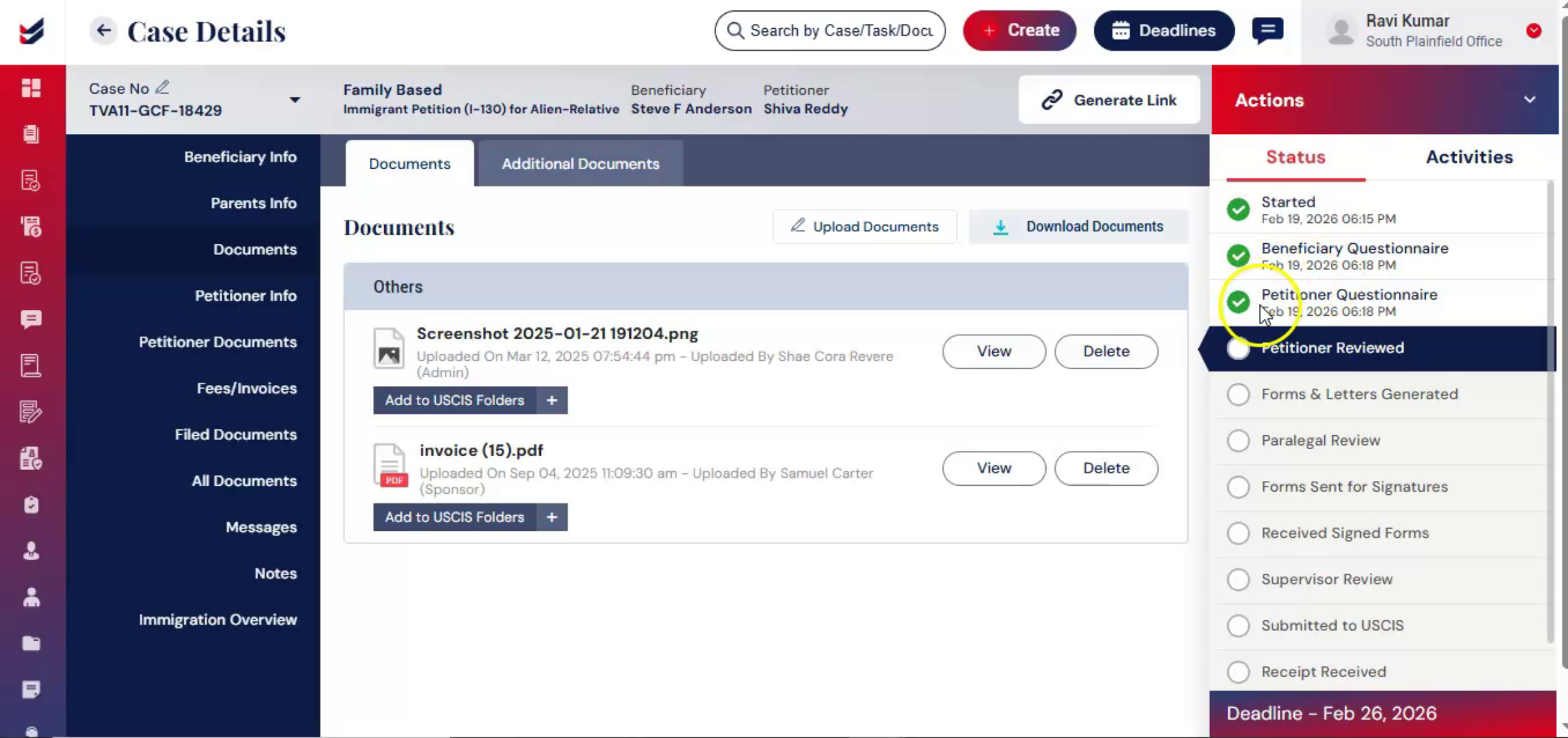
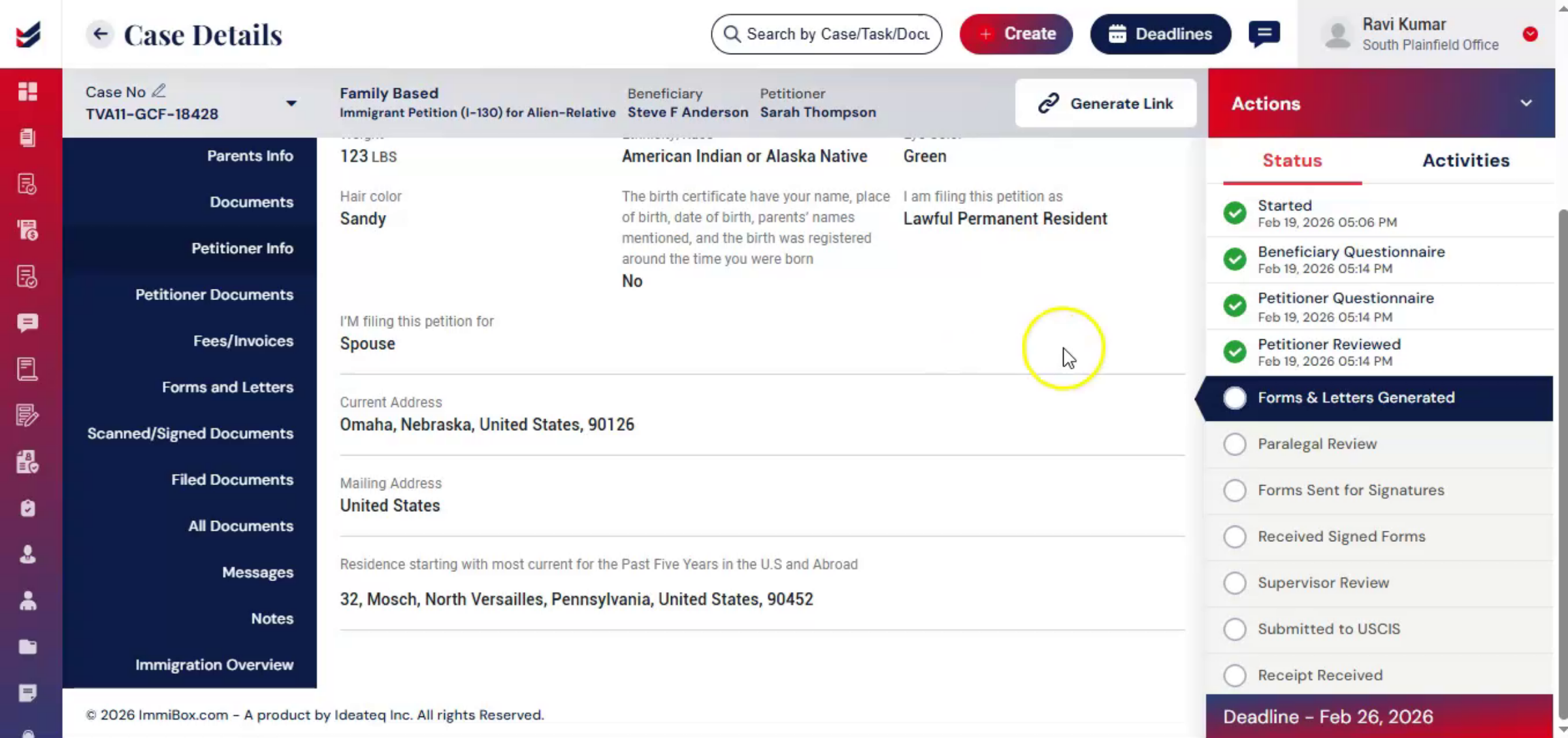
Once both questionnaires are complete, the workflow moves to the petitioner review stage. From the Actions menu, select Petitioner Review, add comments, and click Submit. With this review completed, the information collection phase is finalized. The case is now ready to move into document preparation and form generation.
nnnnnnnn13. Document Preparation Focus
 * click the image to view enlarged
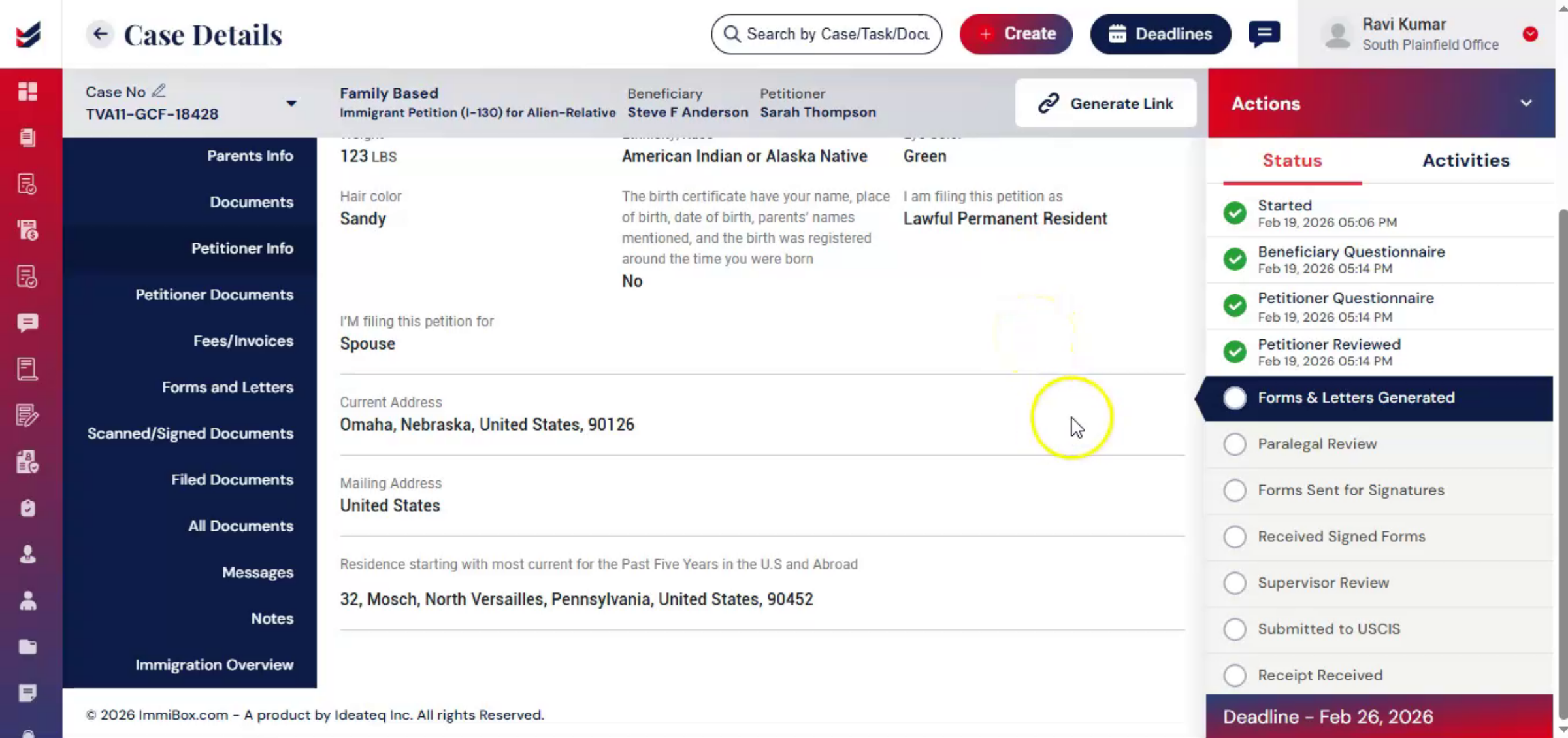
This stage focuses on transforming collected data into properly formatted USCIS forms and firm-generated letters.
nnnnnnnn14. Assigning Attorney To Case
 * click the image to view enlarged
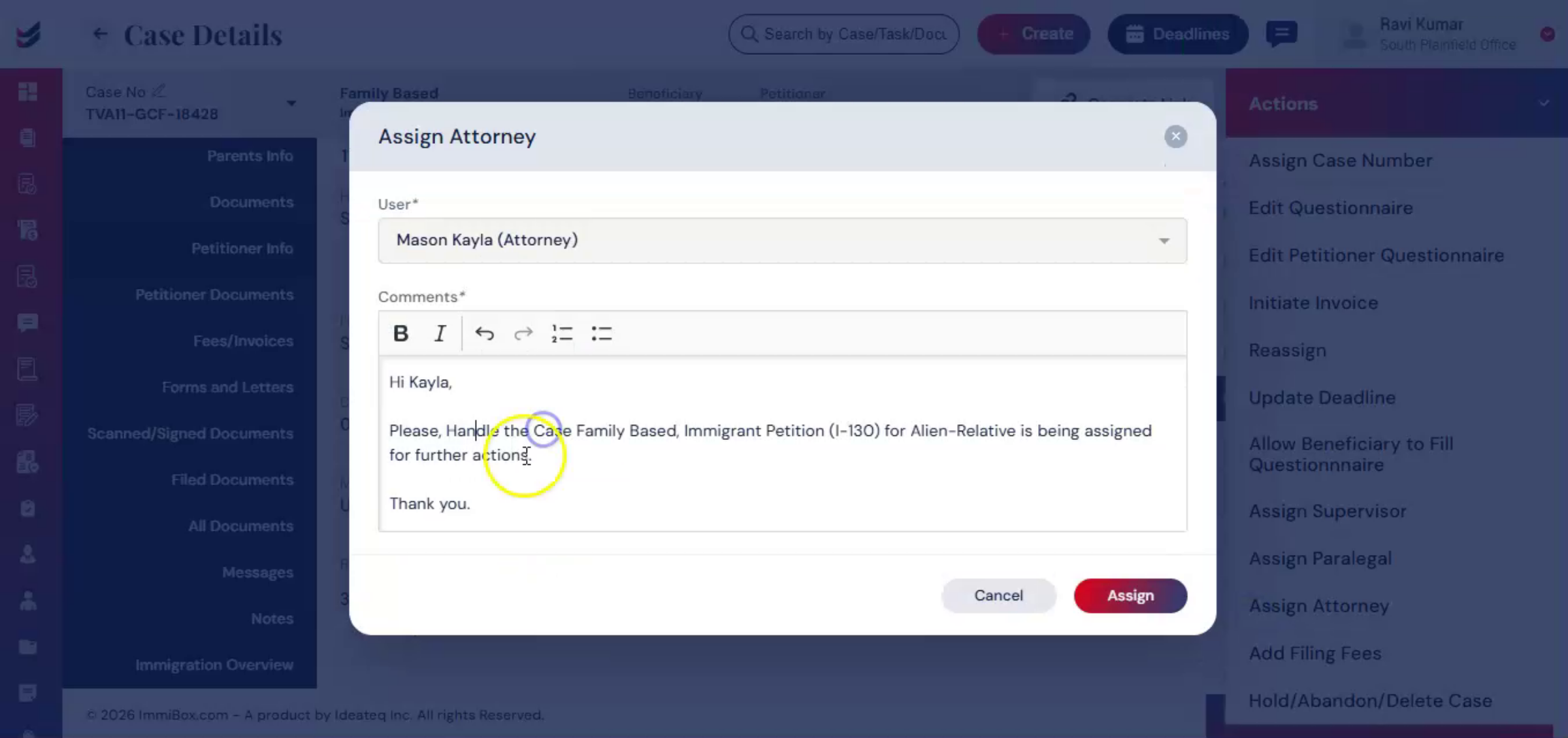
Before generating forms and letters, the case must be assigned to an attorney. From the Actions menu, select Assign Attorney. Choose the appropriate user, add comments, and submit.
nnnnnnnn15. Attorney Accountability Importance
 * click the image to view enlarged
Assigning, the attorney ensures accountability and clearly identifies who is responsible for final legal review before filing.
nnnnnnnn16. Generating Forms And Letters
 * click the image to view enlarged
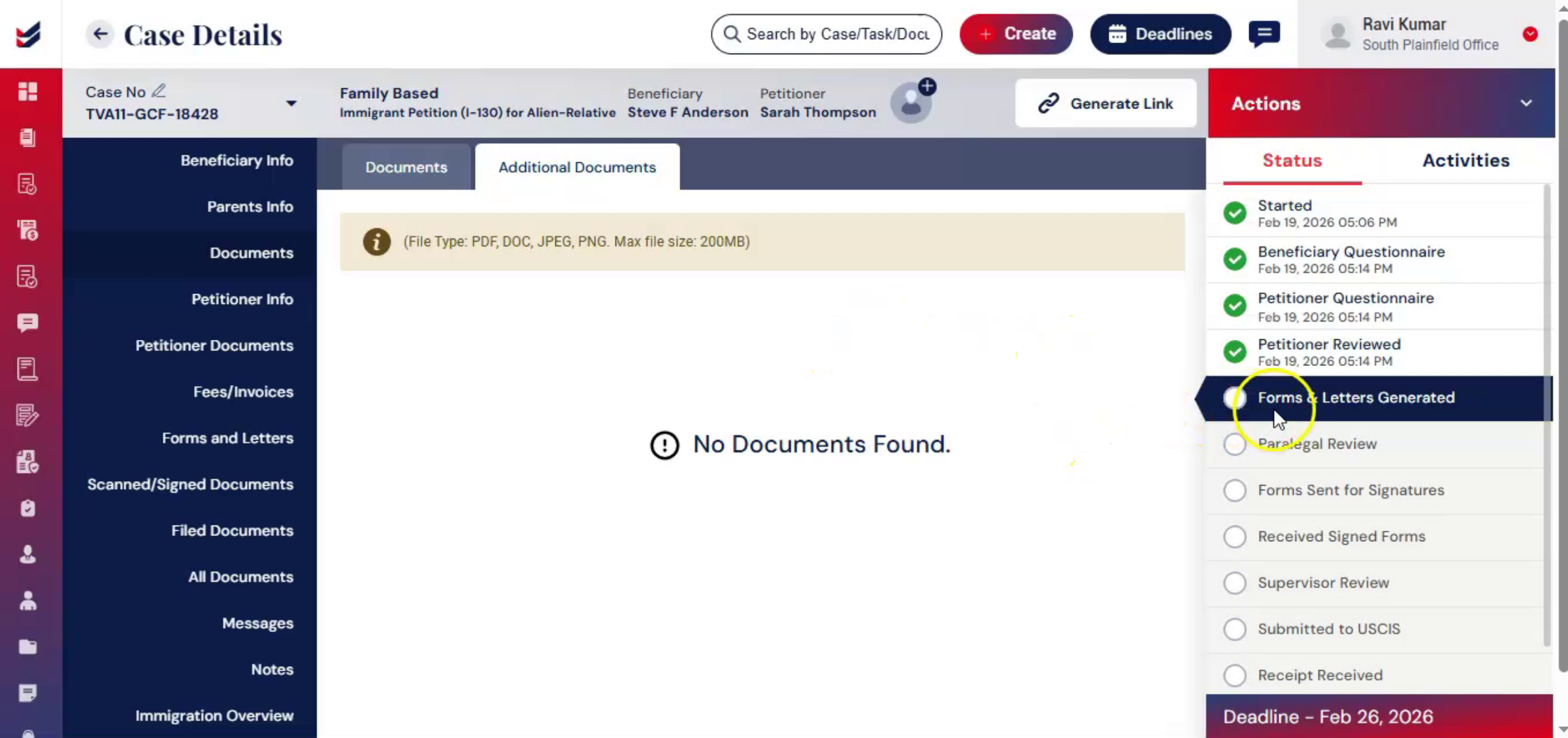
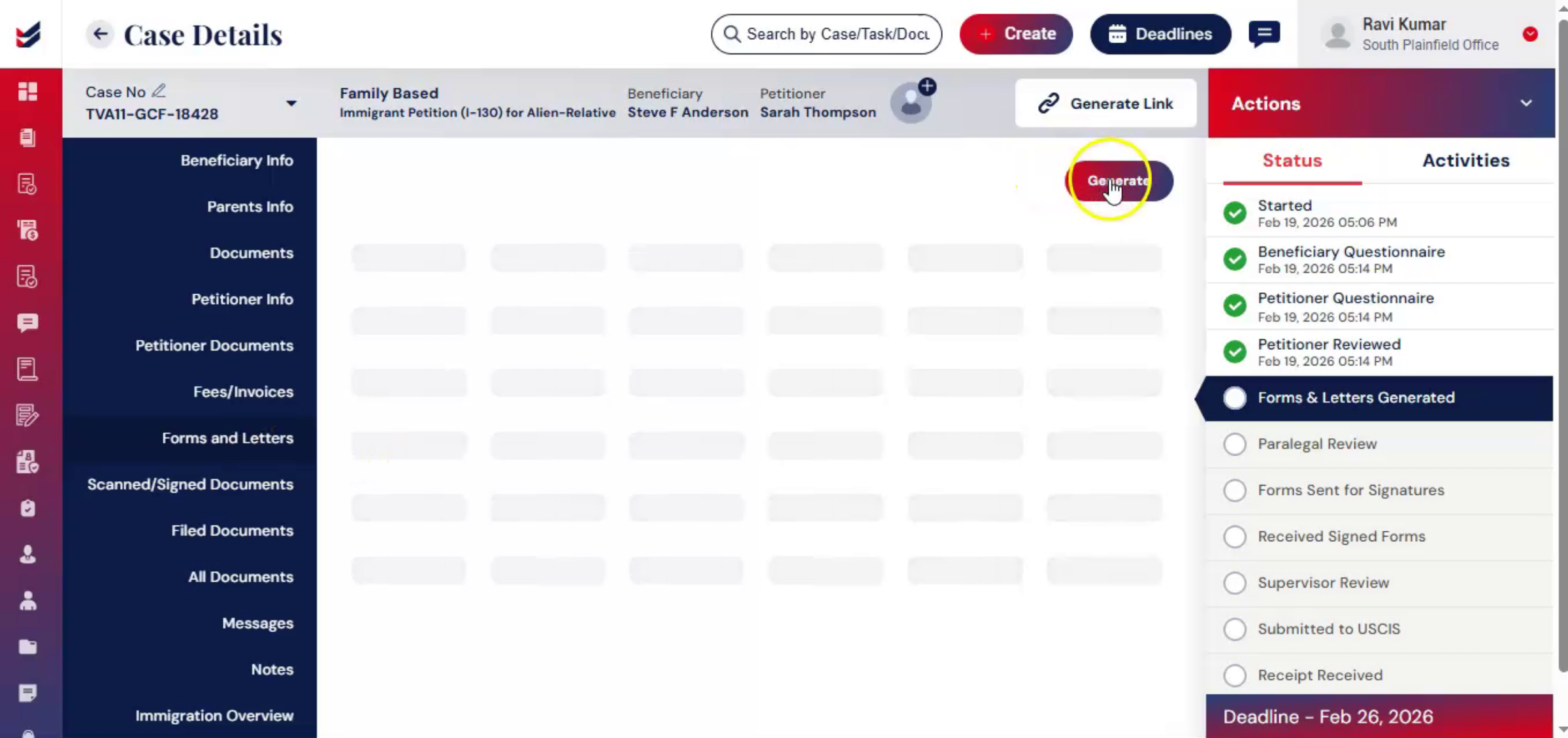
Once the attorney is assigned, the next step is generating forms and supporting letters. You can do this in two ways. From the Actions menu, select Generate Forms and Letters or navigate to the Forms and Letters section and click Generate.
nnnnnnnn17. Automatic Form Population
 * click the image to view enlarged
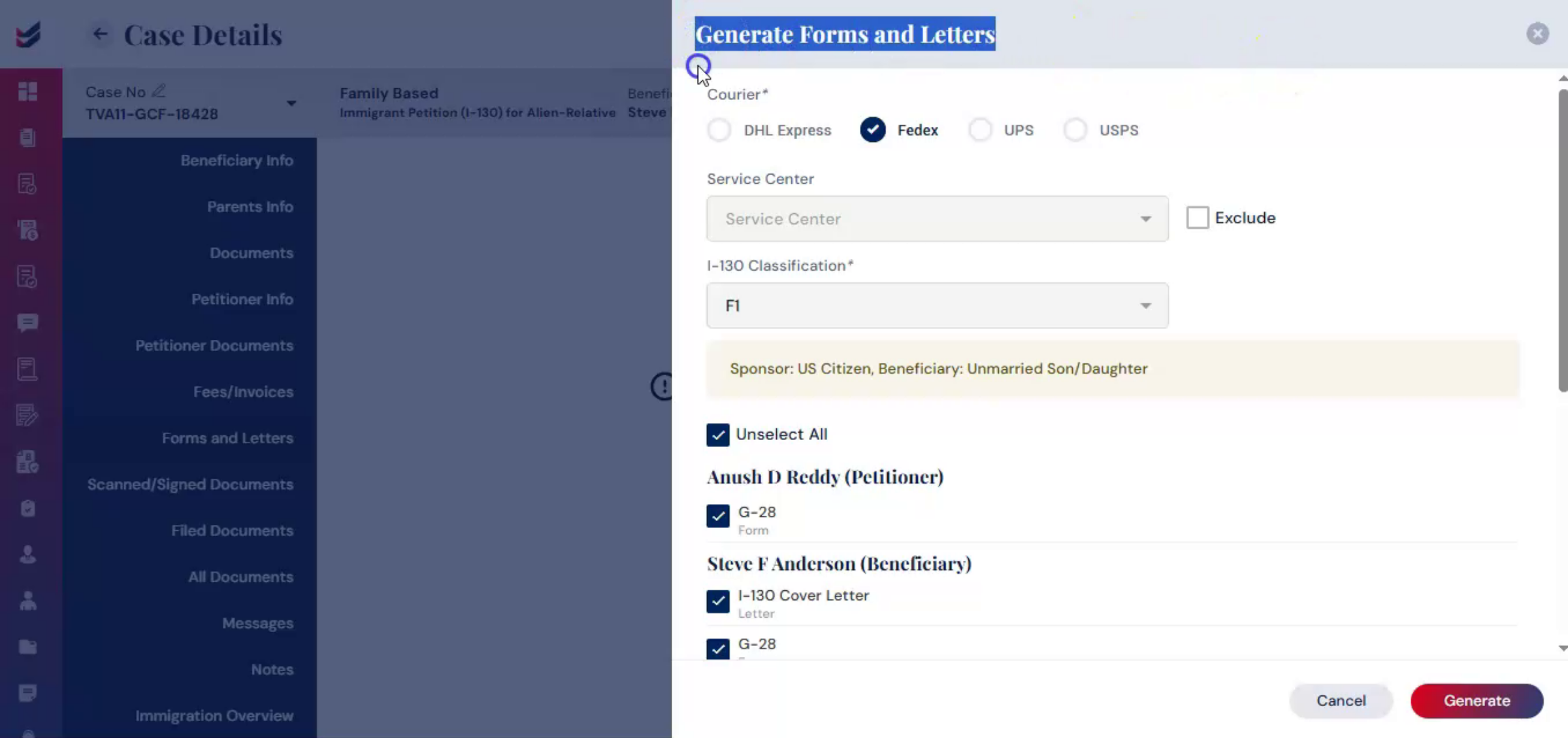
At this stage, ImmiBox automatically uses the data collected in the questionnaires to populate USCIS forms. Cover letters supporting firm templates.
nnnnnnnn18. Selecting Forms And Options
 * click the image to view enlarged
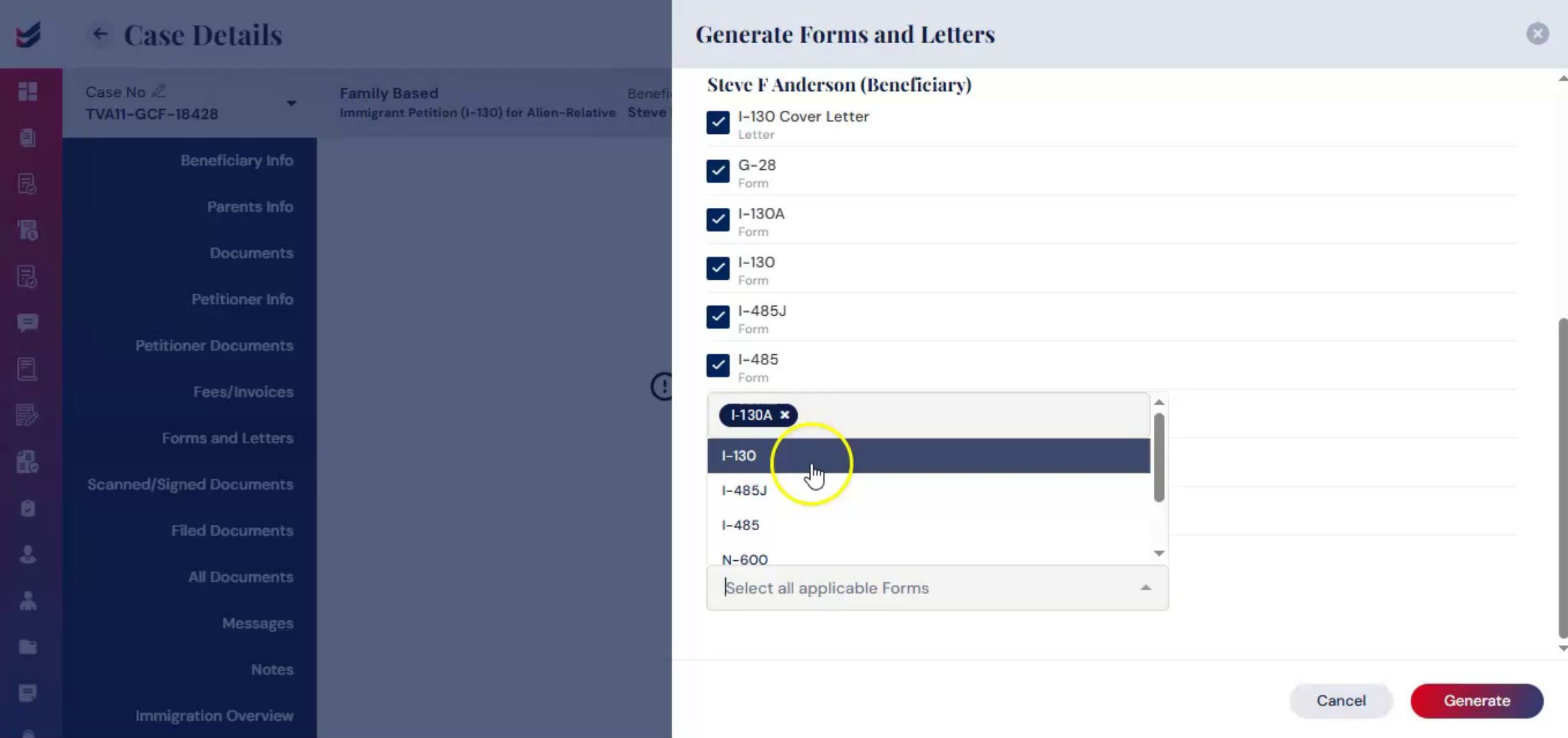
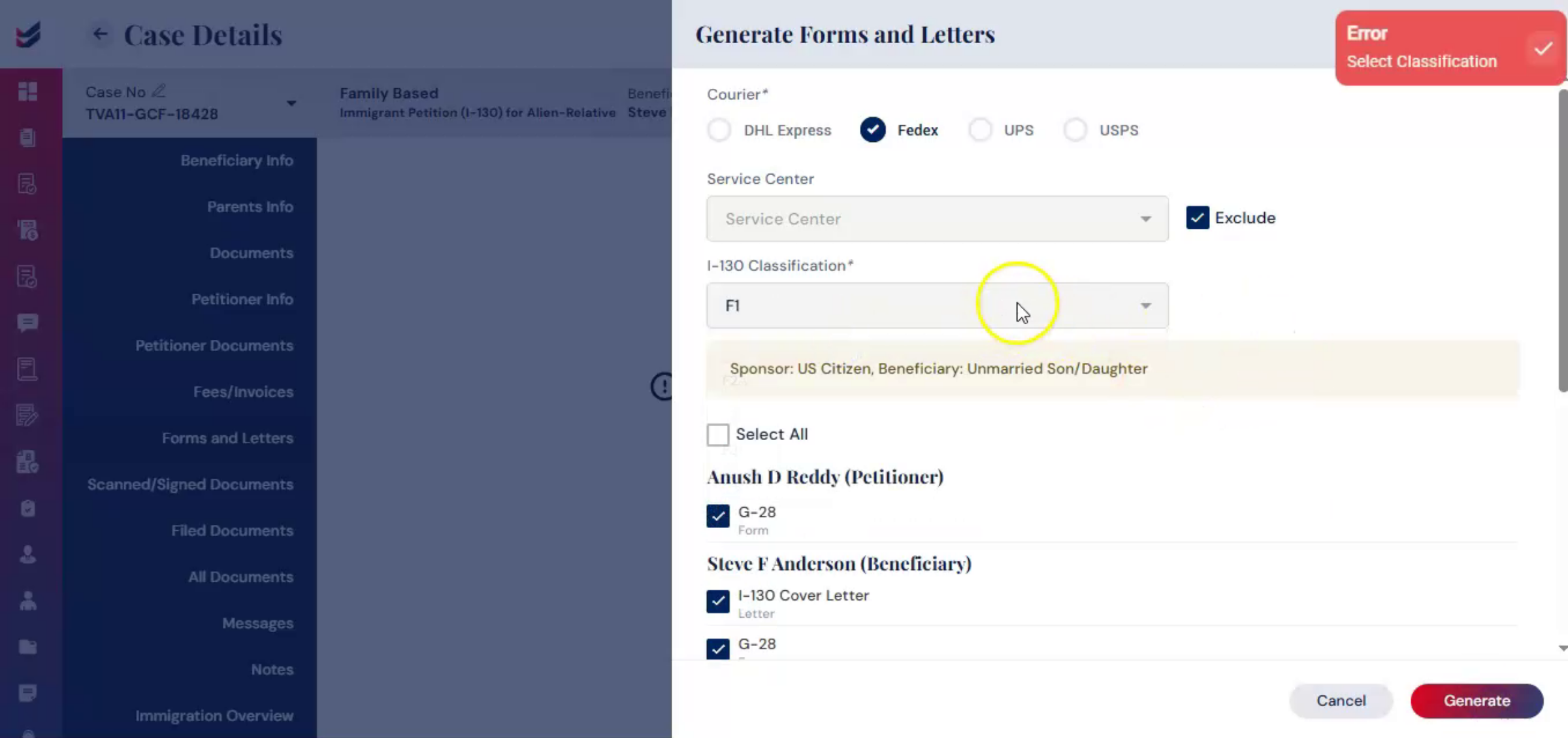
You can select courier type, service center, or click exclude. Specific forms and letters to include. Then click generate.
nnnnnnnn19. Automation Benefits
 * click the image to view enlarged
This automation significantly reduces manual data entry, improves accuracy, and ensures consistency across all filings.
nnnnnnnn20. Internal Review Workflow
 * click the image to view enlarged
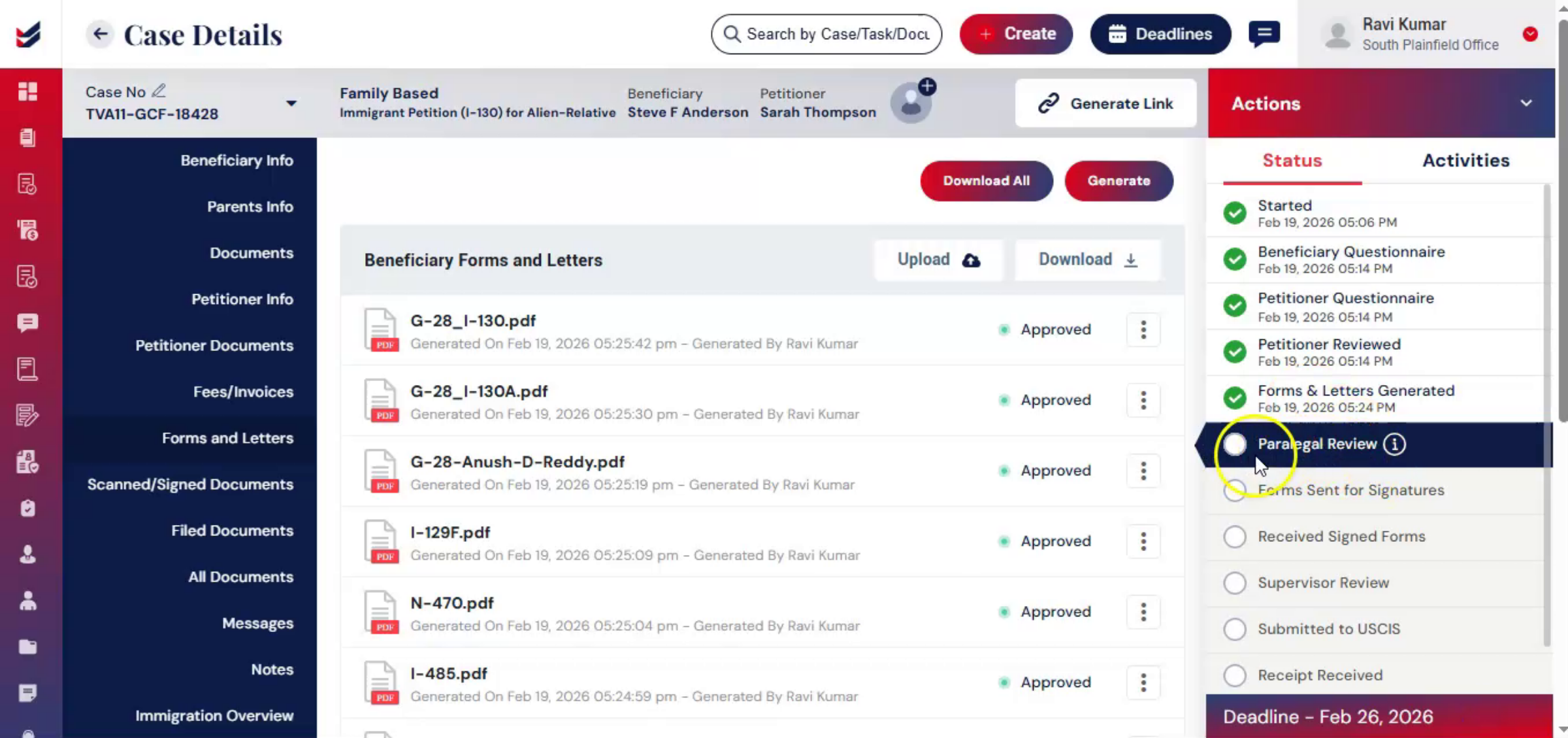
After documents are generated, the case enters the internal review workflow. This structured review process helps maintain high quality standards within your firm.
nnnnnnnn21. Assigning Paralegal Role
 * click the image to view enlarged
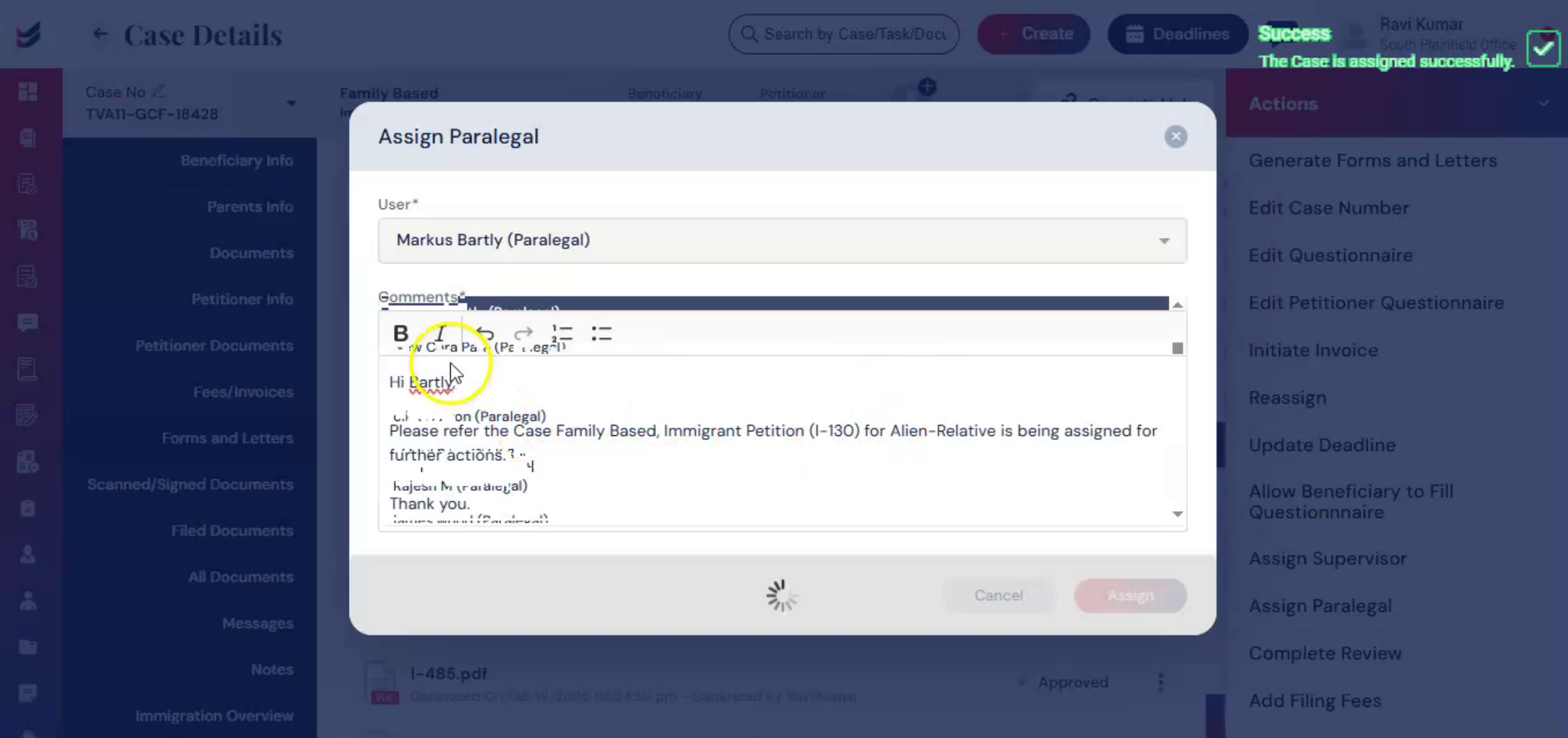
At this stage, you may assign a paralegal to the case. From the Actions menu, select Assign Paralegal, add any comments, and click Assign.
nnnnnnnn22. Completing Internal Review
 * click the image to view enlarged
If you choose not to assign a paralegal, you may skip this step. Instead, from the Actions menu, select Complete Review, add your review notes or feedback, and click Submit. This stage ensures the case is carefully reviewed and verified before it moves forward in the workflow.
nnnnnnnn23. Moving To Signature Stage
 * click the image to view enlarged
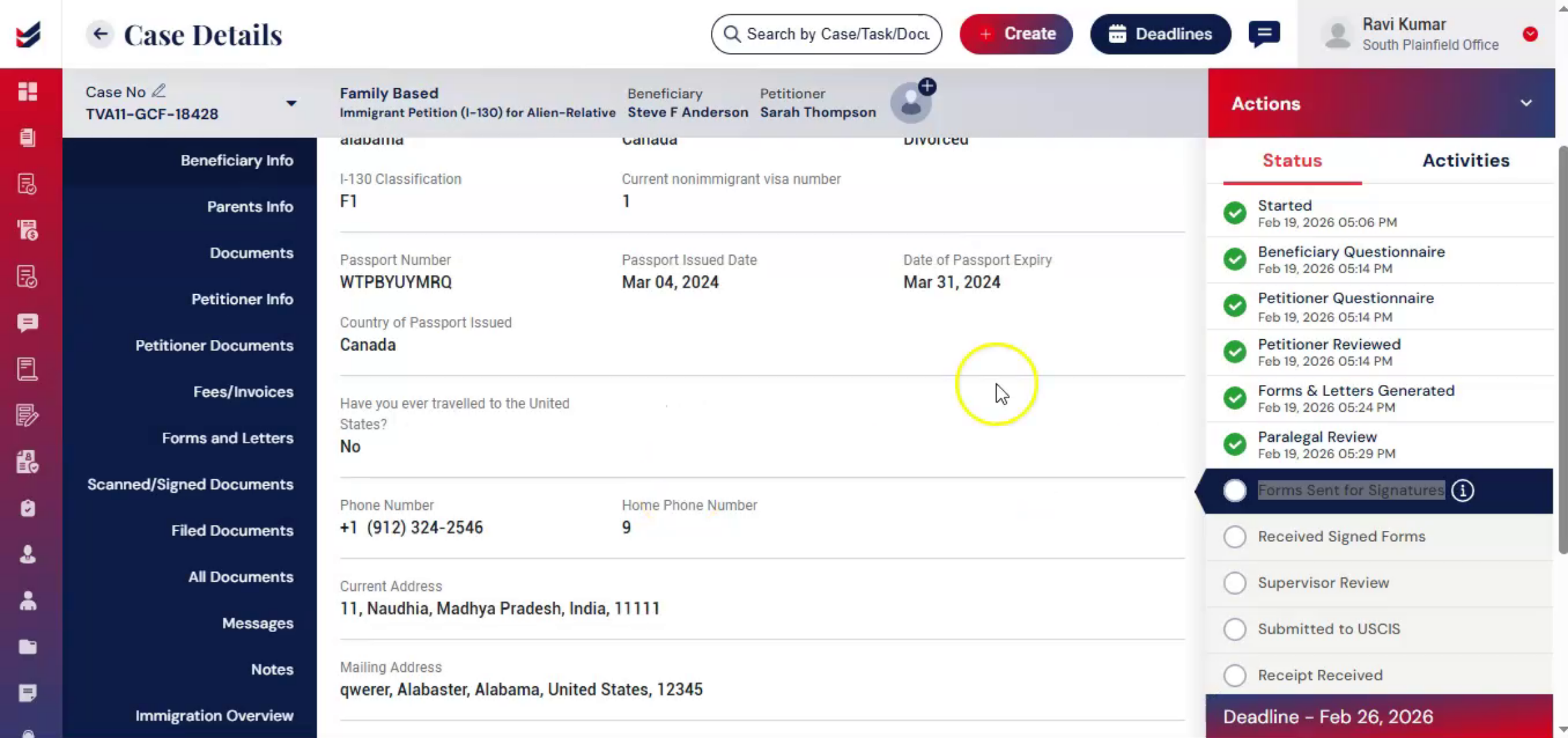
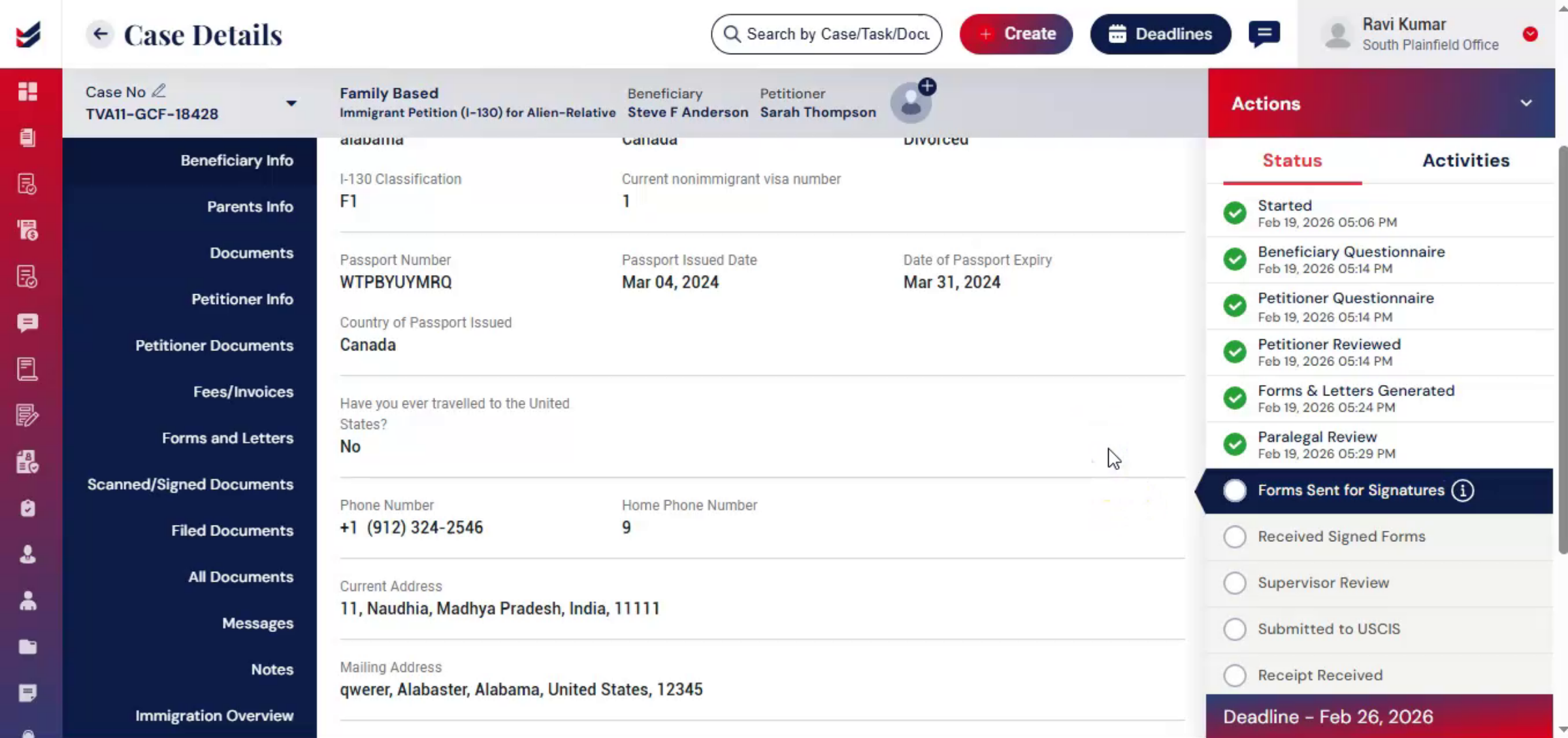
Once internal reviews are complete, the case moves to the signature stage. This process ensures that required forms are properly executed before submission.
nnnnnnnn24. Sending Documents For Signature
 * click the image to view enlarged
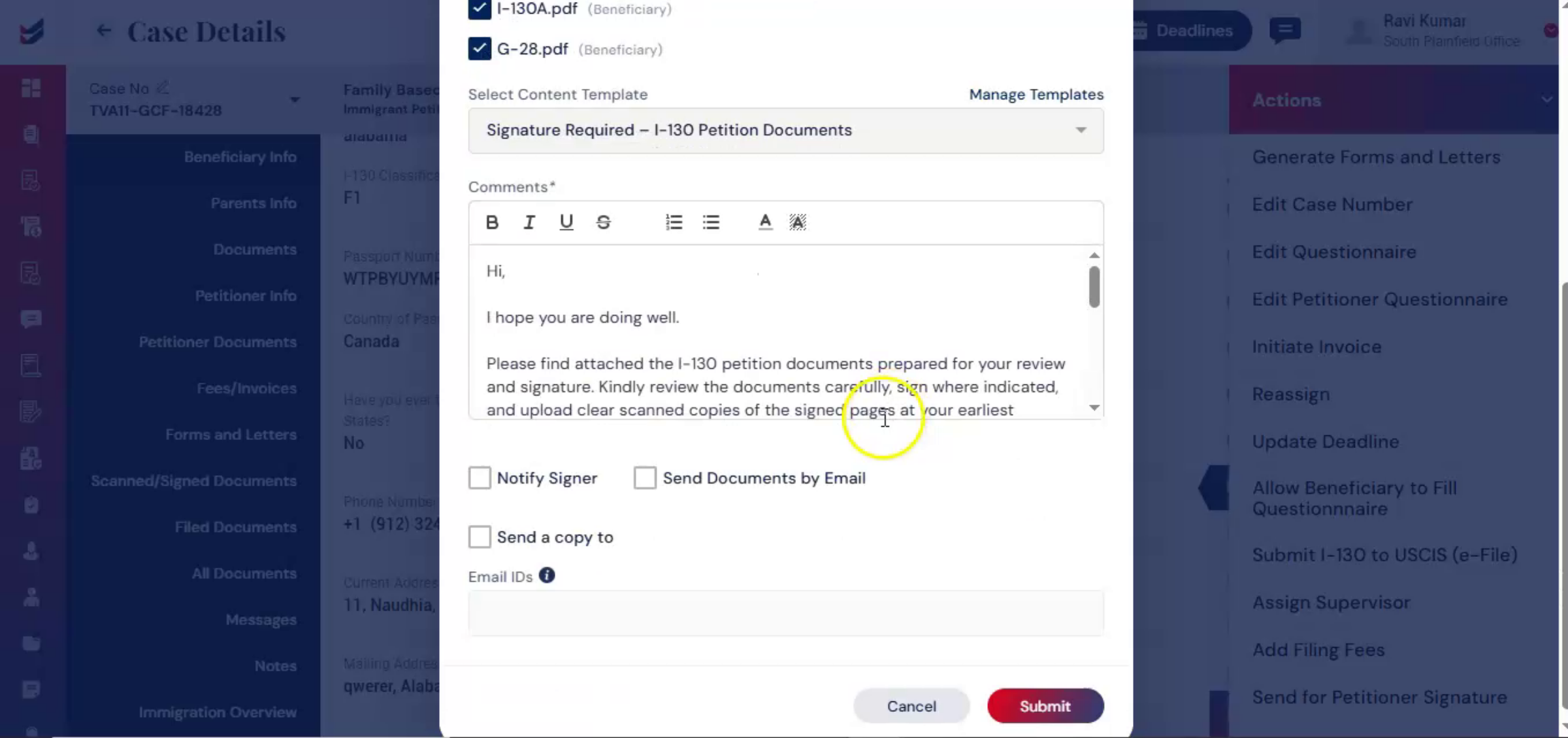
From the Actions menu, select Send for Petitioner Signature. Choose the documents requiring signature. Next, select a Content Template. ImmiBox allows you to manage customized communication templates for consistent and professional messaging.
nnnnnnnn25. Notification And Email Options
 * click the image to view enlarged
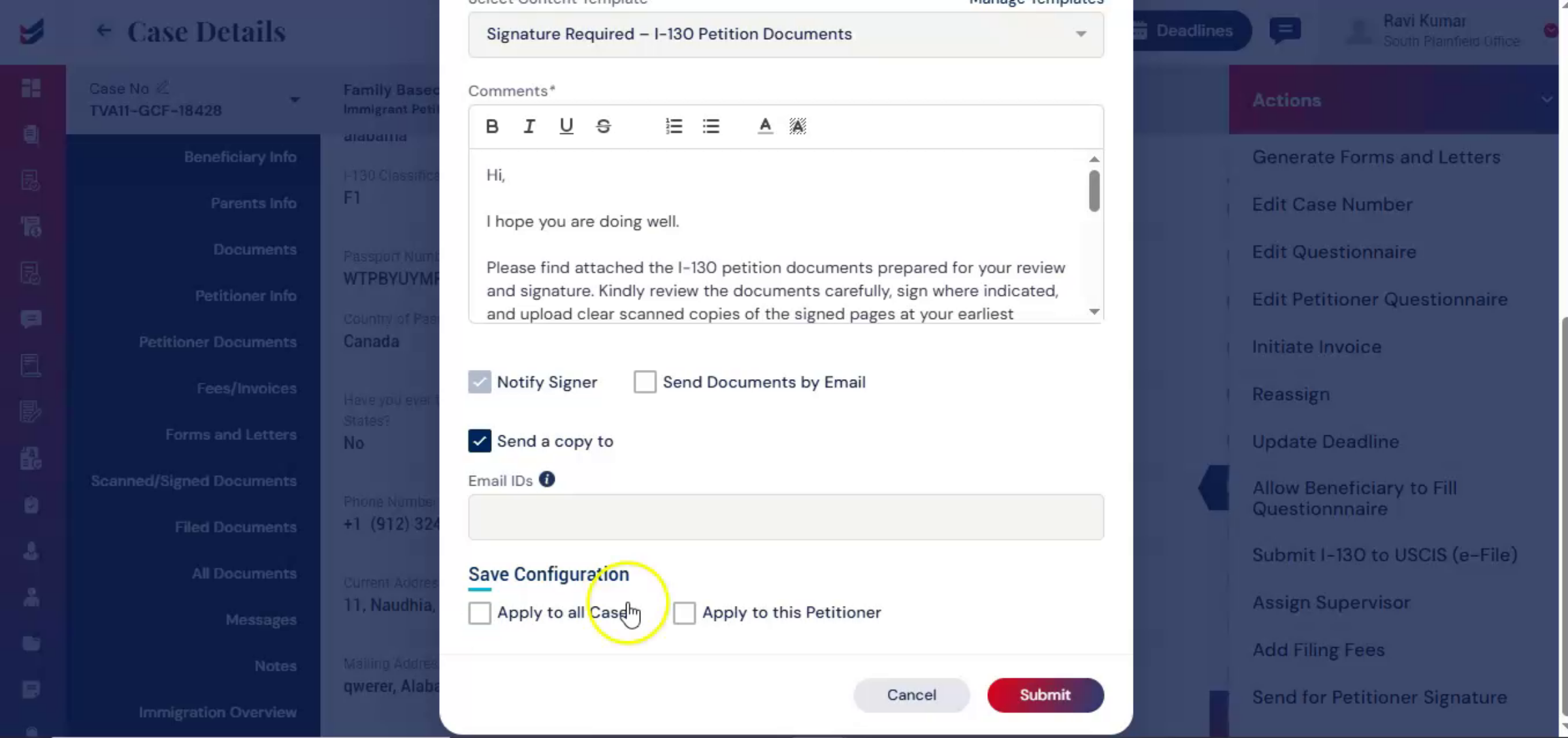
You may enable the Notify option to send an email alert to the petitioner. If you want to send the documents directly by email, select Send Documents by Email. There is also a Send a Copy to option. When enabled, you can choose Apply to All Cases. The selected recipient will receive signature emails for all future cases.
nnnnnnnn26. Signature Email Settings
 * click the image to view enlarged
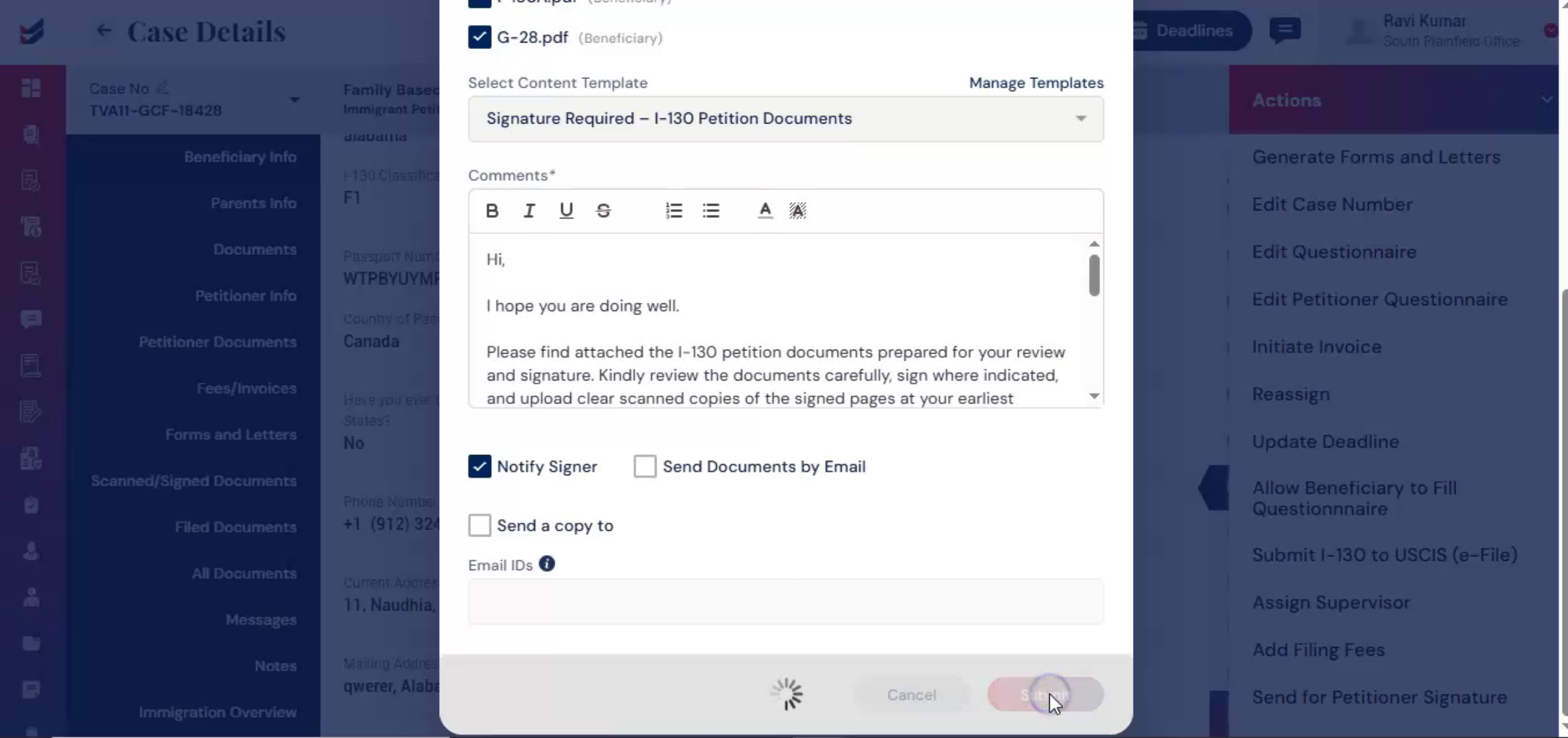
Apply to this Petitioner. The recipient will receive signature emails only for the current case. After reviewing your selections, click Submit.
nnnnnnnn27. Petitioner Document Uploads
 * click the image to view enlarged
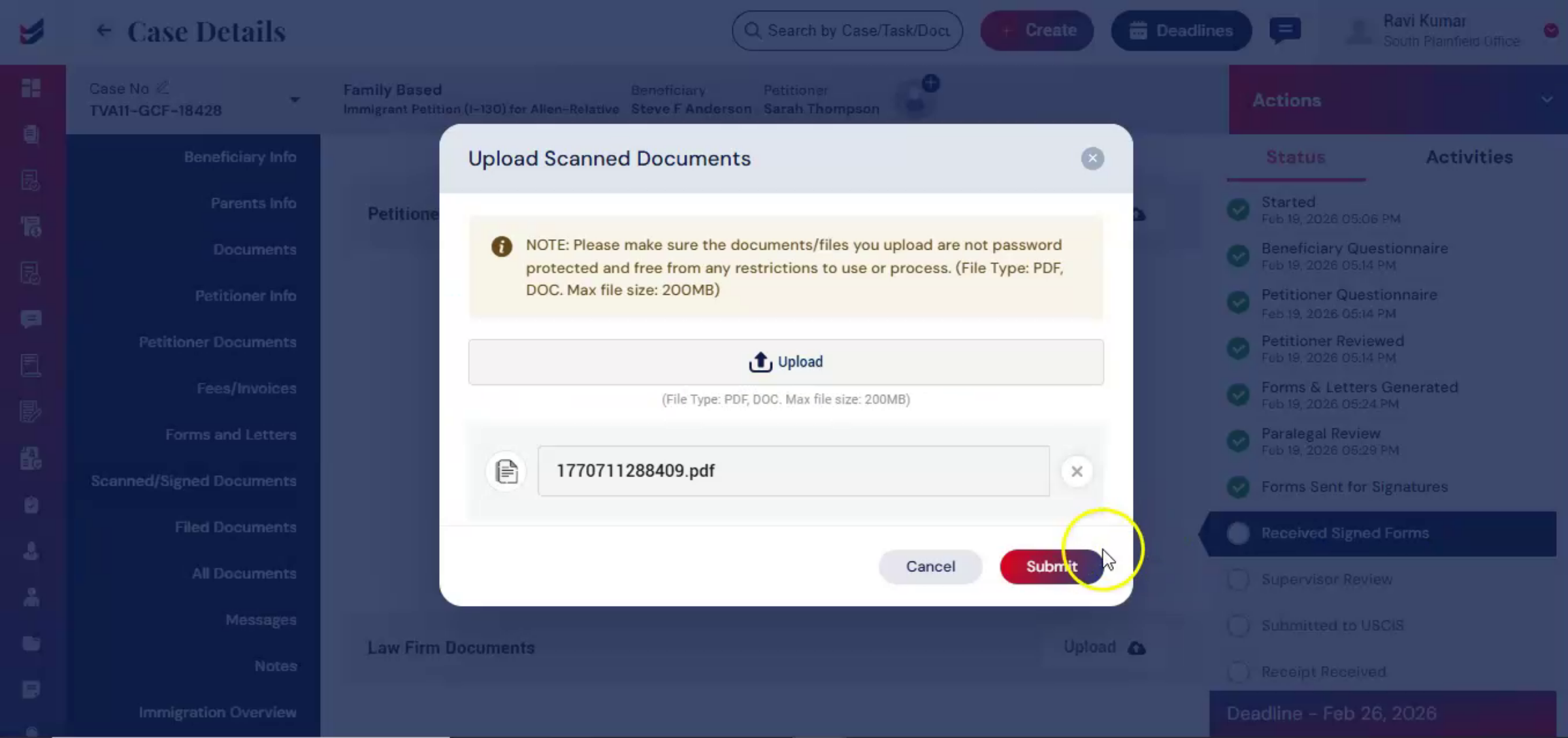
Once submitted, the petitioner receives the documents electronically. After signing, the petitioner can scan the signed copies and upload them under Scanned and Signed Documents. If physical copies are received, you can upload them manually under the same section.
nnnnnnnn28. Internal Document Security
 * click the image to view enlarged
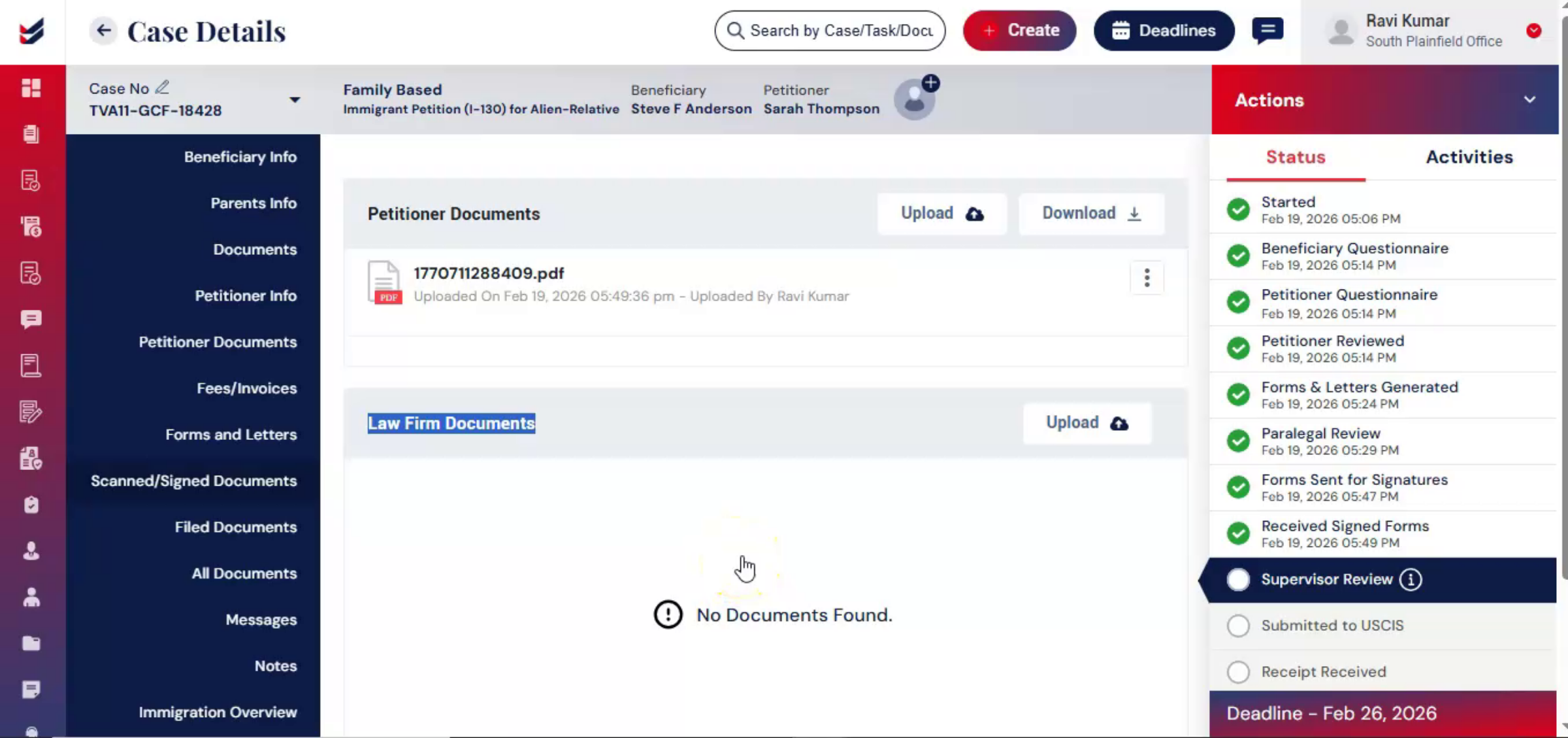
ImmiBox also provides a Law Firm Feature Documents area for internal documents that remain visible only to firm staff and are not shared with clients. This ensures secure separation between client-facing and internal documentation.
nnnnnnnn29. Supervisor Review Process
 * click the image to view enlarged
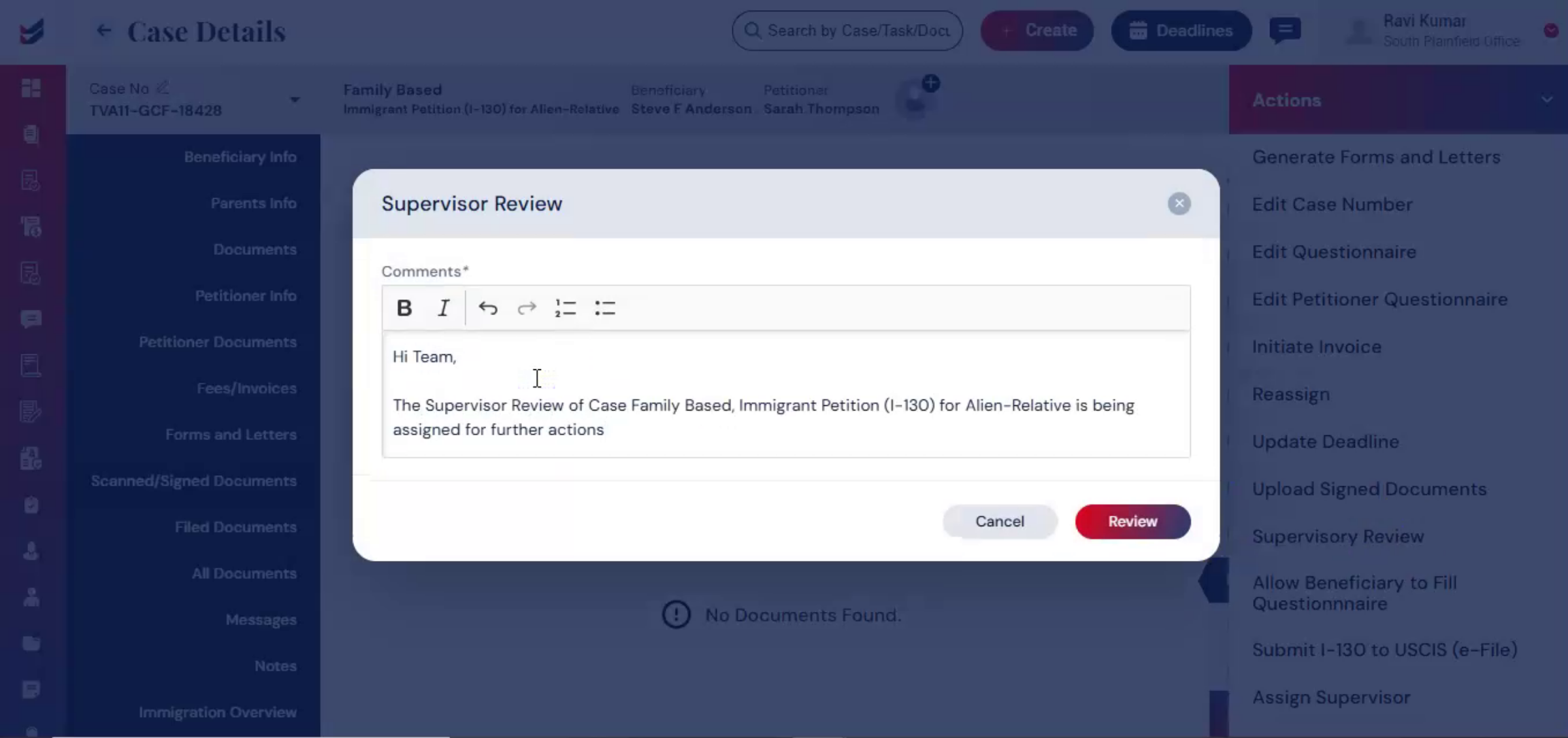
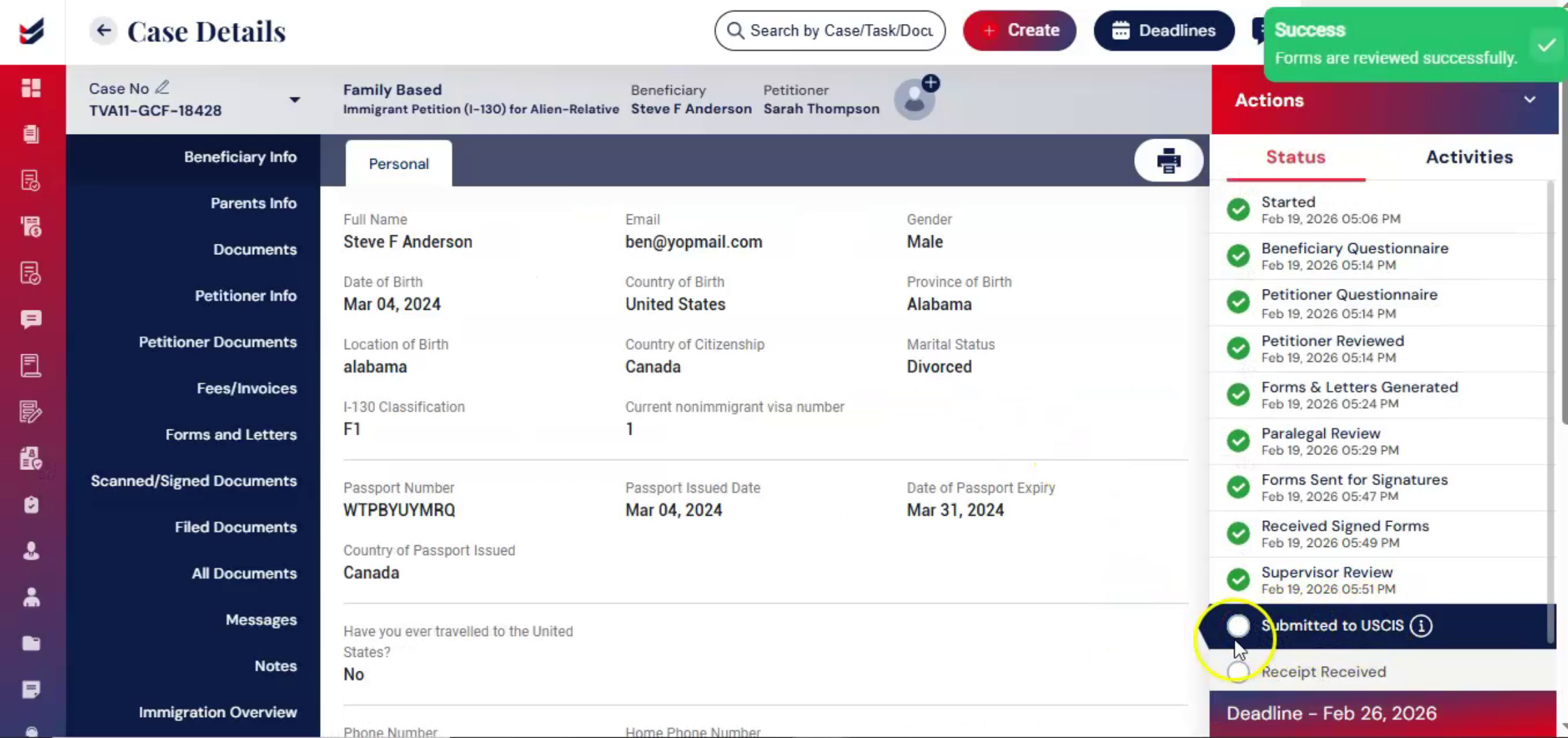
The workflow then advances automatically to the next level of review. Next, from the Actions menu, select Supervisor Review, enter any additional notes, and click Submit.
nnnnnnnn30. Quality Assurance Layers
 * click the image to view enlarged
This layered review system creates a documented audit trail and ensures multiple levels of quality assurance before filing.
nnnnnnnn31. Final Preparation And Review
 * click the image to view enlarged
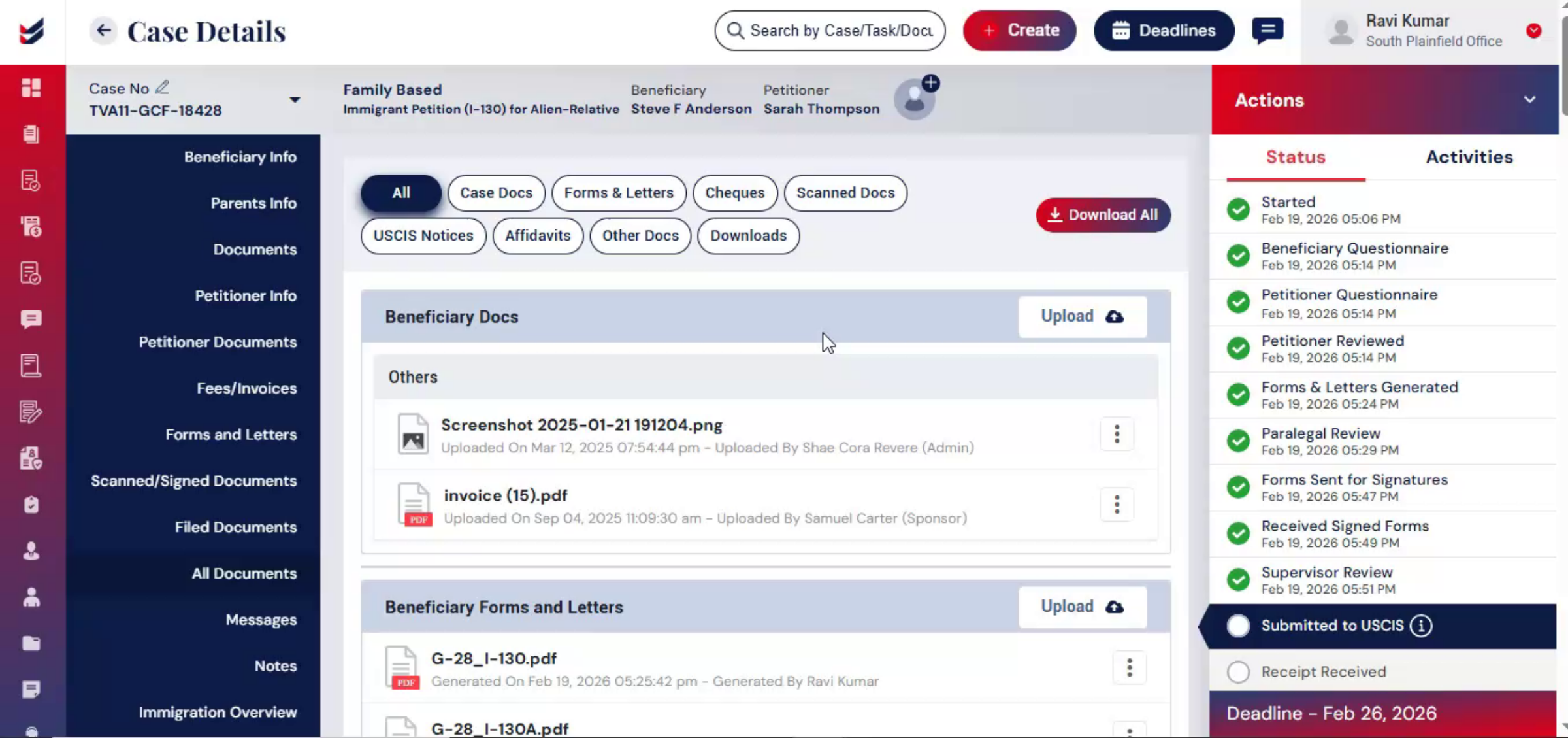
After all signatures are collected and reviews are completed, the case is ready for final preparation. Navigate to All Documents from the left panel and click on Download. Here, you can select individual documents or use Select All to download the complete filing package. Click Download All to generate the organized filing set. The attorney performs final review and signs where required. The case is now ready for submission to USCIS.
nnnnnnnn32. Submission Stage Overview
 * click the image to view enlarged
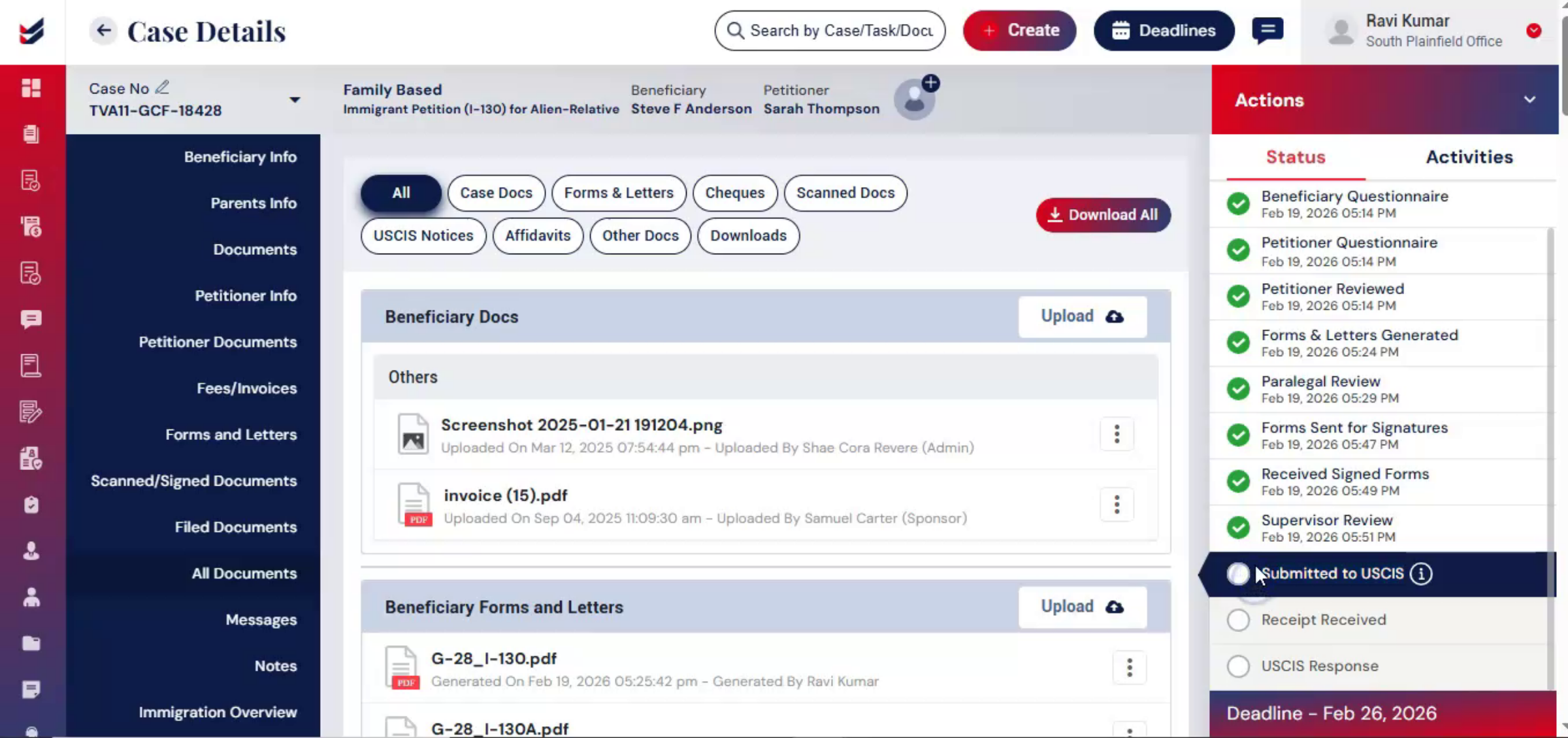
Now that the case has been reviewed, signed, and finalized, it moves into the submission stage. ImmiBox supports both electronic filing and offline filing, depending on the firm's preference.
nnnnnnnn33. Electronic Filing Process
 * click the image to view enlarged
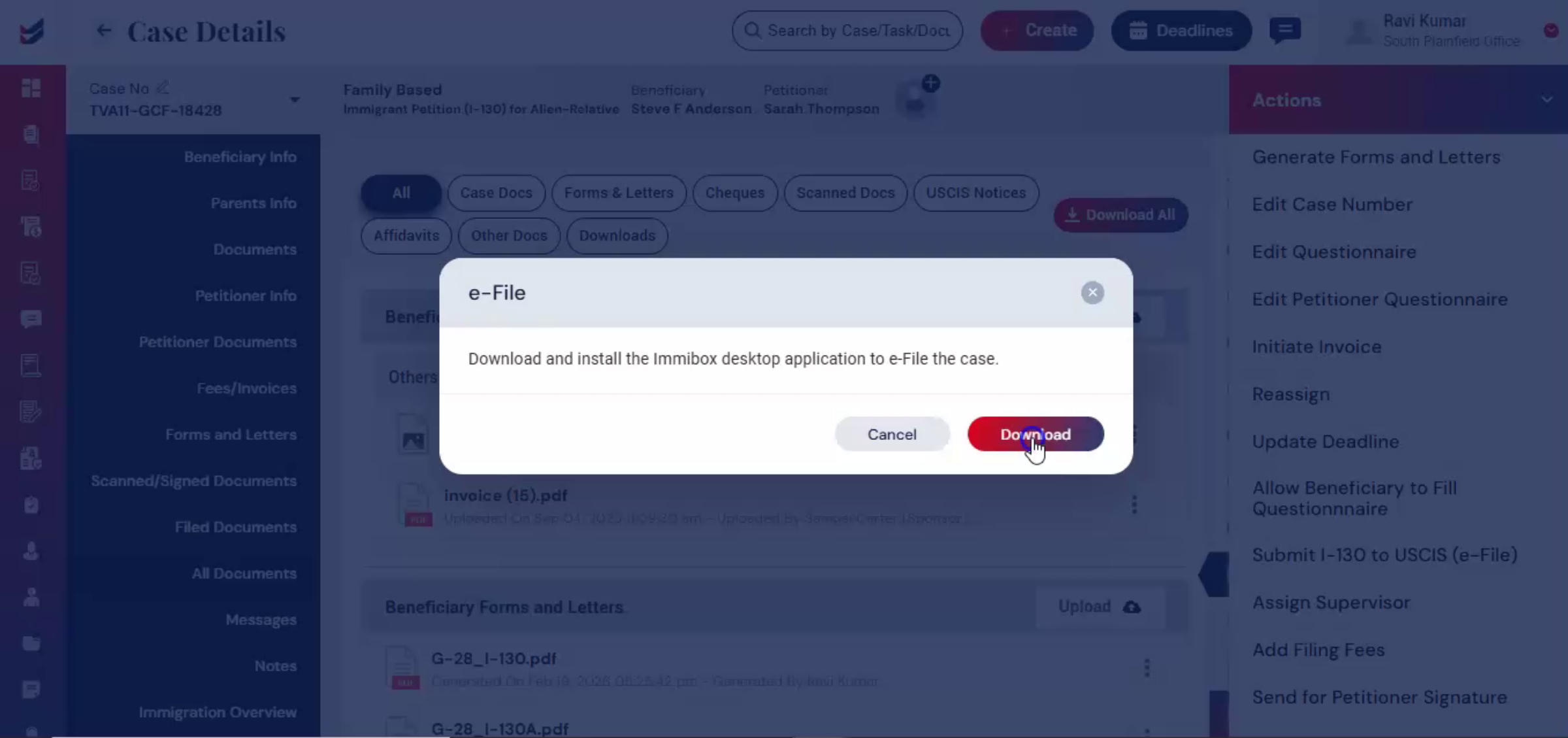
For e-file through ImmiBox, from the Actions menu, select Submit I-130 to USCIS. A prompt will appear to download the ImmiBox desktop application. You can complete electronic filing directly through the application.
nnnnnnnn34. E-Filing Integration Benefits
 * click the image to view enlarged
This integration allows firms to manage preparation and submission within a connected workflow, reducing the need to re-enter information across platforms. For detailed e-filing process, you can refer to the separate ImmiBox e-filing guide.
nnnnnnnn35. Manual Filing Process
 * click the image to view enlarged
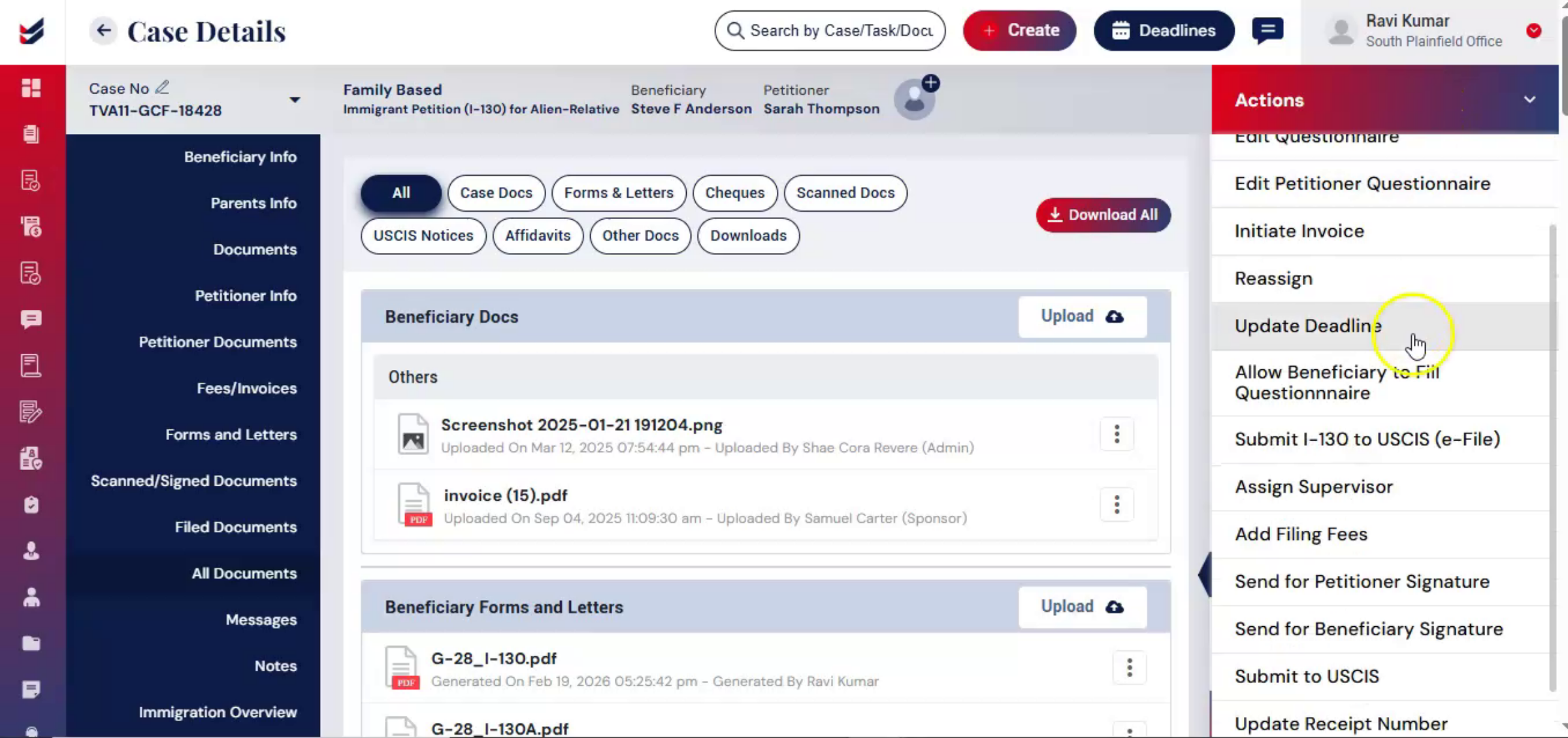
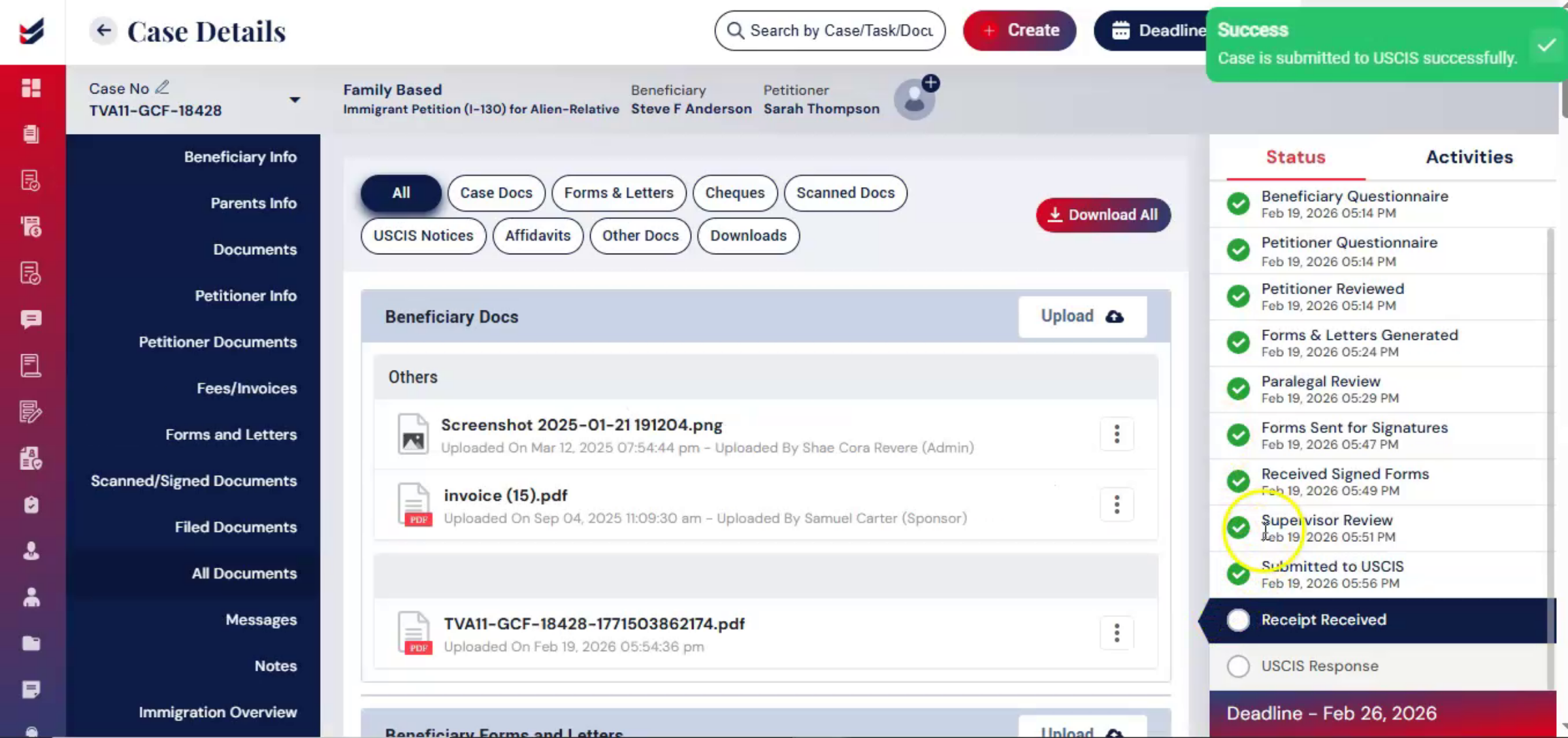
If you file manually, select Submit to USCIS from the Actions menu. Add any relevant case notes in the comments section and click Submit. This step records that the case has officially moved to the filing stage, maintaining workflow accuracy within the system.
nnnnnnnn36. Tracking Mailing Information
 * click the image to view enlarged
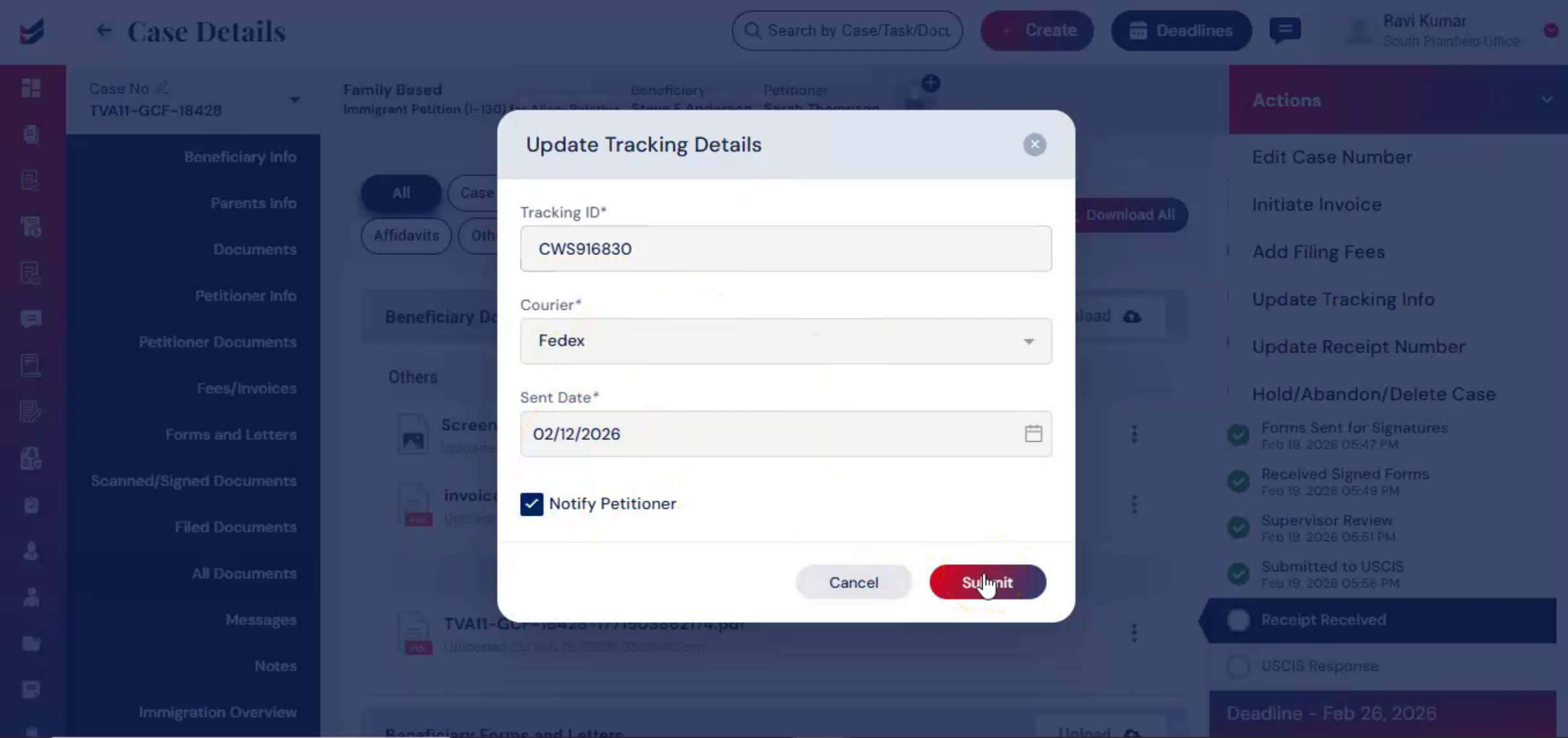
After mailing the petition, tracking information should be recorded. From the Actions menu, select Update Tracking Details. Enter the courier tracking number and any related details. You may enable the Notify option if you would like the petitioner to receive an update.
nnnnnnnn37. Recording Receipt Of Notice
 * click the image to view enlarged
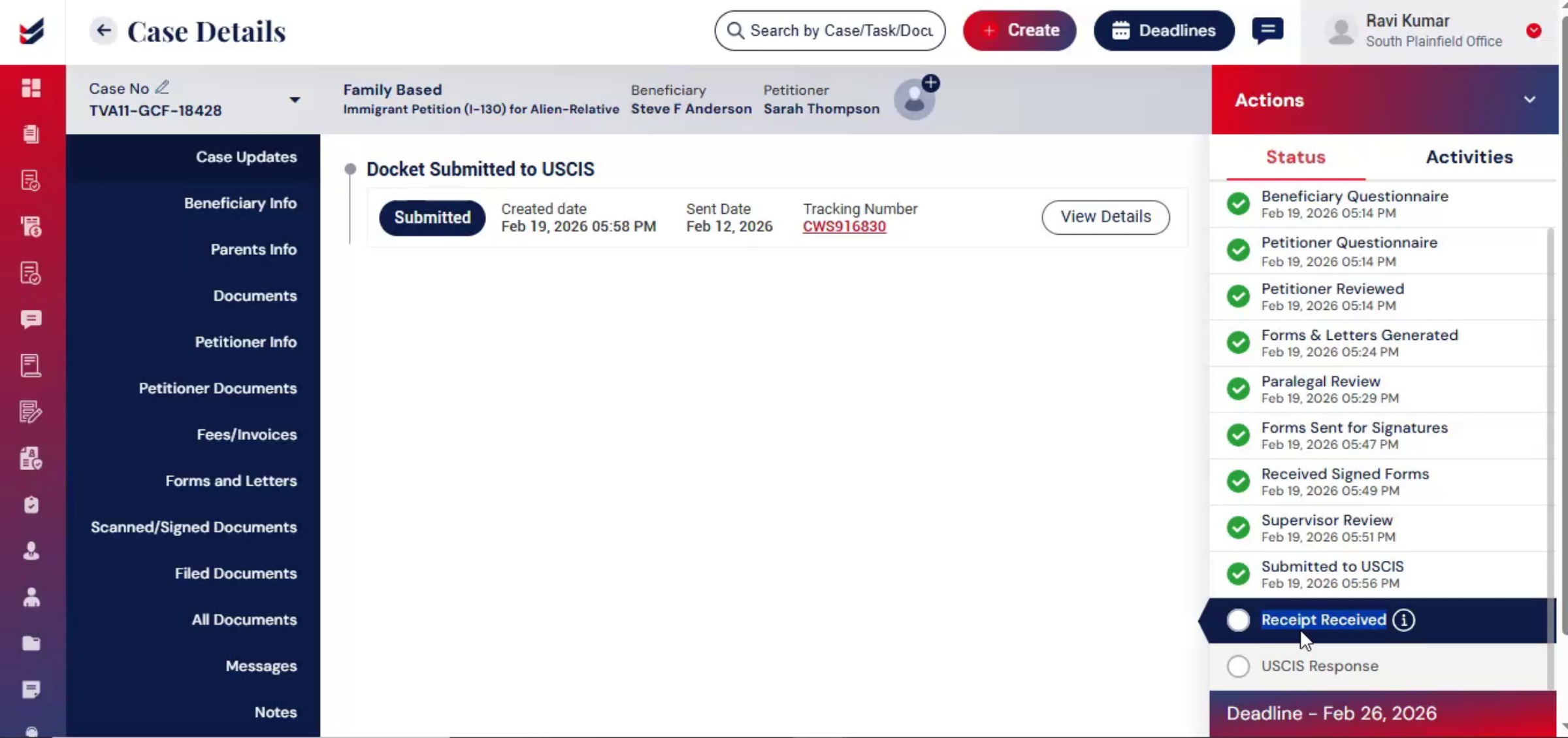
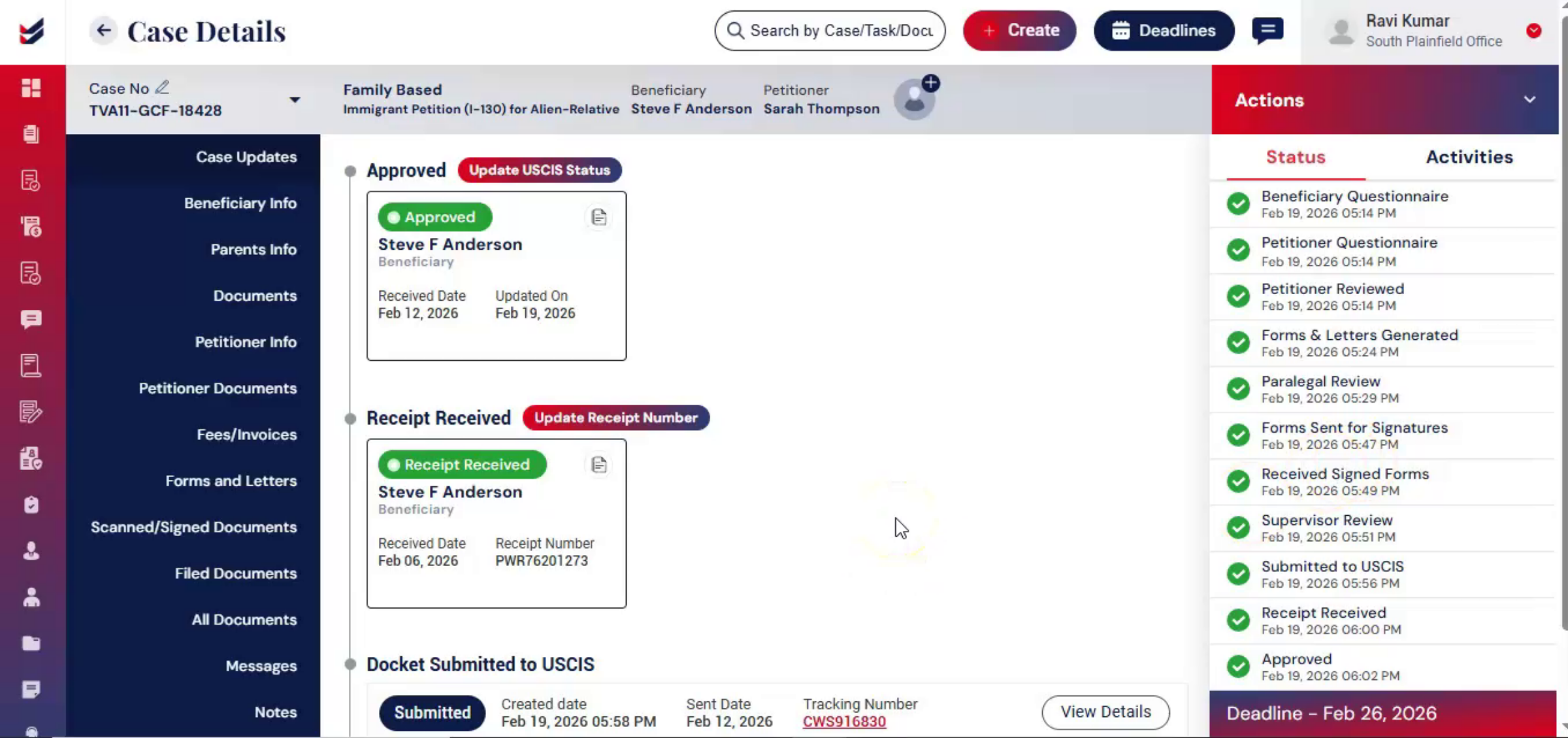
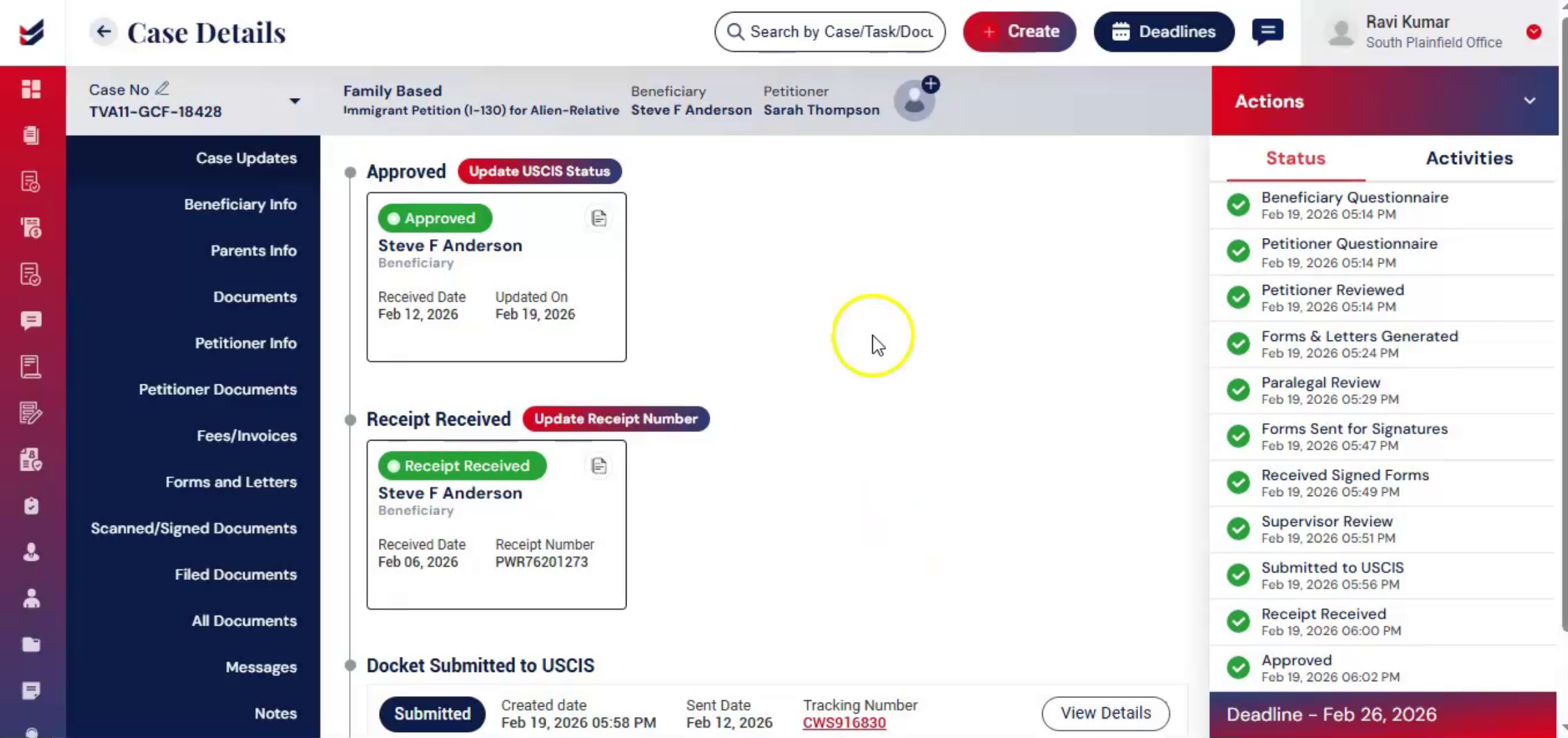
Once submitted, the tracking information is recorded in the Case Update section. The system will track the case and keep it updated. Once USCIS receives the filing and issues a receipt of notice, the receipt details must be recorded.
nnnnnnnn38. Receipt Information Management
 * click the image to view enlarged
From the Actions menu, select Update Receipt Number. Upload the receipt notice and the system will automatically populate the related fields. If the data is not extracted, enter the information manually and click Submit. The receipt information is then visible in the Case Update section, keeping all case milestones centralized.
nnnnnnnn39. Case Tracking Updates
 * click the image to view enlarged
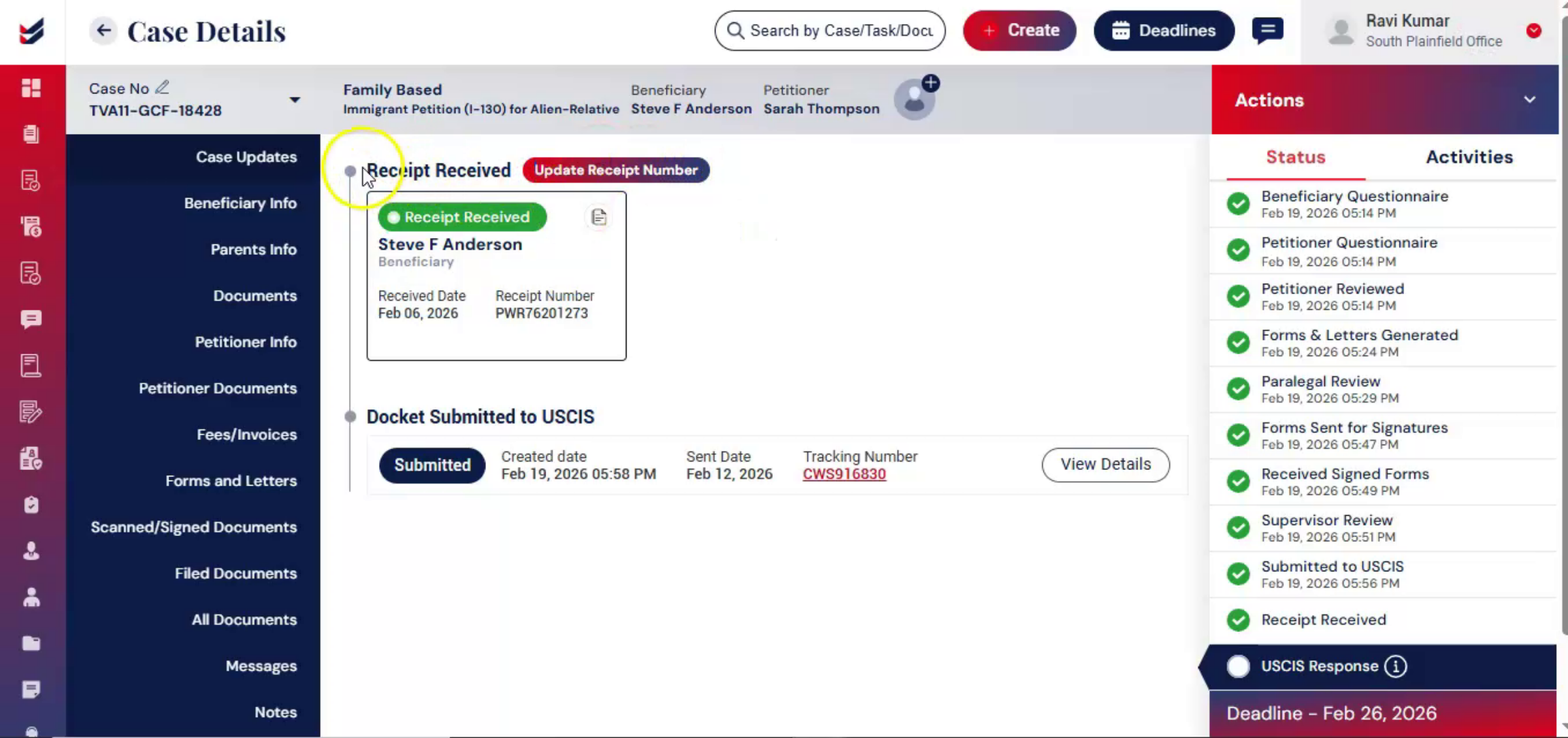
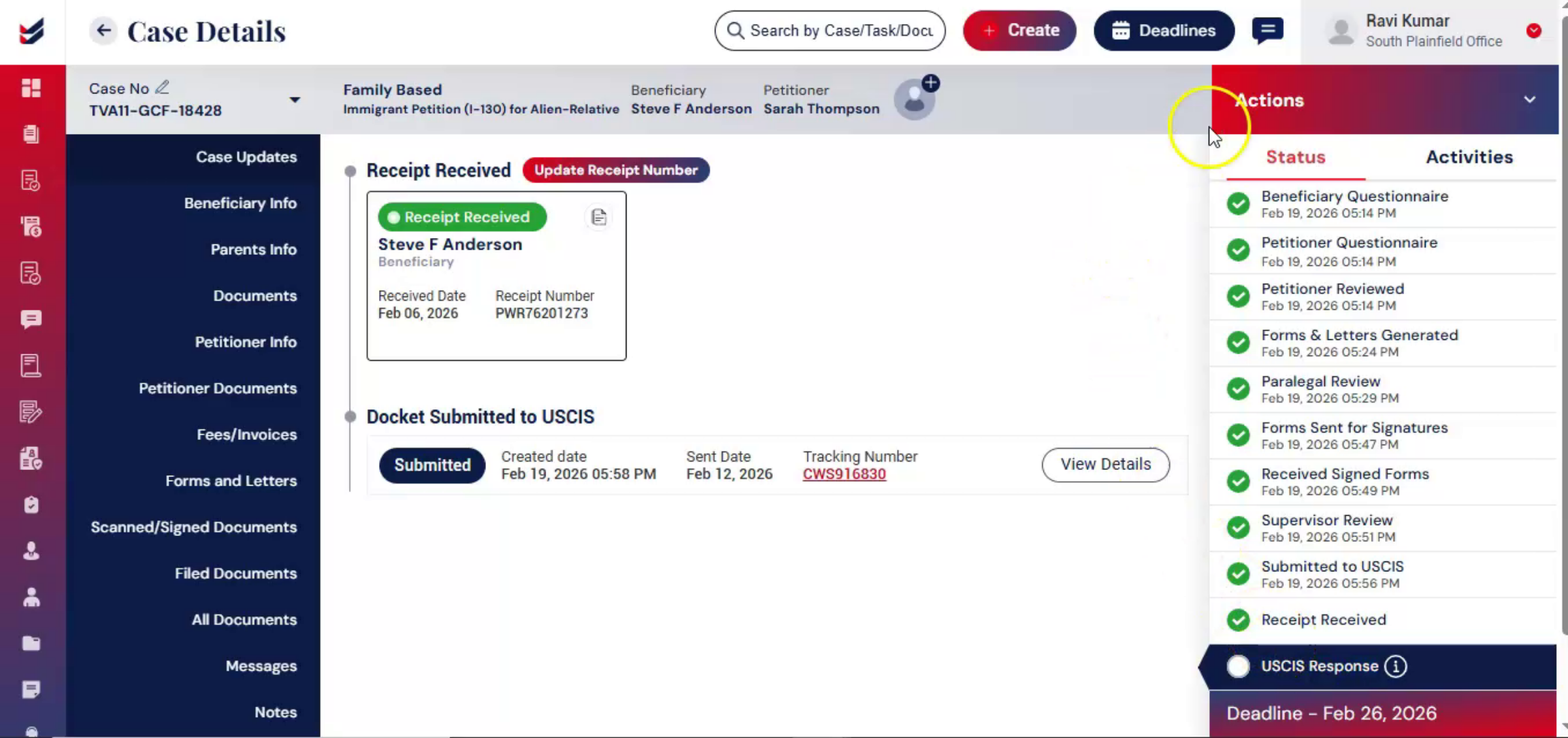
The ImmiBox portal will track the case and keep updating the tracking. As the case progresses, any updates from USCIS are recorded within ImmiBox. You can even do it manually.
nnnnnnnn40. Updating USCIS Case Status
 * click the image to view enlarged
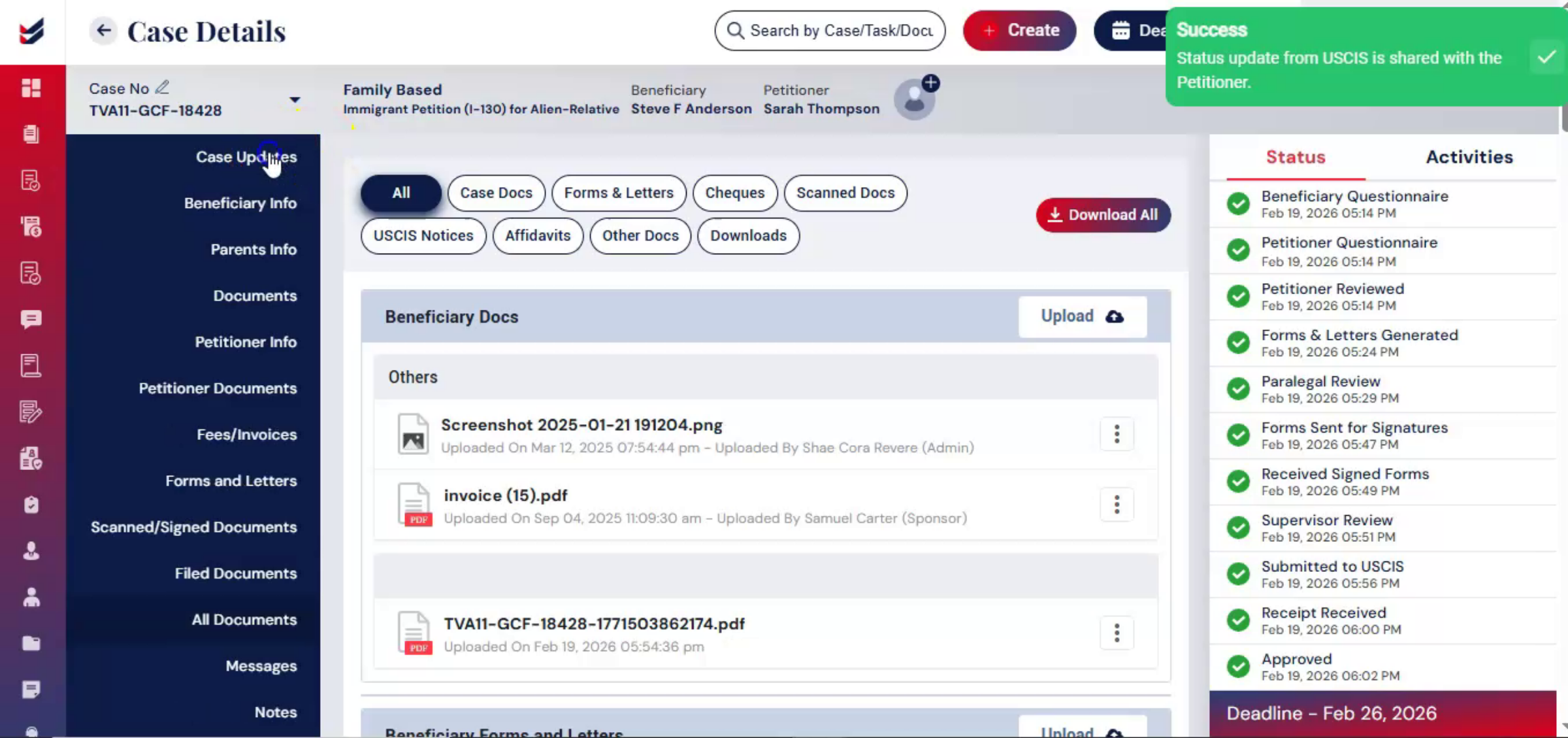
From the Actions menu, select Update USCIS Status. Choose the appropriate case status, such as Case Approved, RFE Received, Case Denied, or Case Withdrawn. Upload supporting documents, add comments, and click Submit.
nnnnnnnn41. Case Lifecycle History
 * click the image to view enlarged
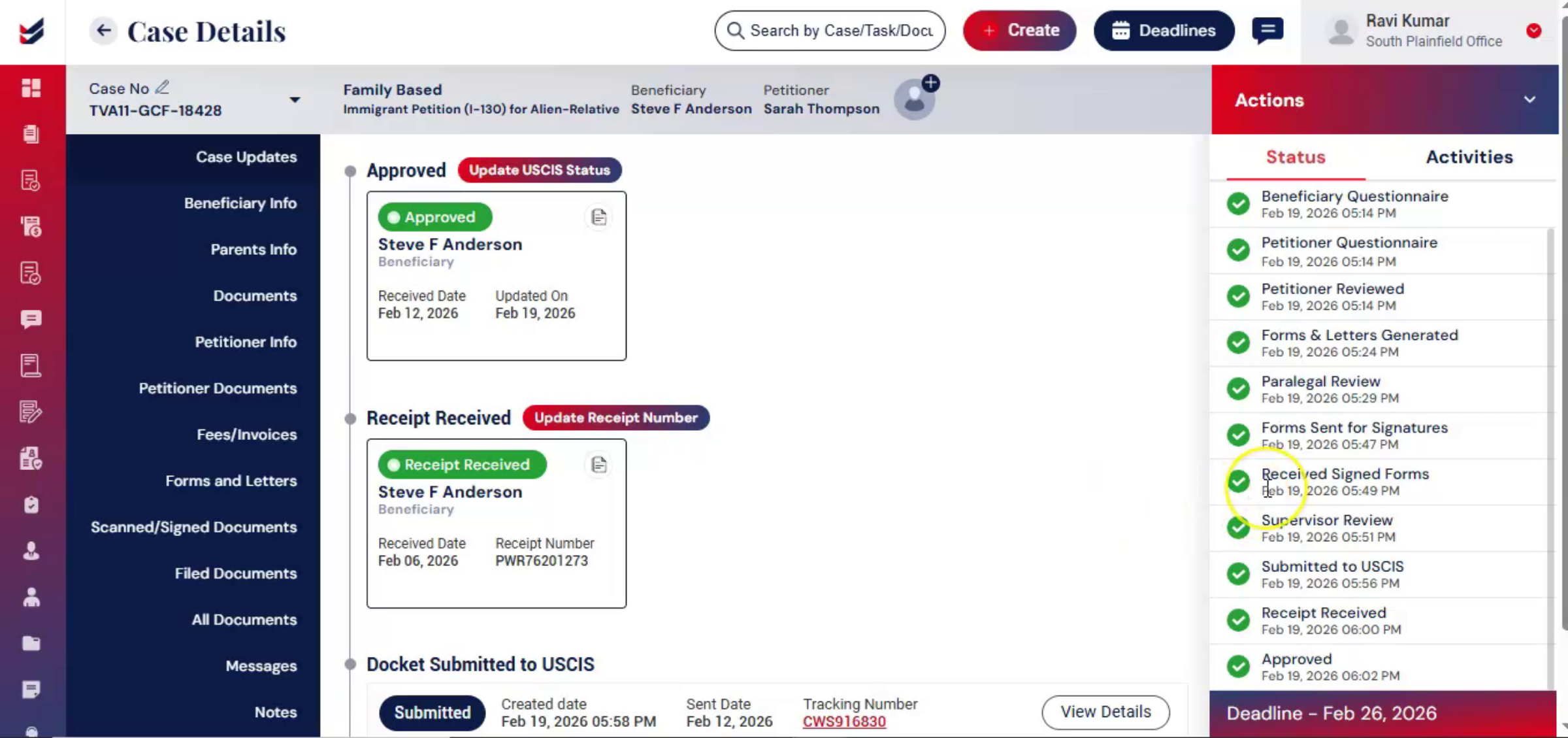
The updated status is reflected in the Case Update section on the left panel. This ensures the firm has a complete history of the case lifecycle, from intake to final decision.
nnnnnnnn42. Workflow Tracking And Compliance
 * click the image to view enlarged
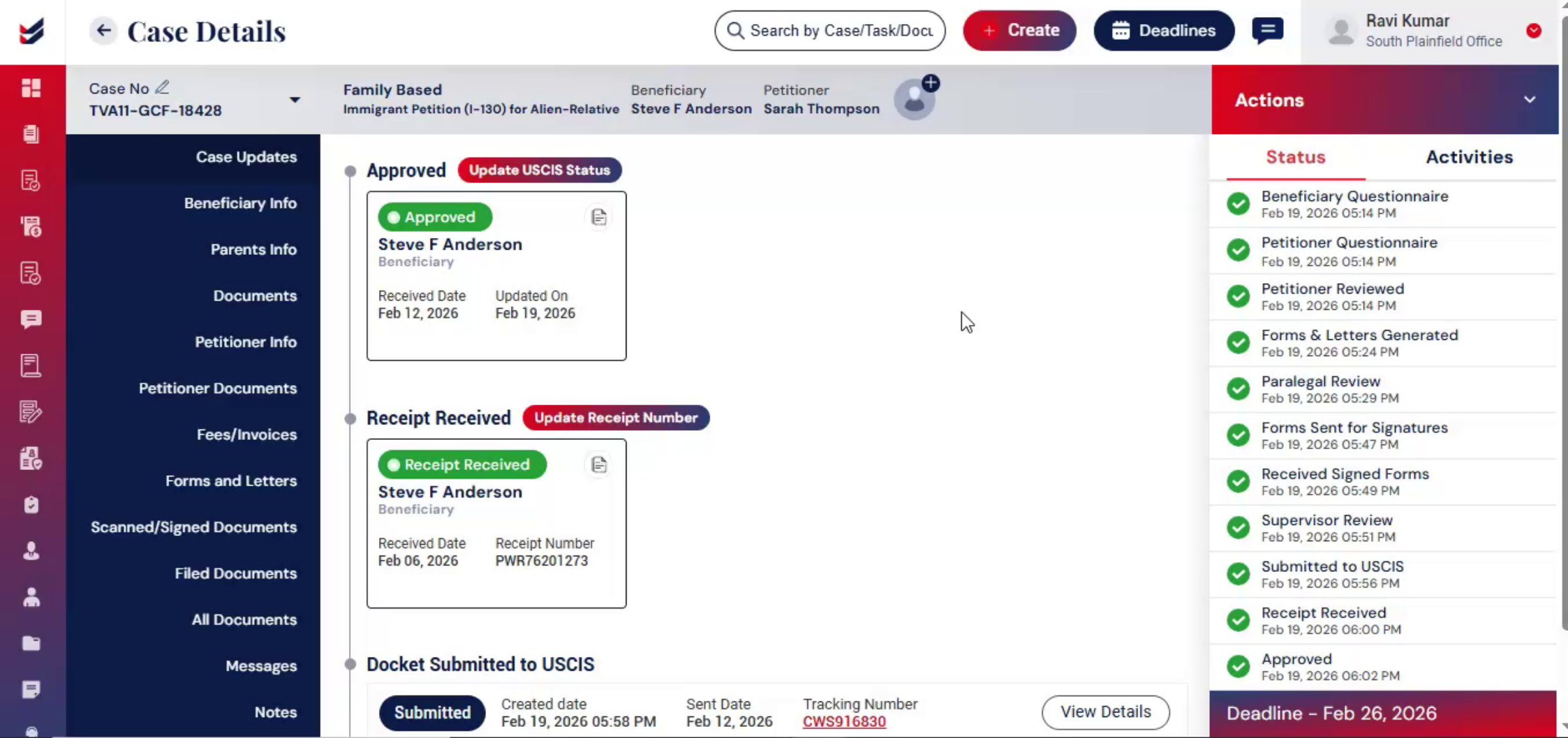
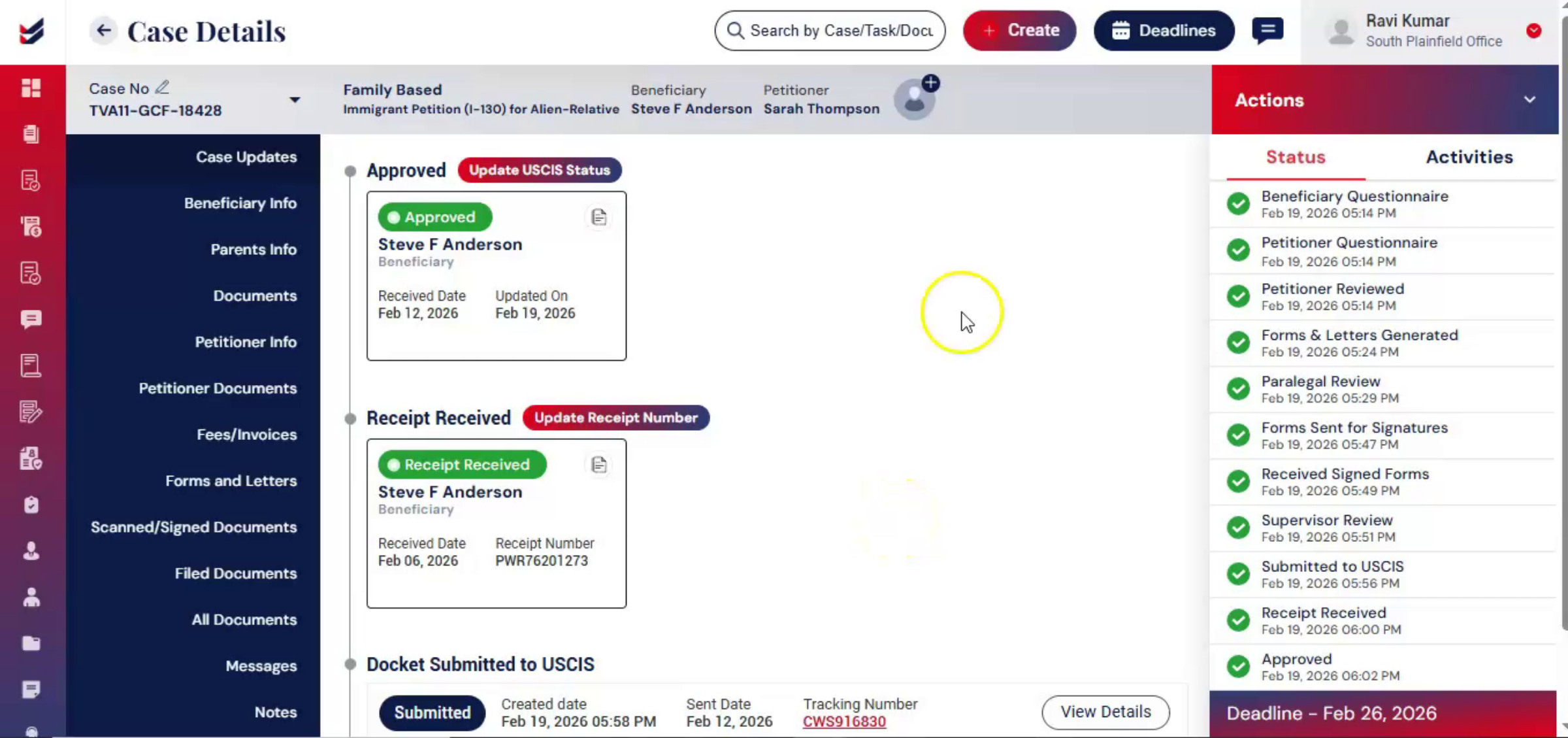
Throughout the entire process, ImmiBox continues to track each stage, and every action is recorded, organized, and accessible in one centralized system. This structured yet flexible workflow allows firms to maintain efficiency, compliance, and transparency.
nnnnnnnn43. USCIS Notices Upload Tool
 * click the image to view enlarged
On the dashboard, you will find a tool section. Using this feature, you can upload multiple USCIS notices at once. The system will automatically extract information from each notice and assign it to the corresponding case. For more details, please refer to the tool's functionality help guide.
nnnnnnnn44. Workflow Flexibility
 * click the image to view enlarged
This workflow is structured but also flexible. It can be changed according to the law firm's preferences. To learn how to modify the workflow, please refer to the Workflow Management Guide.
nnnnnnnn45. Maintaining Firm Efficiency
 * click the image to view enlarged
Using these tools and this workflow, law firms can maintain efficiency, compliance, and transparency while adapting the process to meet each client's specific needs.
nnnnnnnn46. Video Conclusion
 * click the image to view enlarged
Thank you for watching.
nnnnnnnn
