


Tracking Case Activities in ImmiBox
Overview
Welcome! In this video, we'll walk through the Activities feature in ImmiBox and how law firms can track the complete case journey and user actions securely.
n1. Introduction
 * click the image to view enlarged
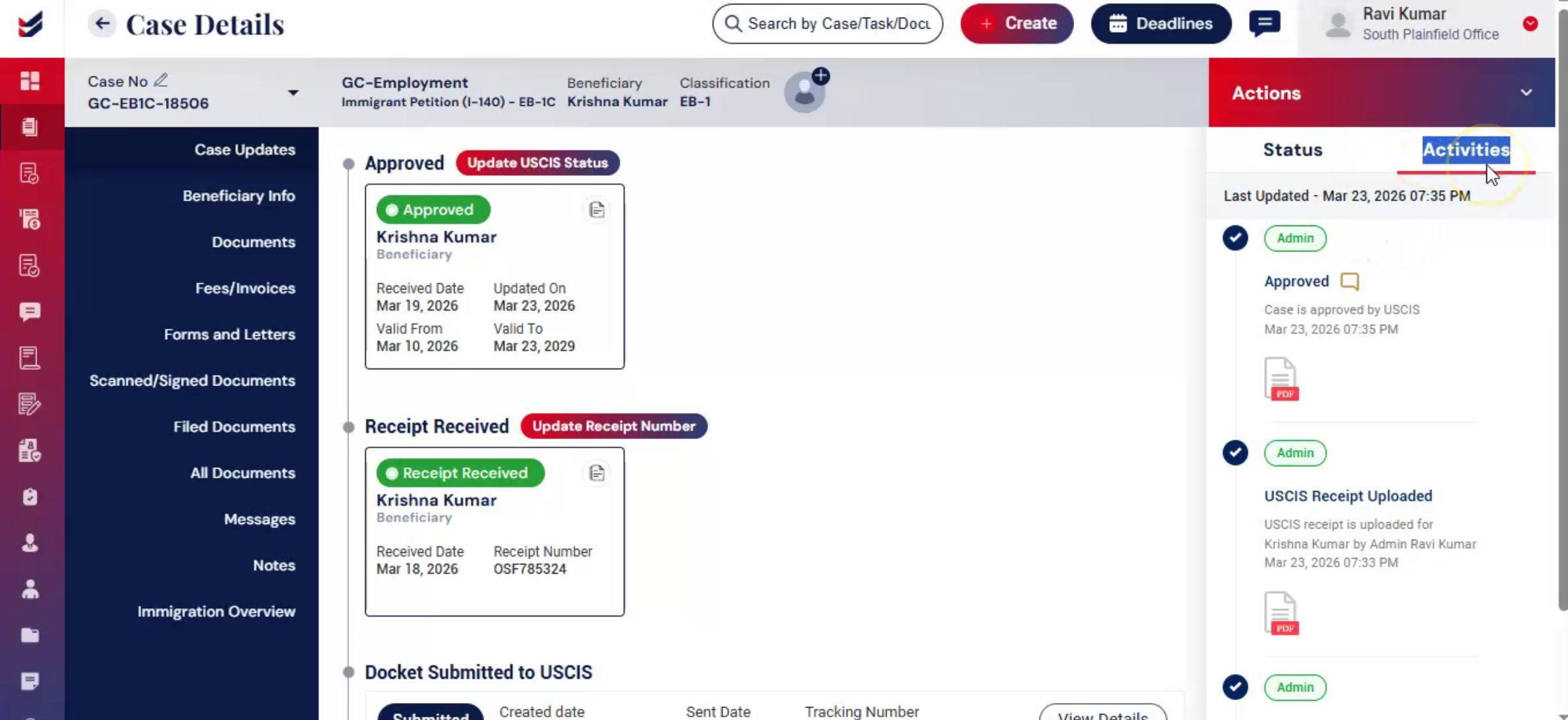
The Activities feature helps law firms monitor the complete case journey from case creation to completion. Every activity performed within a case is automatically logged for tracking and audit purposes.
n2. Navigate to Activities Section
 * click the image to view enlarged
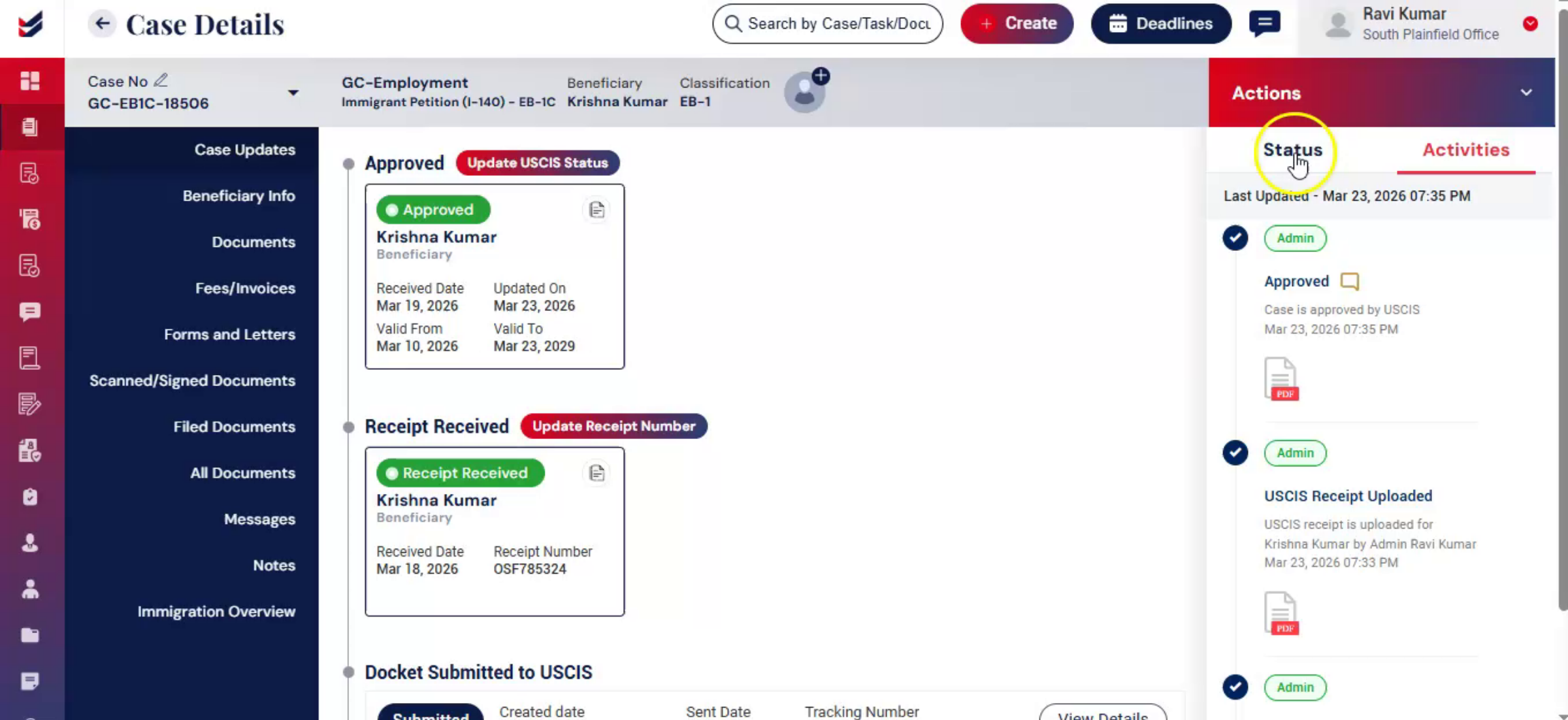
Go to the Case Details page.
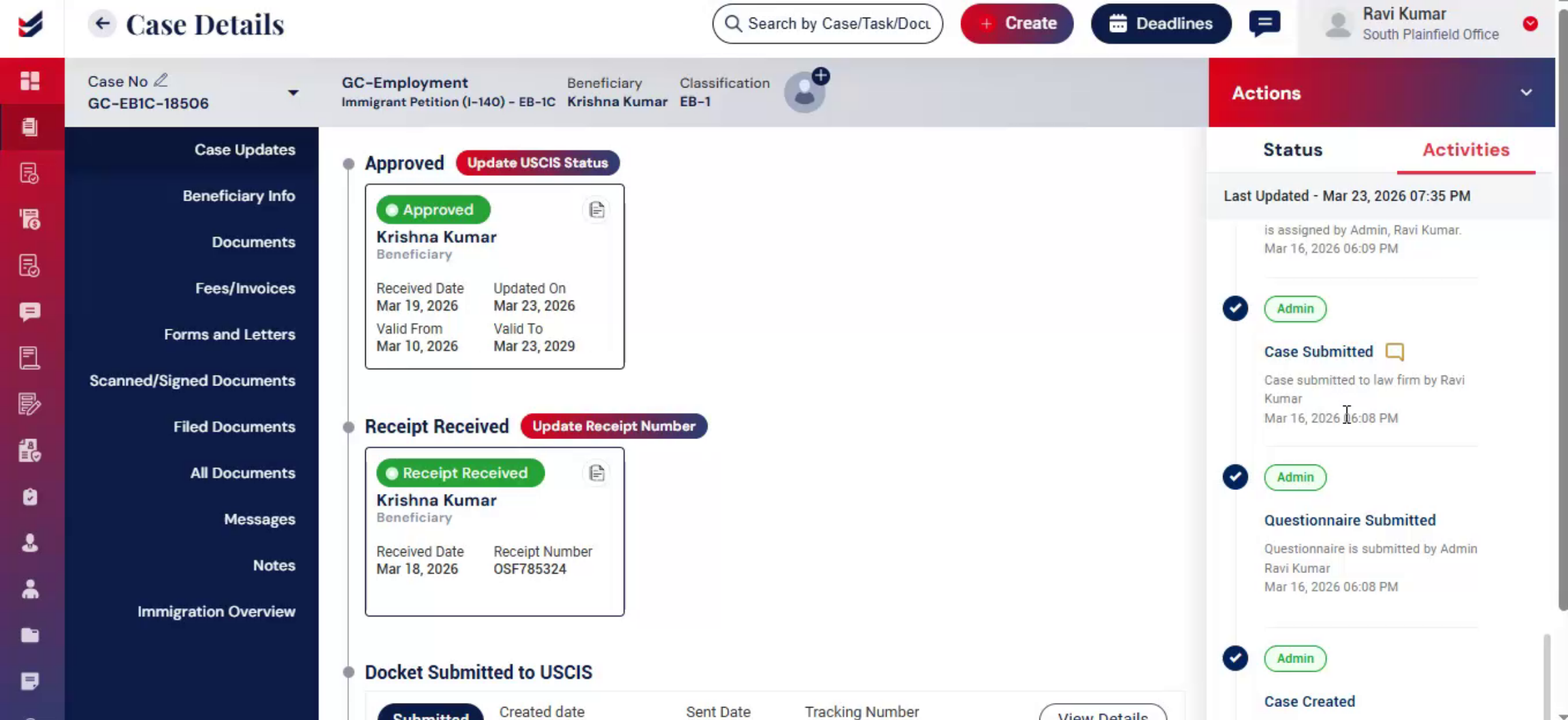
Under the Actions section, click on Activities to view all case-related logs and updates.
n3. View Activity Logs
 * click the image to view enlarged
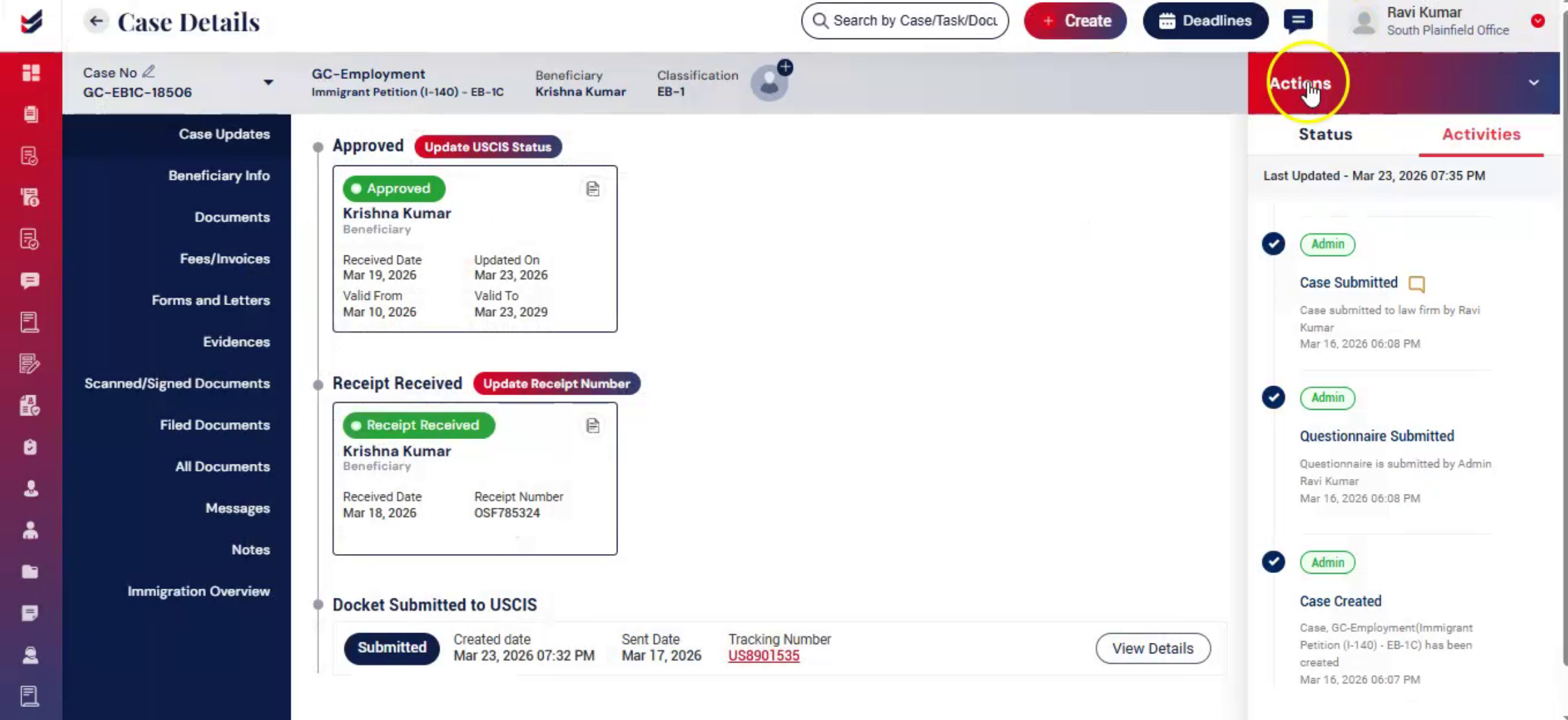
The Activities section records important details such as:
The action performed
Date and timestamp
The user who performed the action
The assigned user or team
Workflow and status updates
Comments related to specific activities can also be viewed by hovering over the Comments icon.
n4. Secure Internal Activity Tracking
 * click the image to view enlarged
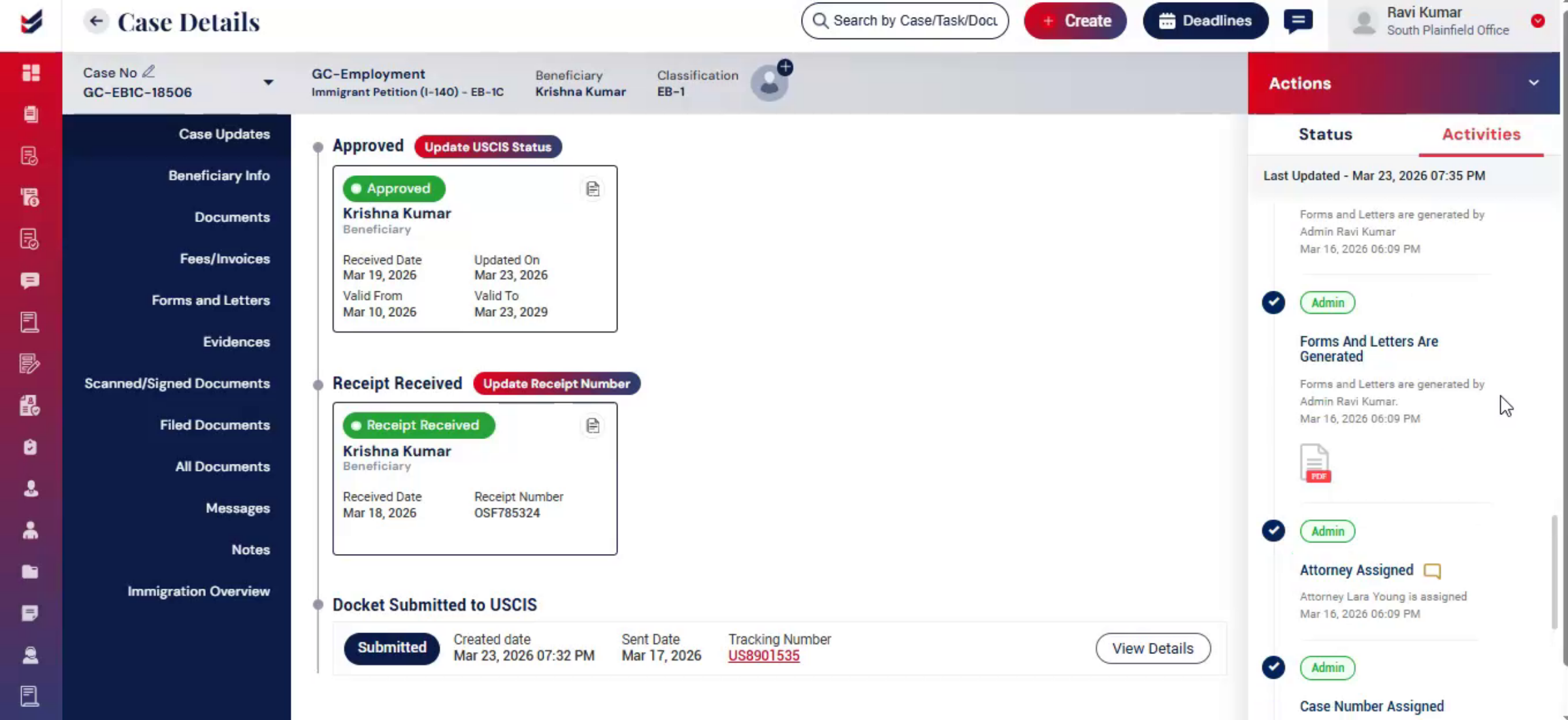
The Activities section is accessible only to authorized Law Firm users and cannot be viewed by Clients, Petitioners, or Beneficiaries.
All activity records are securely maintained within the system and cannot be modified or altered.
n5. Conclusion
 * click the image to view enlarged
The activities feature provides a secure and reliable audit Trail for tracking all case-related, actions and updates in one place.
n
