



Update the Task
Depending on the assignees, the tasks will be displayed with information ‘Assigned To’ and a notification email will be sent to the assigned users when the task is created and assigned to them. The corresponding tasks will be displayed for the assigned users when they login.
The task can be updated by clicking on it. Users can edit the task and update the initial details. You can also upload files and provide comments according to the task provided.
To update the task status along with a comment reflecting its progress, please click on the dropdown menu labeled Select Status.
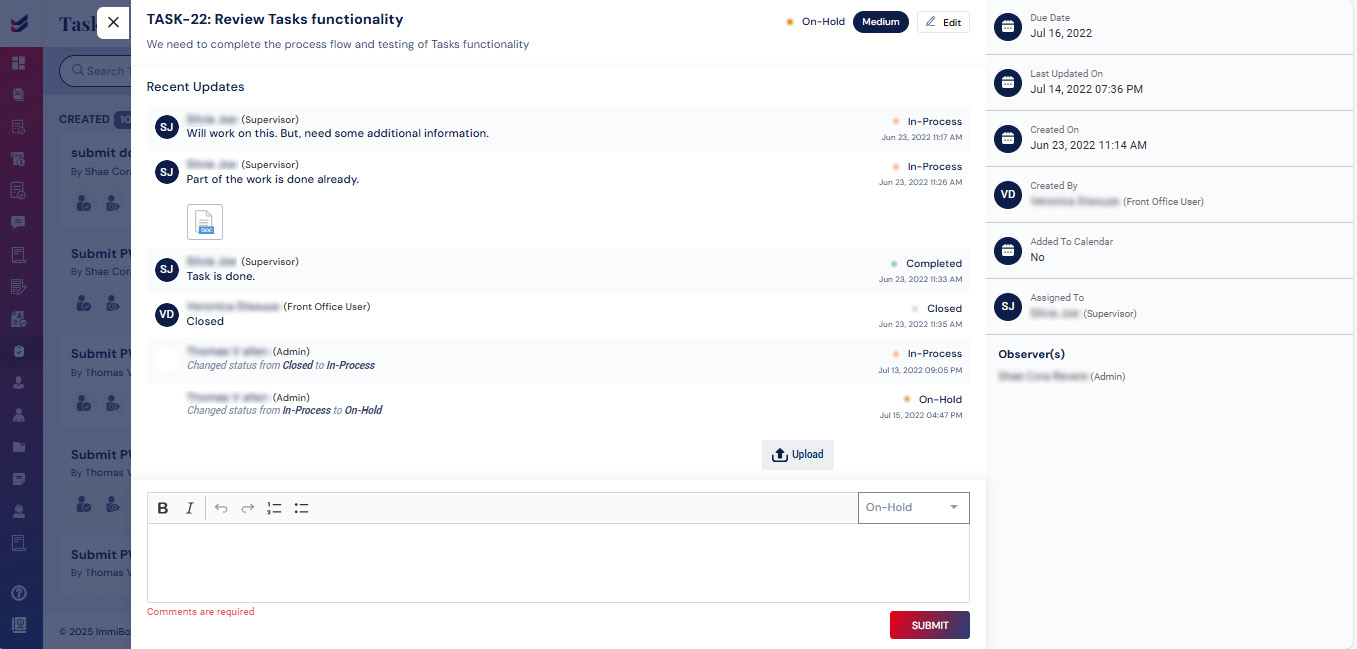
All the updates will be displayed in the task itself.

