



Update Receipt Number
Once the case is received by USCIS, a Receipt Number will be issued by USCIS. The same shall be used to track the case status by ImmiBox automatically in the backend and keep all stakeholders updated. The same may be used to track the status in the USCIS portal.
To update the receipt number, select the Update Receipt Number option from the Actions section within the Case Details.
The Receipt Number and Date Received, along with any relevant attachments, should be uploaded.
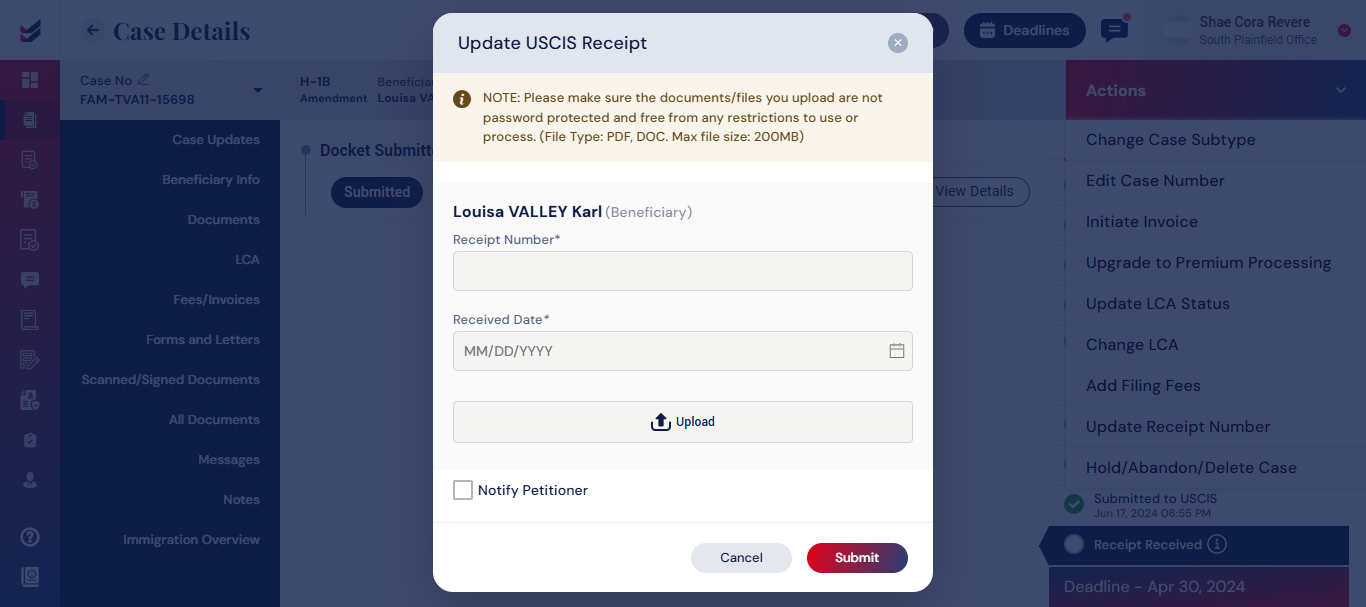
You can also notify the Petitioner instantly by selecting the check box.
Once the Receipt Number is updated for a case, the status can be monitored in the Case Updates section located on the left side of the Case Details.
Click Here – Learn how to upload Receipt Numbers and USCIS Notices in bulk through ‘Tools’.

