Overview
Notes functionality is made available for users who want to write down something that can be referred to later. These notes may be information that is related to cases, clients, team, tasks, or anything official or personal. These notes can be shared with other team members/clients or kept confidential.
Some of the features:
- Make a note of something that is very personal and mark it as ‘Confidential’.
- Any notes that are marked as ‘Confidential’ will be accessible only to you.
- Users can attach documents, if required.
- A note can be made accessible to someone of your choice by selecting ‘Custom’ option while sharing.
- A note can also be created and make it accessible to everyone by marking it as ‘Public’.
- A note may be created for a specific Case or External Case by choosing the relevant cases.
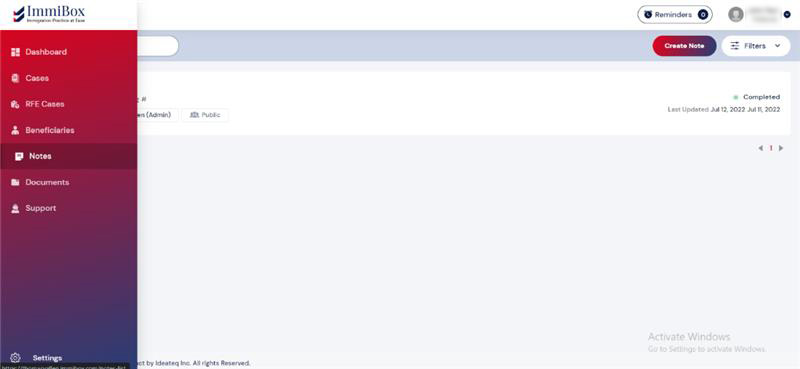
You can access all Notes by clicking on ‘Notes’ from the left navigation. By default, Users will see all the Notes created, and the Notes accessible to them. Users may filter them by selecting various options (Title, Assigned To, Status, Access Level and Created Date) available in the ‘Filters’ section.
To create a Note, click on the “Create Note” button shown in the screenshot below.