



Send a Message
Users have the option to send messages either to all users or to specific individuals regarding case details. You need to add a description and select the users and click on “submit”.
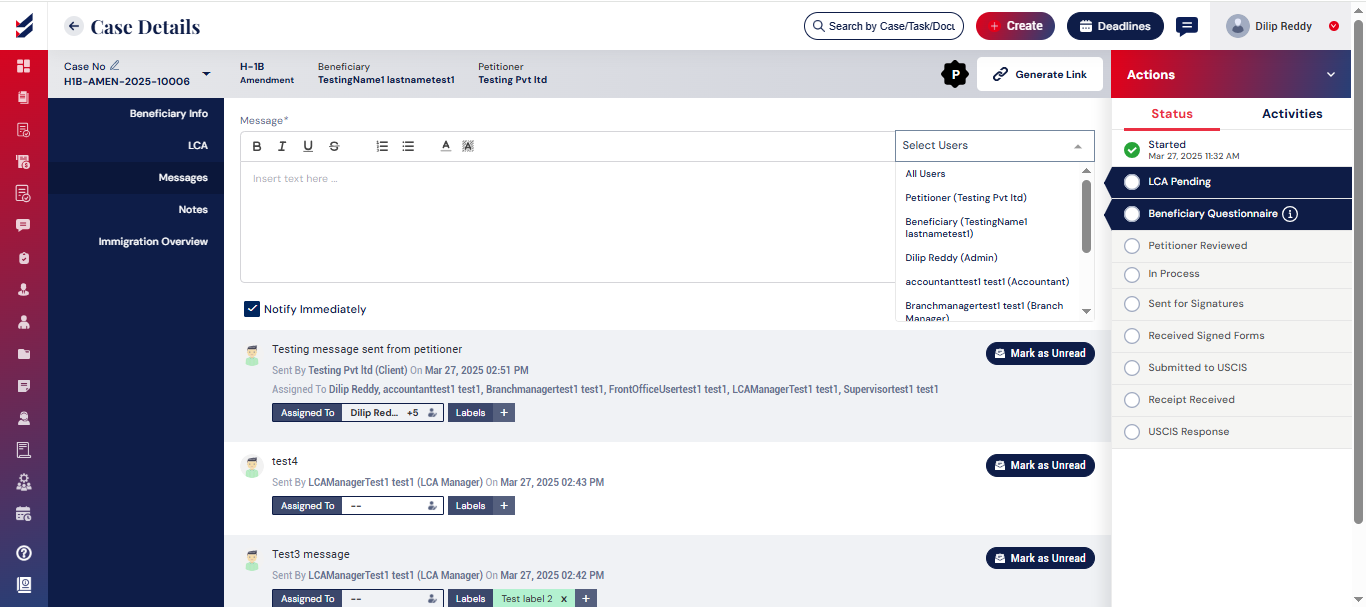
Once a message is assigned to other users, they will receive a notification, and it will appear in their respective message threads. You can view all sent and received messages on the messages page, which is accessible via the left navigation bar.
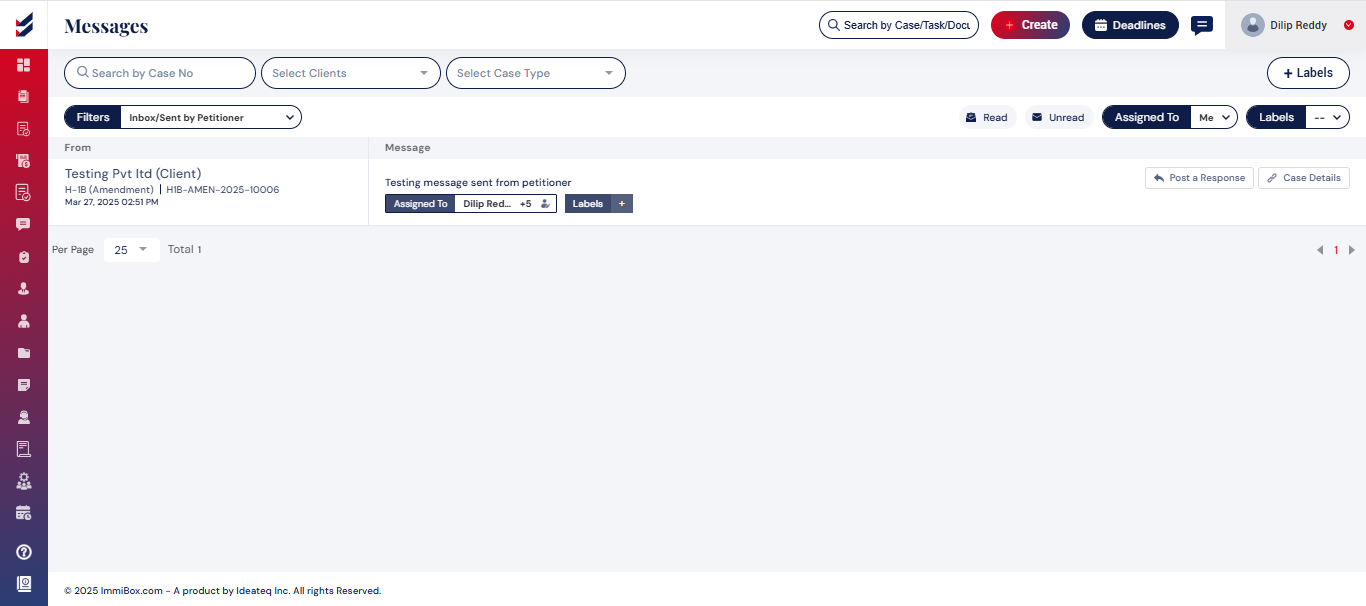
We can apply filters based on sent, received, assigned and Labels.

