



Create a Cap Registration Case
Click on the New Case button on the top right to create a new case.
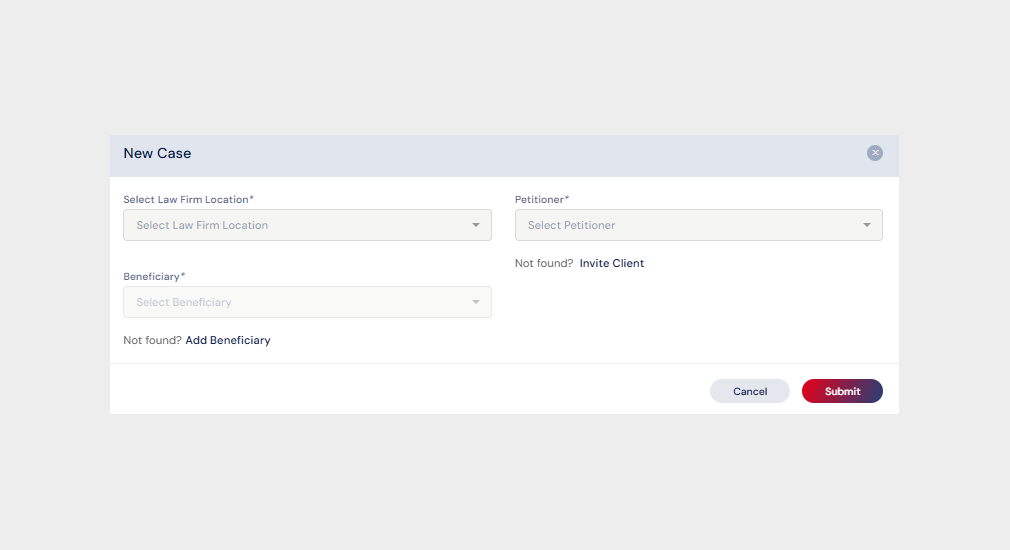
A dialog box will emerge prompting the user to choose Branch, as well as the Petitioner and Beneficiary.
Users have the option to invite the Beneficiary by clicking the option “Add Beneficiary.”
Click here to know about inviting a Beneficiary
Users have the option to invite the Petitioner by clicking the option “Invite Client.”
Click here to know about inviting a Petitioner
The beneficiary will be added to the list once the user clicks on Submit.
On submitting, an email will be sent to the Beneficiary asking them to fill in a brief Questionnaire that is required to process the Cap Registration with USCIS.
The same shall also be filled in by the Law Firm users if the details are available.
Click Here to see how to fill in the questionnaire for a Cap Registration case.

