



Invite Client/Petitioner
Invite a new Petitioner by clicking the Invite Client button.
A dialog box will be displayed prompting the user to enter the company’s name, first and last name, email address, and contact number. Additionally, the user has the option to designate a branch or allow the petitioner to make the selection using the check box.

If user selects the Assign Branch, option to select the branch will be displayed at the bottom.
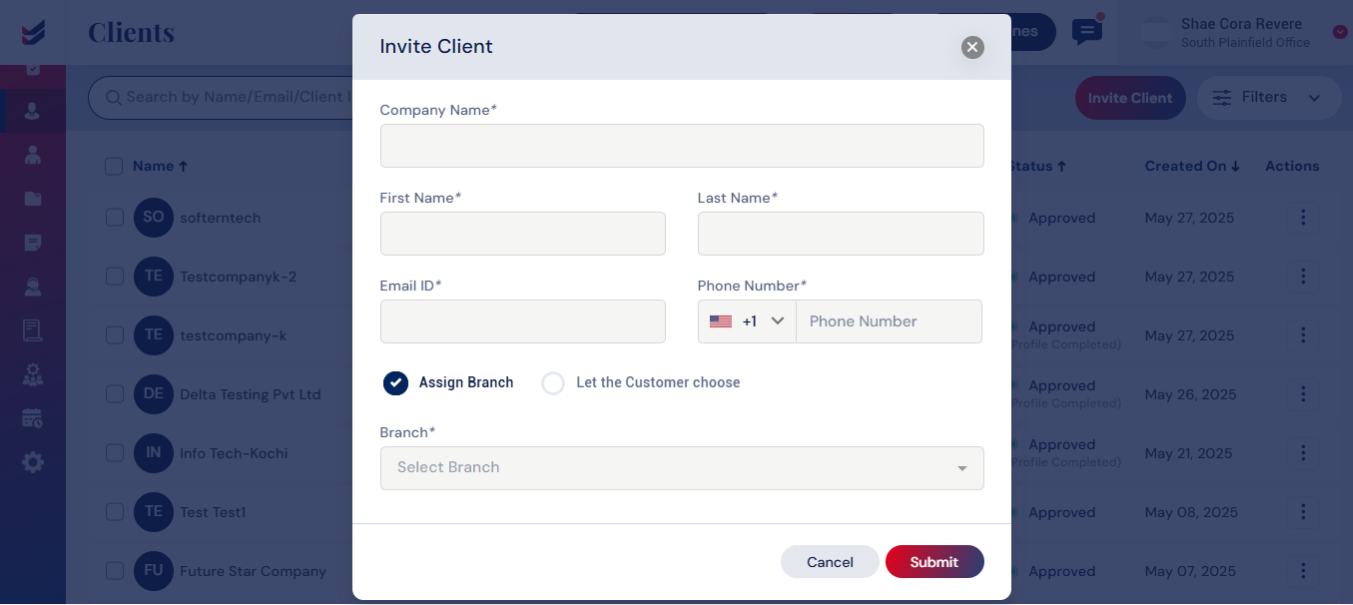
Alternatively, you can let the Petitioner select the Branch of their choice by selecting the option ‘Let the Customer choose’.
On submission, an email invitation will be sent to the Petitioner to setup Password.
Click here to learn how to set up a password for a Client/Petitioner.

