Include Headers
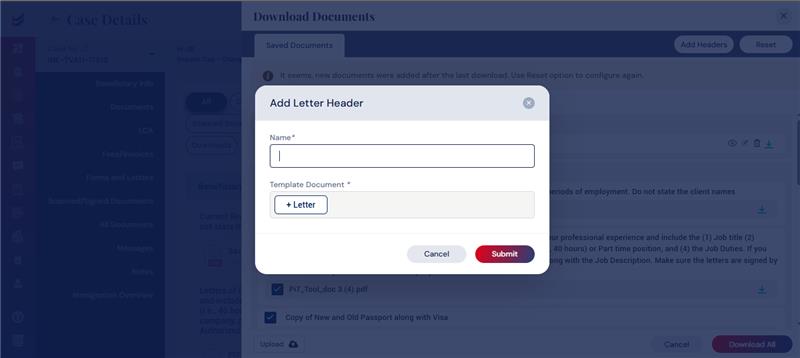
On a need basis, users can include Headers between different documents/files. Ideally, these headers can be empty document or with a Title in it to separate various categories of files in the list.
To add a Header, click the ‘Add Headers’ button. After inserting a Name for the Header, click on the Letter’ button that will open an empty document where the relevant text can be inserted as a Title or leave it blank to have the header as an empty page.
The Header can be moved to any location within the categories listed. Multiple Headers can be included on a need basis.