



Tools
ImmiBox built various advanced tools to help Users be more efficient at work. One such tool is to process ‘USCIS Notices’ received offline. This tool will help process the scanned/uploaded notices received from USCIS categorized and take appropriate actions automatically.
Click here to learn more about the dynamic categorization of USCIS Notices.
Another tool in which G-28 form can be generated for any individual or entity directly. This feature enables users to generate a G-28 form without the necessity of creating a case.
Click here to learn more about the G-28 Form generator.
More such advanced tools will be built and added by ImmiBox in due course.
USCIS Notices Tool :Have the ability to upload various documents such as receipts, approvals, Requests for Evidence (RFE), or USCIS Notices within the tools.
The receipts, approvals, and Requests for Evidence (RFE) will be updated directly in the case according to the case number, along with the petitioner and beneficiary information retrieved from the uploaded file in the tools.
After the upload is completed, users can check the status of the uploaded file. The possible statuses include In Progress, In Process, Completed, Duplicate, Case Not Found, and Failed.
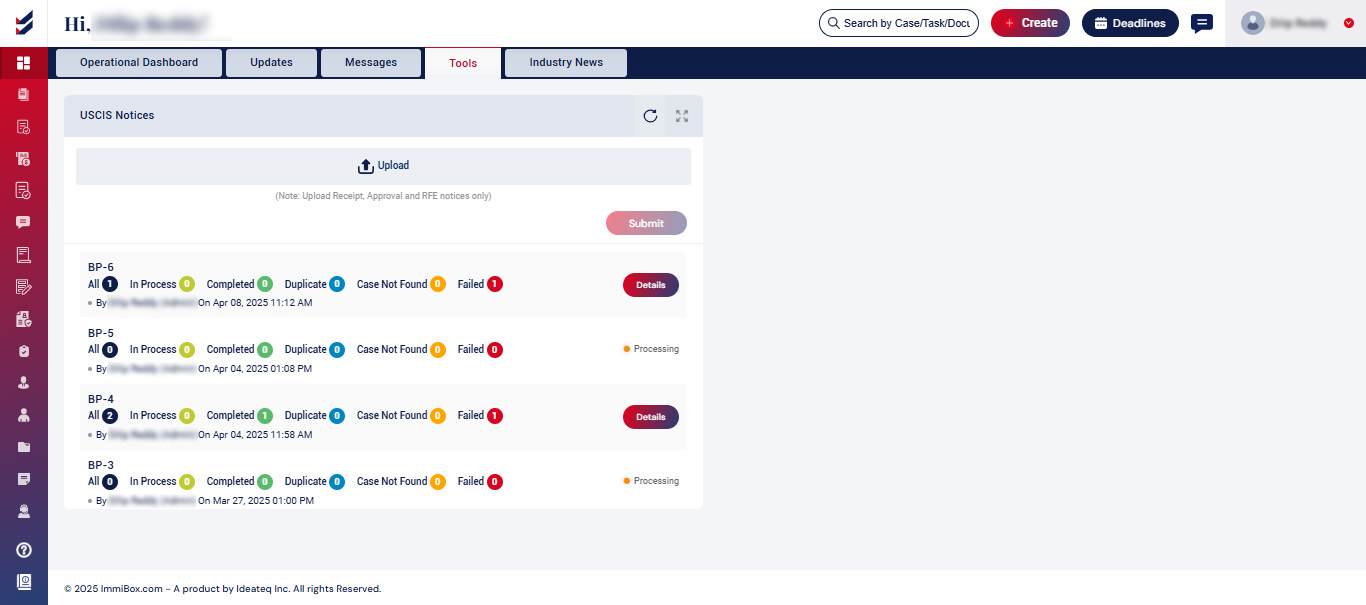
If the case is not found, or if the status of the uploaded files is marked as failed, you may associate the uploaded file with the relevant case by navigating to “Details,” where they can perform a case search.
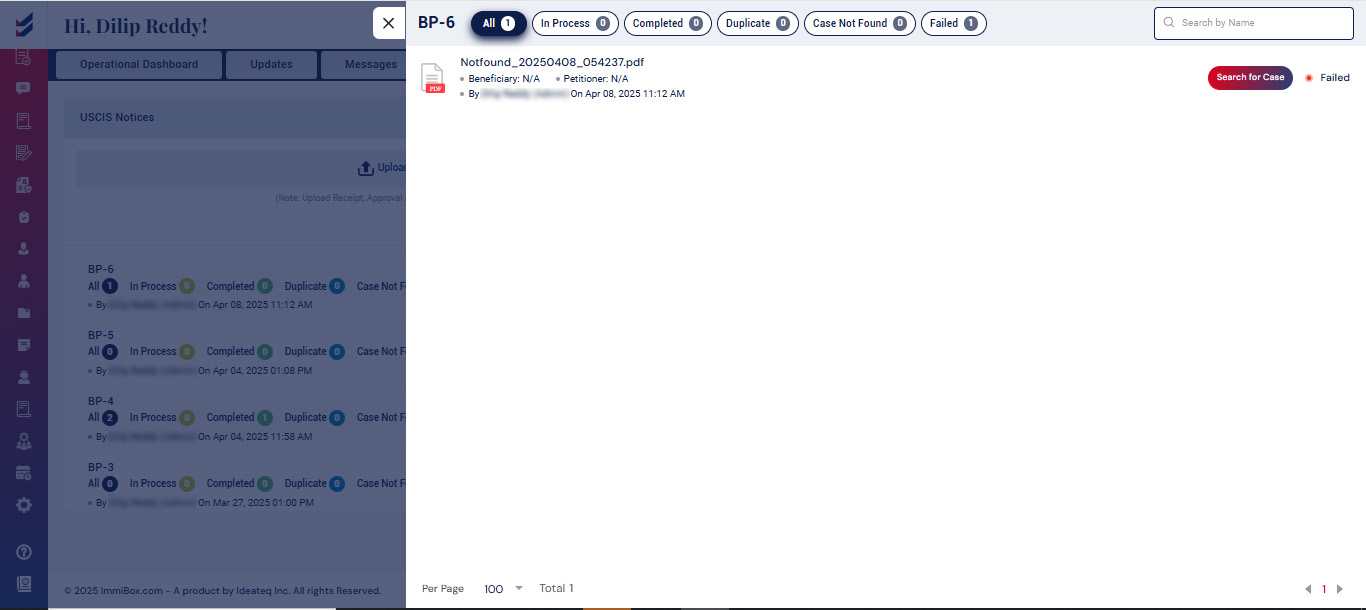
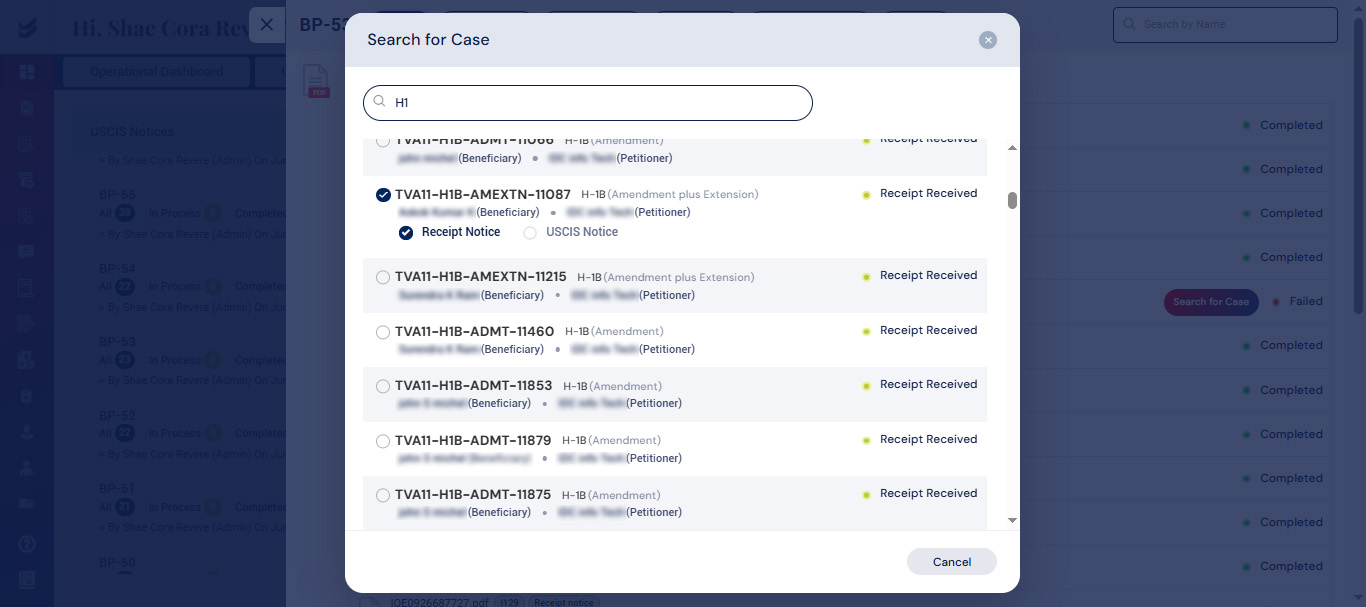
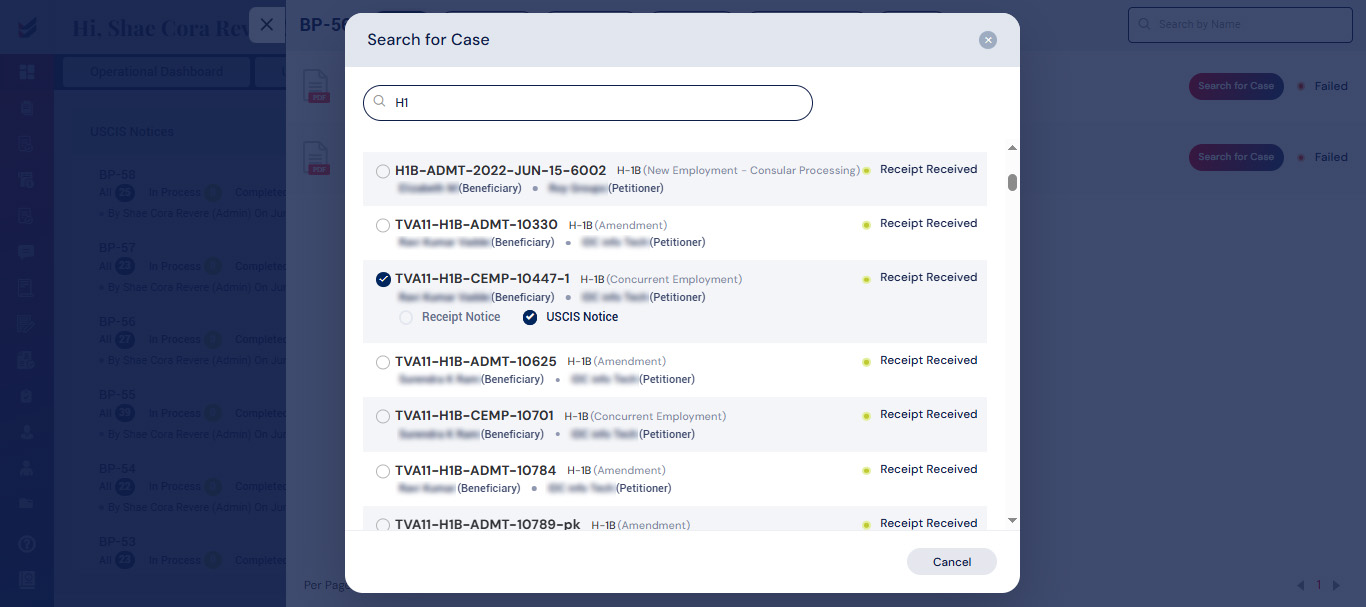
Click on “search for case” to pick the relevant case along with the type of file that has been uploaded (receipt notice or USCIS notice).
Receipt Notice:
User has to select the beneficiary after selecting the receipt notice.
After selecting the beneficiary, the user is able to input the receipt number and the date it was received. By clicking on “Notify Petitioner,” the update will be dispatched to the petitioner or employer. Subsequently, the user can proceed by clicking on “Submit.”

USCIS Notice:
User has to select the beneficiary after selecting the USCIS notice.
Upon choosing the beneficiary, the user can then specify the case status, document type, issue date, and received date, along with any comments, before clicking the “submit” button.
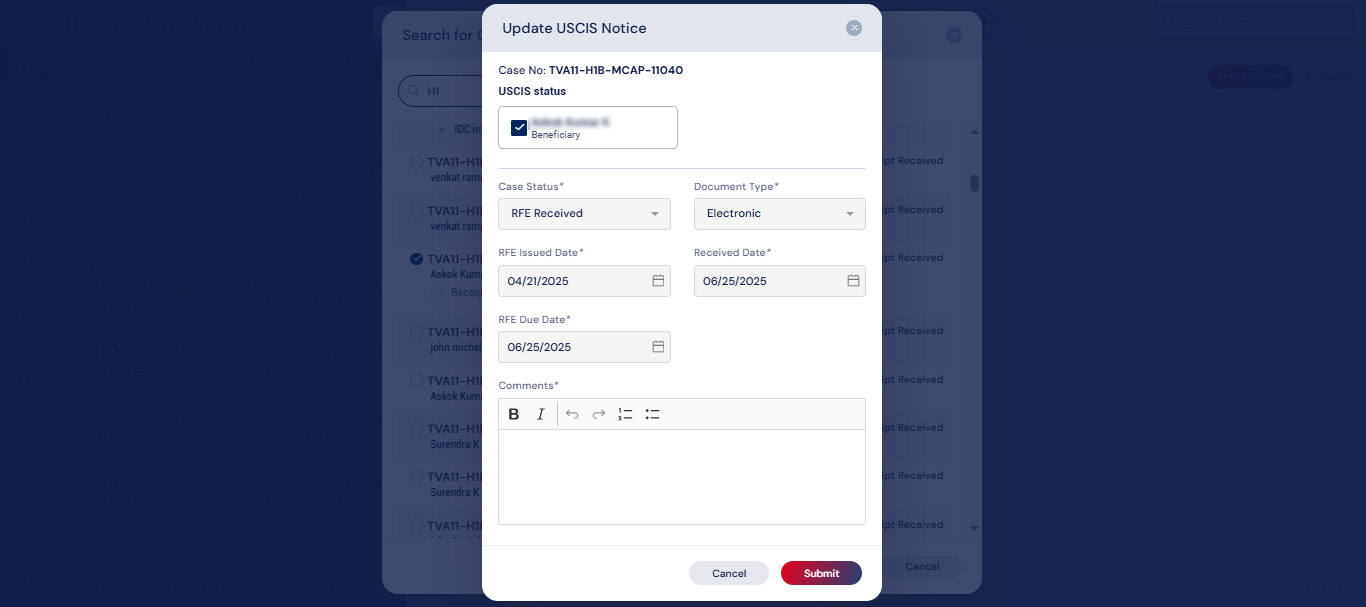
The case details will be reflected in the updated activity, and the petitioner will receive notifications regarding the actions taken on both the receipt and USCIS notices.

