Setup availability of user
To make yourself available for an appointment, you must first update your availability by day and date. This can be accomplished through the “My Availability by Week” and “My Availability by Date” tabs.
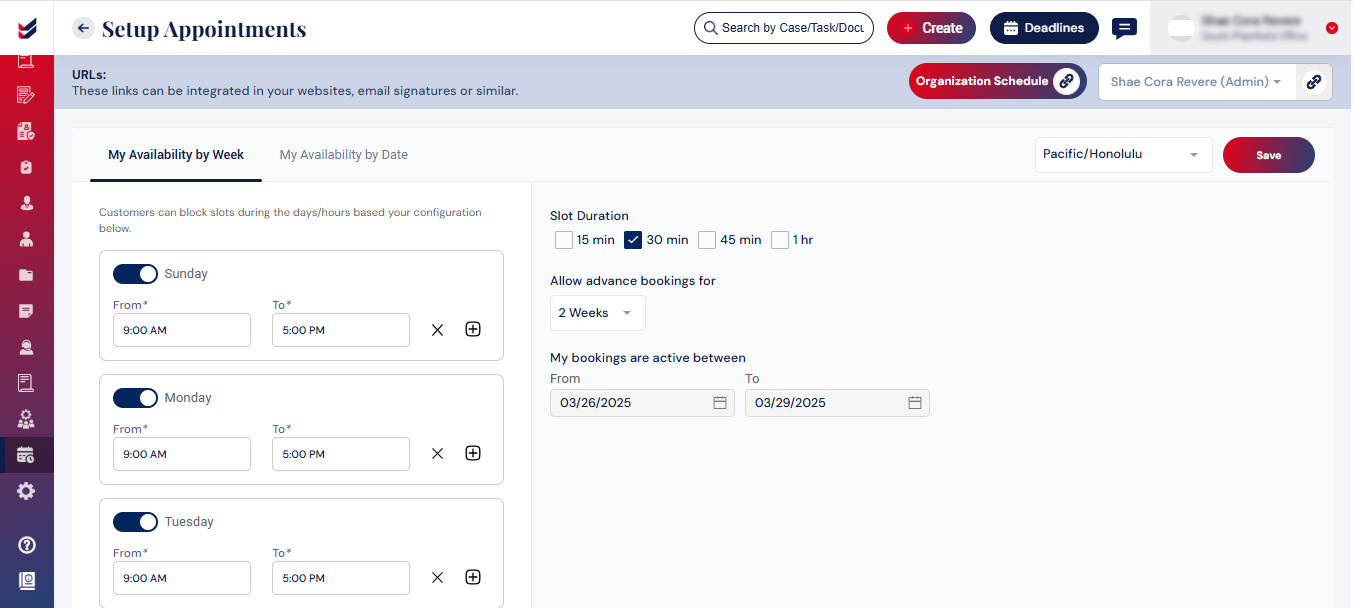
My Availability by WeekPlease select the Specific Days, Start and End Time, Duration of each time slot, Option for advance bookings, and Active Dates for your bookings and click on Save.
Option for advance bookings will enable your customers/prospects to schedule meetings for the selected period in advance. Ex. If you have selected 1 week, a meeting can be scheduled a maximum of 1 week in advance (i.e. next 1 week).
The Time Zone can also be selected from the dropdown menu.
 My Availability by Date
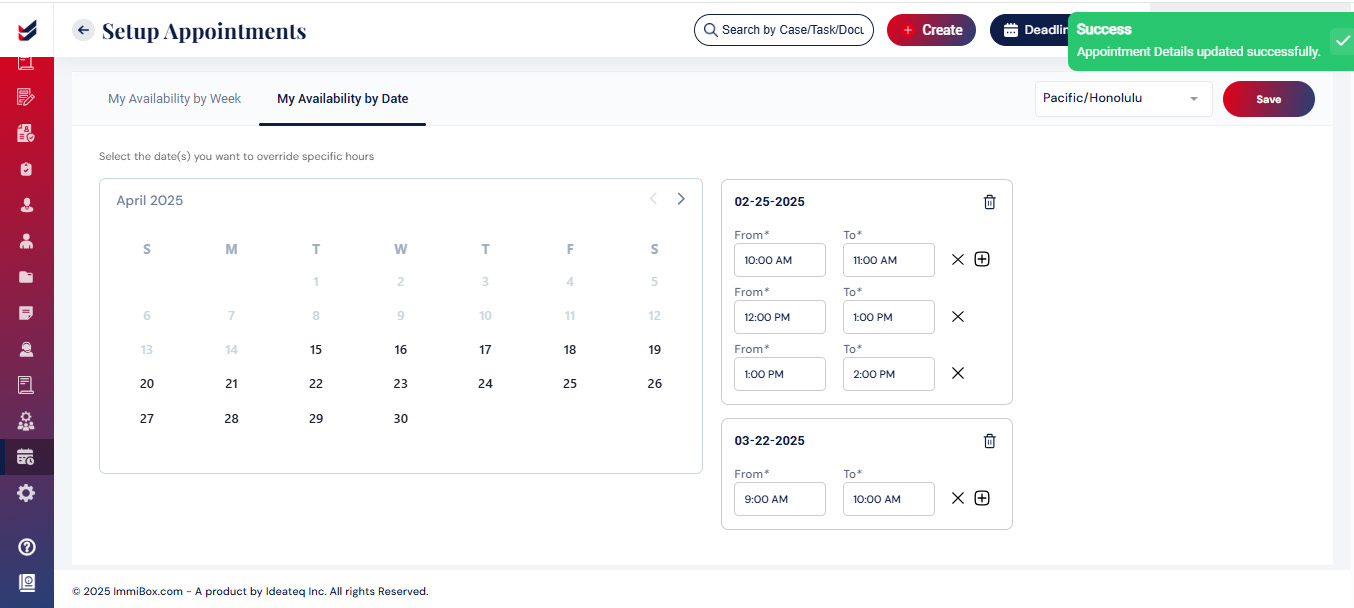
In the availability by date tab, choose the date and specify the available time range for that day, then click on Save.
The Time Zone can also be selected from the dropdown menu.