



Payment Receipt
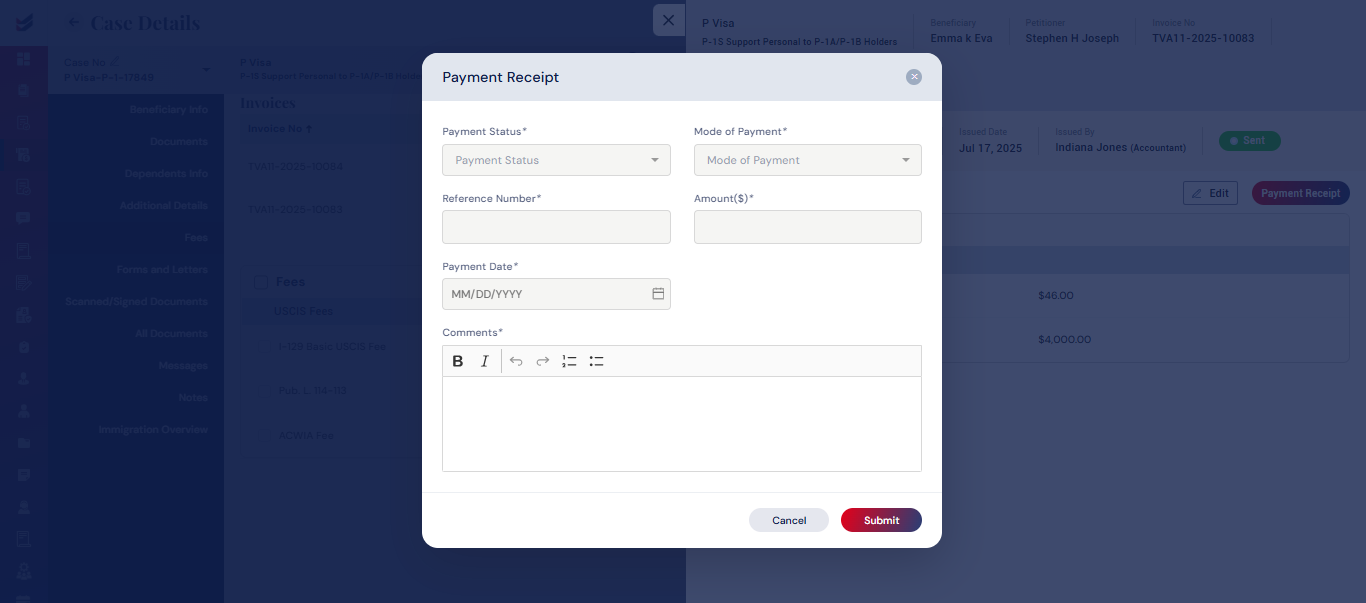
After the payment for the issued invoice has been completed, the invoice status can be modified by updating the Payment Receipt. The status may be changed to either Partially Paid or Fully Paid. This can be done within the case details by selecting the Details button and clicking on the Payment Receipt button. A pop-up will appear requesting the Payment Status, Mode of Payment, Reference Number, Amount, Payment Date, and Comments. Upon submission, the invoice status will be updated to either Partially Paid or Fully Paid.
The identical action may be executed in the invoices section accessible from the navigation menu.

