



Create Invoice
Invoices can be issued for cases by accessing ‘Create Invoice’ from Invoices section from the left navigation. We can search the cases to issue invoices using Case Number, Beneficiary and Petitioner Name and Case Type. Against each case, all applicable fees can be added under ‘Fees’ column.
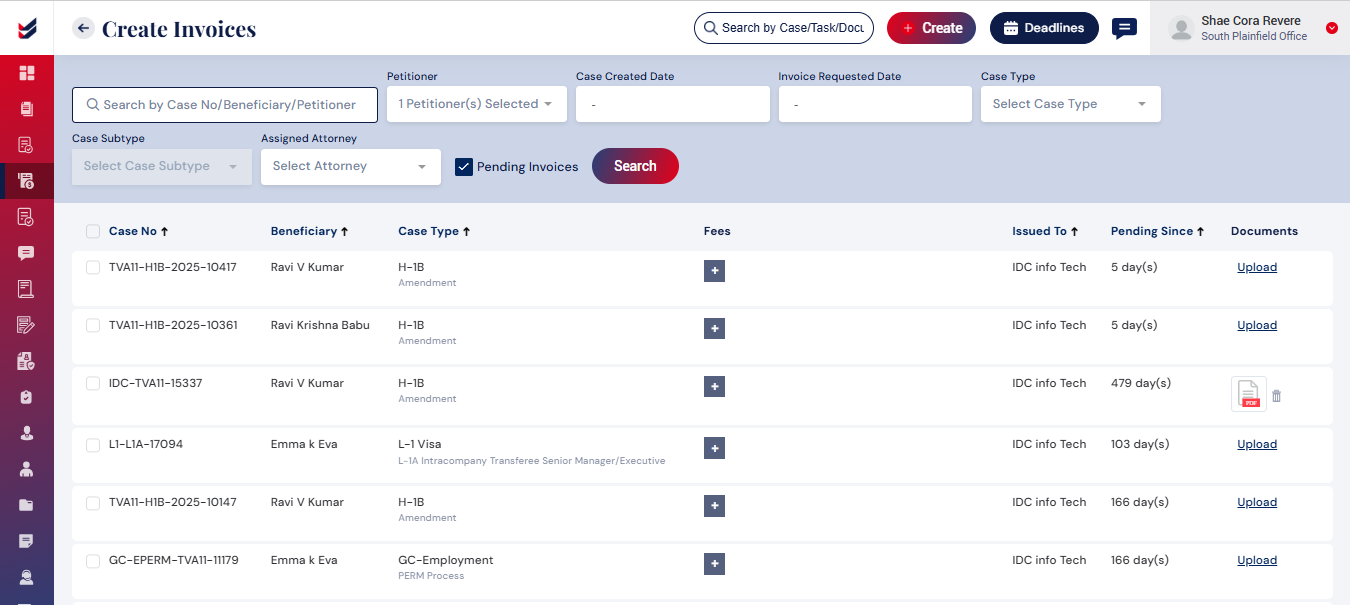
Once the applicable Fees are added, all relevant cases may be selected to see the ‘Issue Invoice’ button beside the ‘Search’ button. Selecting that will issue the invoices directly. The selection can be done individually or multiple at a time.

