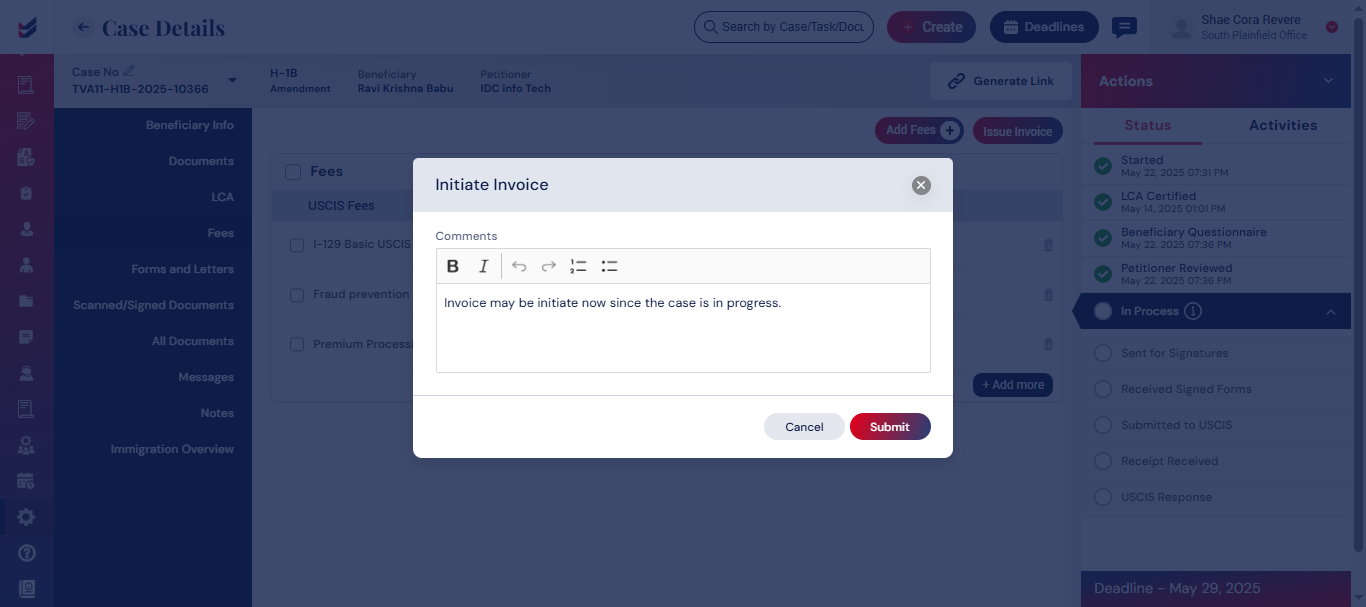
Initiate Invoice
Invoices may be initiated in accordance with the established workflow. Depending on the configuration available in Workflow, the individuals who are working on the Case will have an option ‘Initiate Invoice’ in the Actions menu.
Click here to learn how to Create and Customize a Workflow.
Prior to the initiation, the team working on the Case will have an option to add all applicable Fees to the Case under ‘Fees/Invoices’ section in Case Details. The Fee will be displayed based on the default configuration.
Click here to learn how to Configure Fees for various Case Types
The default is modifiable by the users or Accounts team as needed.
To add various fees, Select the ‘Add Fees’ under ‘Fees/Invoices’ in the Case Details as shown below.

Please note that each Client may have a discount configurable in the client profile. The Professional/Legal Fee will be included in post applying the applicable discount.
To initiate an invoice, choose the ‘Initiate Invoice’ option from the Actions menu from the Case Details. This action will prompt an email to be sent to the Accountants in that branch, asking for the creation of an invoice for the relevant case.