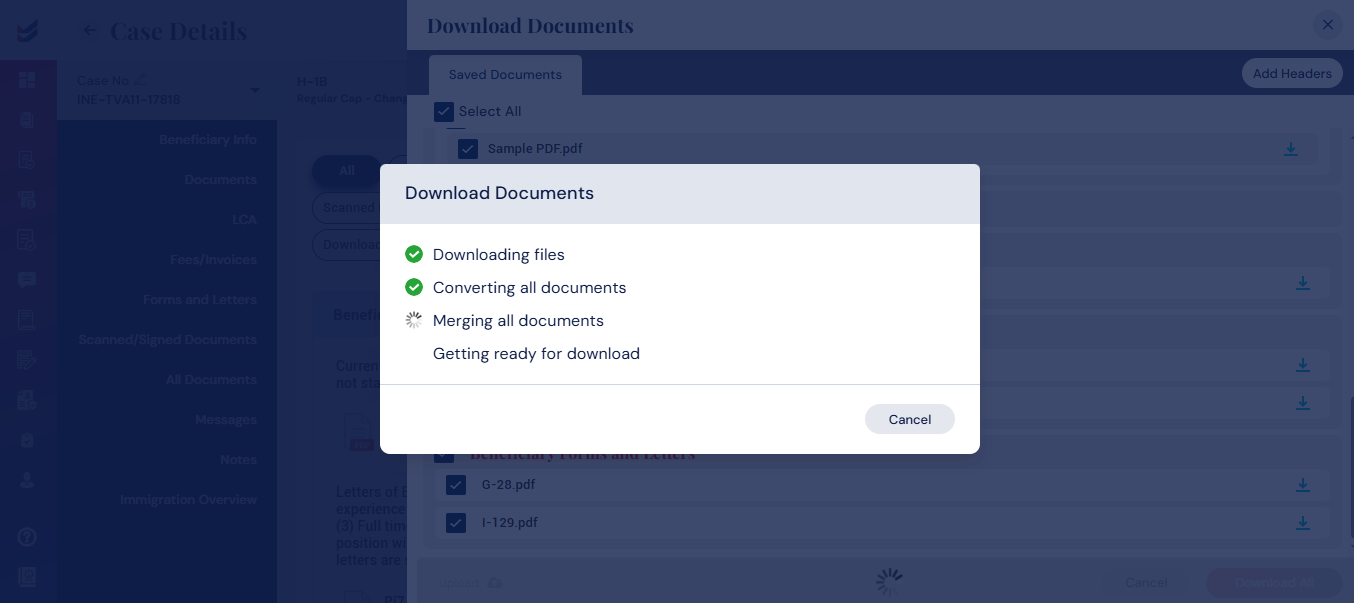
Download All Files
Clicking on ‘All Documents’ from the sub navigation in Case Details, a list of all documents will be seen with various categories displayed one after the other. The same can be accessed by clicking on each of the categories at the top of the page.
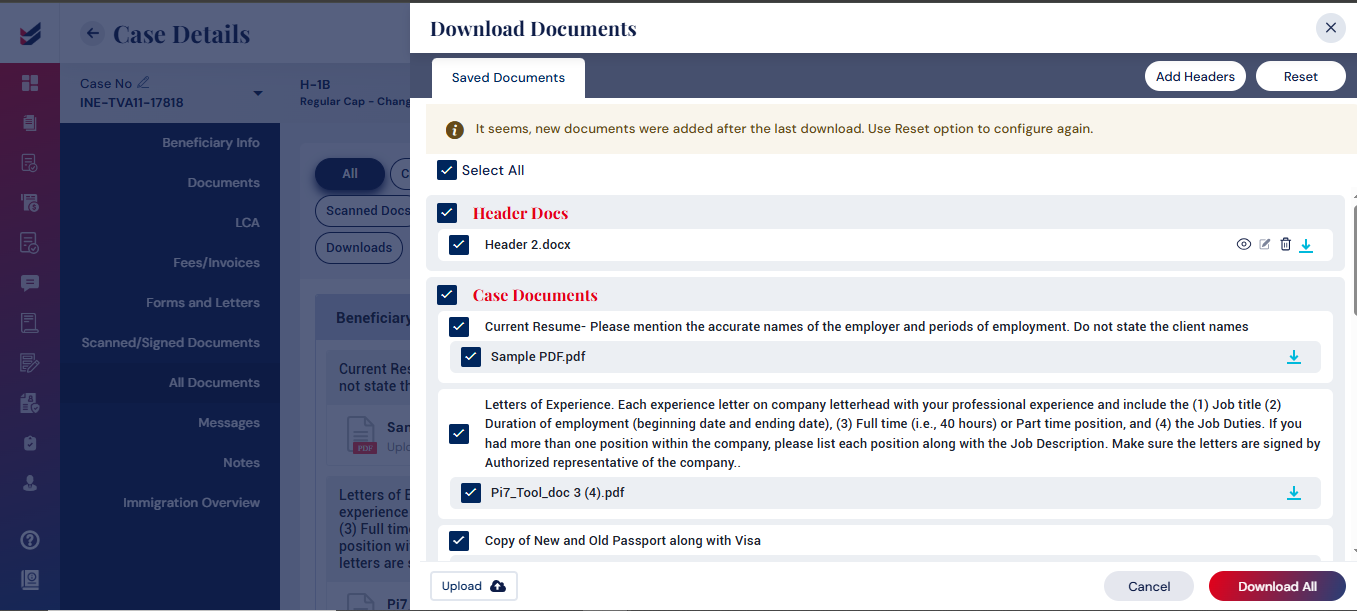
Selecting ‘Download All’ button will open a popup with all documents displayed in a particular sequence allowing the user to
- Select/unselect the files to download
- Reorder the sequence within the category or across categories
- Include Headers wherever is required
- Upload any additional documents required
After making necessary changes, clicking on ‘Download All’ button will download all selected files as one single PDF. The process can be shown with various steps involved in generating the merged PDF and Downloading it.