



Calendar View
The deadlines for Tasks and Cases will be displayed in the deadlines calendar that is accessible from the top of the screen ‘Deadlines’.
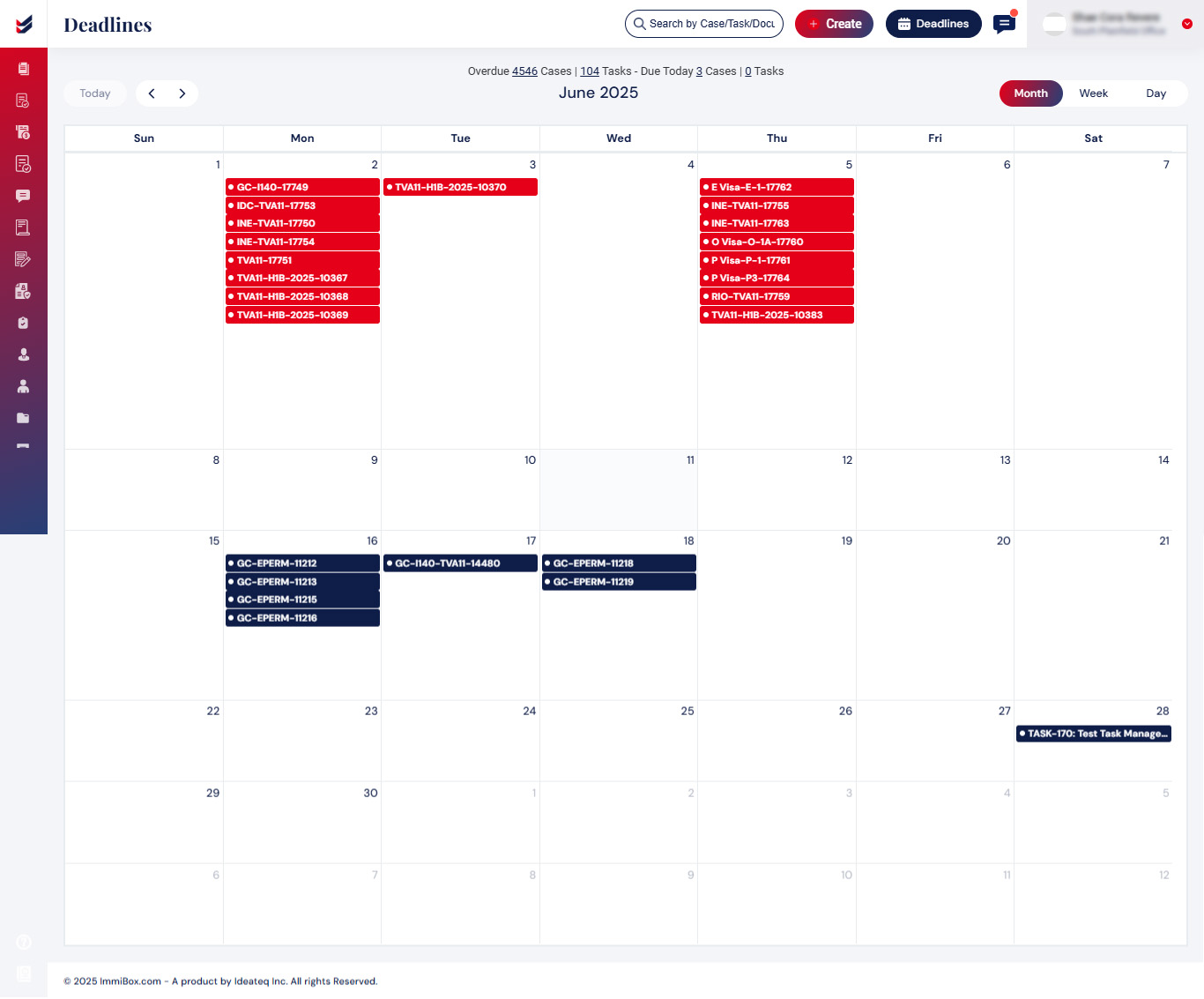
The calendar view can be seen by Month, Week and Day as seen in the screenshot above.
Status of the Task/Case can be identified by its color, blue indicates Upcoming while red indicates Overdue.
Clicking on the Task/Case will navigate to the details of the Task/Case.

